New Features in axis diplomat 2024
Listed below are a number of the key enhancements that have been added in axis diplomat 2024, including those released under Software Assurance to subscribers with axis diplomat 2022
Showing 206 enhancements covering:
- Kernel (Core) Software
- Nominal Ledger & General Accounts
- Sales Ledger, CRM & Sales Order Processing
- Purchase Ledger & Purchase Order Processing
- Stock Ledger, Bill of Materials & MRP
- Warehouse Management
- eBusiness
- Service Contract Management
- Workshop Job Management
- axis payroll
Kernel (Core) Software
Copy Cell Contents from Scrolling Data Lists
Available to all customers with axis diplomat 2024 or above
Release Date: 08/10/2024 Call Reference: 714502
Within any scrolling data list in axis diplomat, it is now possible to copy the contents of a single cell (a column and row intersection) as plain text to the clipboard. To use, simply right-click on the required content; copy to clipboard is always the last option in the context menu:
.jpg)
This time-saving development has many uses, for example, copying document references into emails or spreadsheets, financial amounts from Sales Business Intelligence into a management report document - in fact, any situation where a single piece of information is needed rather than the entire list.
Numeric Range Filters
Available to all customers with axis diplomat 2024 or above
Release Date: 08/10/2024 Call Reference: 829899
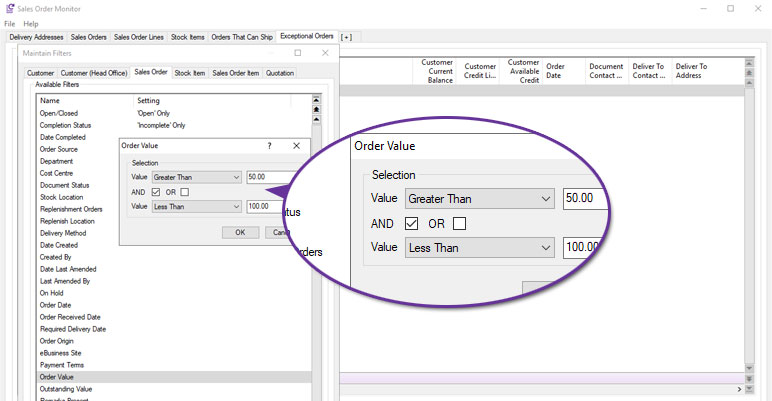
Monitor tab filters that relate to fields holding general numeric values (for example, Order Value on Sales Order monitor tabs) now allow the use of Numeric Range filters:
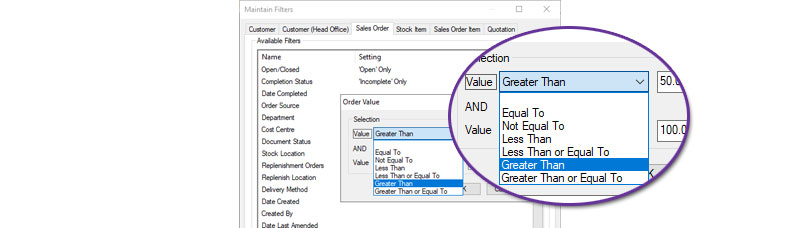
These filters can be configured to identify values that sit above, below or match certain values by specifying Equal To, Not Equal To, Less Than, Less Than or Equal To, Greater Than or Greater Than or Equal To:
The ability to specify two numbers, linked with AND or OR, means that you can configure filters for numeric ranges of items that fit within a particular range, for example: Order Value is Greater Than £50.00 AND Less Than £100.00.
The OR operator makes it possible to create a monitor looking for outlying situations, such as orders that fall outside of expected parameters, for example: Order Value is Less Than £20.00 OR Greater Than £9999.99.
Find All in Scrolling Data Lists
Available to Software Assurance customers with axis diplomat 2022 or above
Release Date: 28/06/2023 Call Reference: 570294
Two new options have been added to Scrolling Data Lists to allow lists to be filtered to specific keywords.
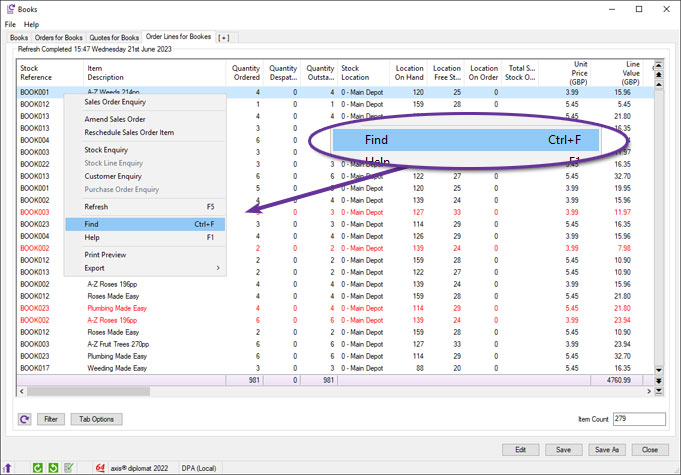
The first option is to right-click on any row in the list and select Find (or use the keyboard shortcut Ctrl F):
In addition to the Find Next and Find Previous options, a new button has been added for Find All:
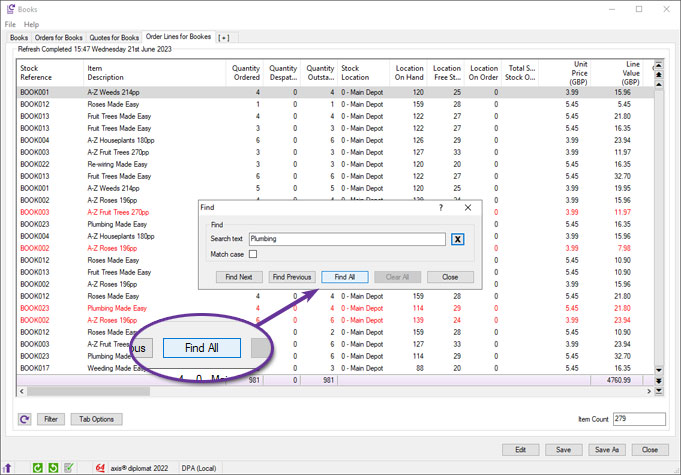
Clicking the Find All button filters the list down to just those rows that contain the search term:
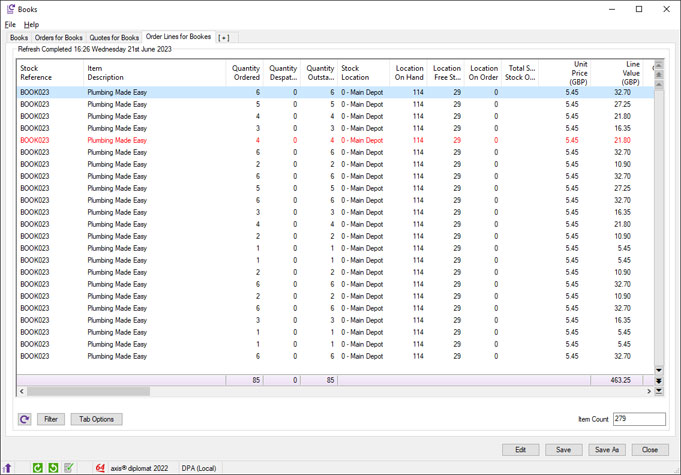
This option will include any rows that have the search term anywhere, in any column.
To assist with filtering data from a single column containing a common word, use the following method:
Right-click on the column heading for the column that you want to search and select Set Filters:
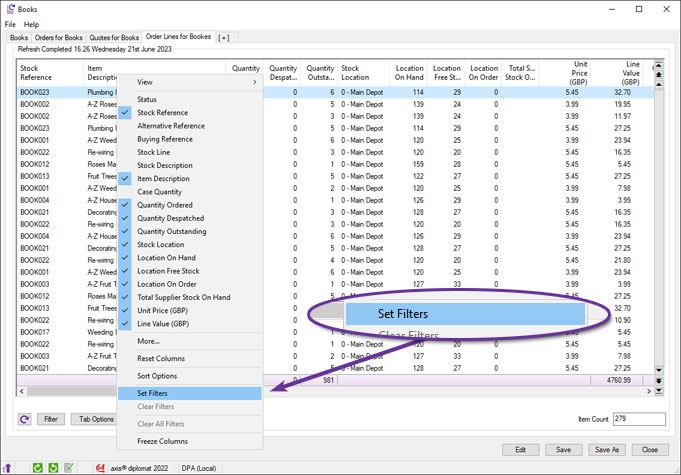
You can now enter the search word(s) in the field at the bottom of the dialog and select OK:
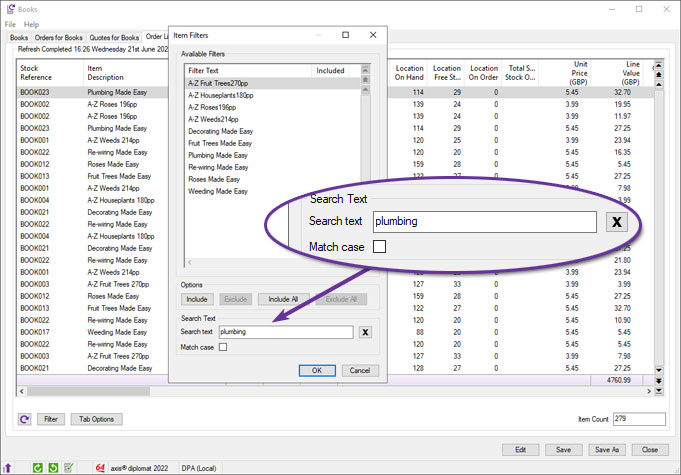
This will now filter the list down to only those rows that contain the search term in the specific column.
User Defined Date & Time Formats in Scrolling Data Lists
Available to all customers with axis diplomat 2024 or above
Release Date: 08/10/2024 Call Reference: 583266
Users are now able to customise the formats of dates and time shown in scrolling data lists. This enhancement allows the user to configure the format of ‘date’, ‘date and time’ and ‘time’ columns.
An individual user can choose their own date and/or time format for a specific column in a specific scrolling data list, for all columns of that type in a specific scrolling data list or for all scrolling data lists.
The configuration is done by simply right-clicking on the column heading within the scrolling data list and selecting 'Formatting':
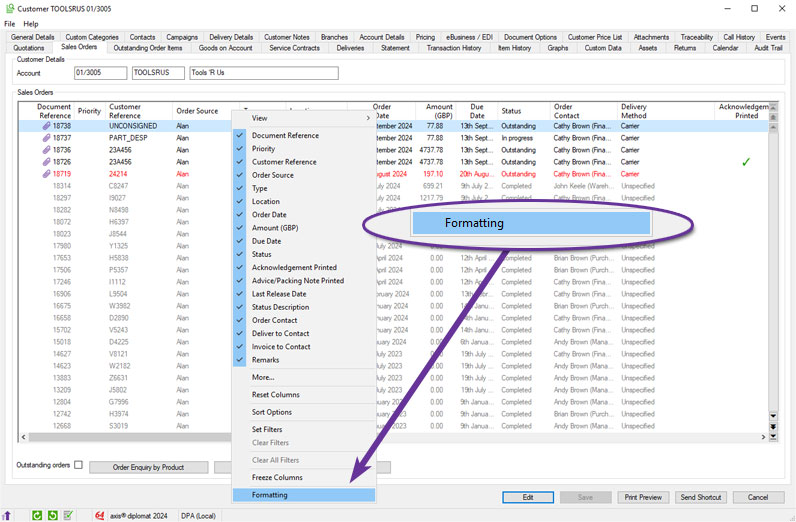
The format can then be chosen separately for this column, for this list and for all lists:
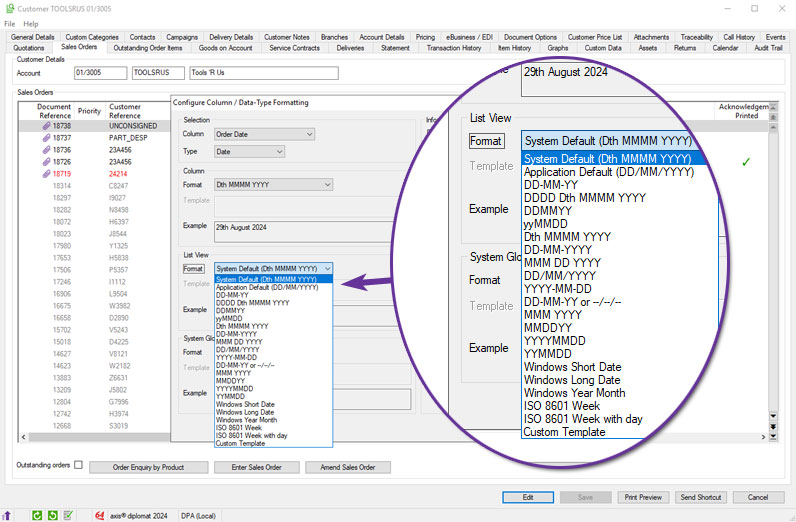
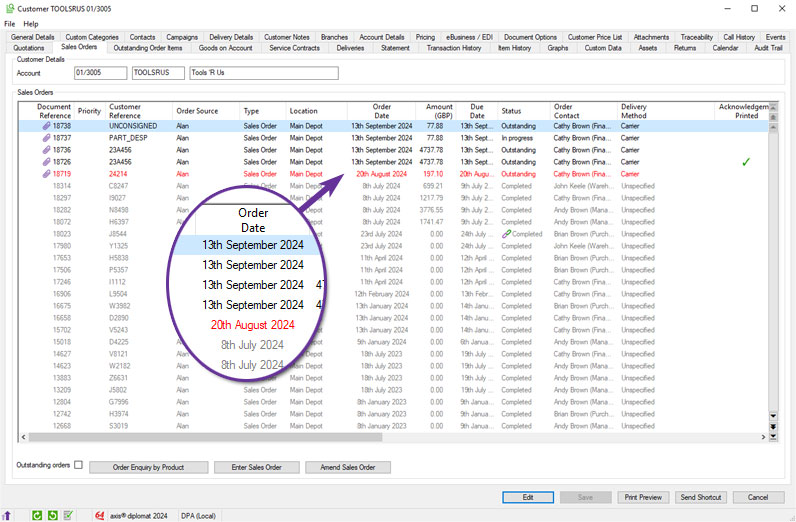
When sorting by a reformatted date or time column, the sort will still be in chronological or reverse chronological order, irrespective of the format chosen.
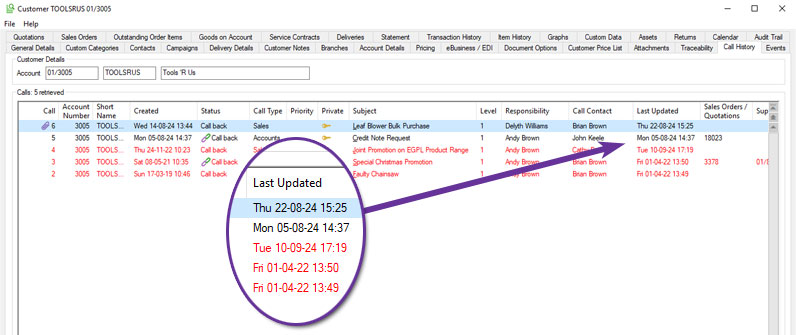
One particular situation where this is useful is when changing the format to include the day of the week. Knowing, for example, that a particular date is a Friday can be particularly helpful in understanding why something that should have happened on the following day didn't happen for three days because it spanned a weekend.
Copy to clipboard (as PDF)
Available to Software Assurance customers with axis diplomat 2024 or above
Release Date: 24/07/2025 Call Reference: 709767
The ability to copy a whole document to the clipboard as a PDF is now available within the document preview window.
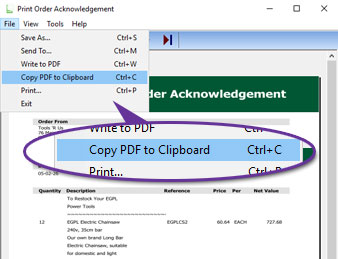
The document can be copied by using the File menu, as shown above, or the keyboard shortcut Ctrl+C.
The copied document
Audit Trail for Attachment Deletions
Available to Software Assurance customers with axis diplomat 2024 or above
Release Date: 24/03/2025 Call Reference: 830322
Audit trail events are now recorded for the deletion of attachments across a wide range of objects.
Previously, audit entries were only created when attachments were added or updated. With deletions now also being logged, administrators and auditors have a complete record of attachment activity.
Whenever an attachment is deleted, an entry is created in the audit trail showing the user, date, time, and name of the deleted file. This applies to:
- Suppliers
- Customers
- Stock Items
- Sales Orders
- Purchase Orders
- Sales Invoices and Credit Notes
- Purchase Invoices and Credit Notes
Support for 64-bit Microsoft Office
Available to Software Assurance customers with axis diplomat 2024 or above
Release Date: 12/06/2026 Call Reference: 749251
axis diplomat 2026 can now integrate with the 64-bit version (or the previously supported 32-bit version) of Microsoft Office when Office is installed on either a Windows Server or Windows PC.
The version of Microsoft Office installed is detected automatically and axis diplomat will adjust to integrate with the installed version without any manual configuration being required.
Running the 64-bit version of Microsoft Office allows Office applications to address more memory, allowing more complex spreadsheets in Excel and helping in environments with very large Outlook mailboxes.
Not all 3rd party applications support 64-bit Microsoft Office - check that any other applications you are using are also compatible before considering the switch.
Note that axis diplomat can also now integrate directly to Microsoft Office 365 Outlook web when sending emails. In some cases, this may obviate the need for you to have Outlook installed as a Windows application at all in your environment.
Support for WIA (Windows Image Acquisition) Scanners
Available to Software Assurance customers with axis diplomat 2024 or above
Release Date: 30/07/2025 Call Reference: 607709
Support has been added to axis diplomat for WIA (Windows Image Acquisition) scanners in addition to existing TWAIN scanner support. This makes it easier to connect a wider range of scanning devices to the software, especially entry-level and consumer-grade scanners that do not include a TWAIN driver.
The WIA interface is built into Windows and is ideal for straightforward scanning tasks. It offers a simplified interface with fewer configuration steps, making it sutable for quick one-off scans or environments where users do not need to adjust detailed scanner settings. Adding support for WIA expands hardware compatibility, reduces setup time, and gives users more flexibility when choosing scanning equipment.
TWAIN is still the better choice for advanced scanning requirements such as multi-page document handling, duplex scanning and integration with auto-feeders. If your business regularly scans invoices, purchase orders, or uses batch scanning features, a TWAIN-compatible scanner is recommended. For quick tasks like scanning a single signed document or a proof of delivery, WIA may offer a solution where no TWAIN driver is available.
Please note that some axis diplomat features, such as Delivery Note Scanning and Sales Order Release, are designed specifically with TWAIN scanners in mind. These functions often require more control over scan behaviour, such as prompting for scans at specific workflow stages or saving directly to linked transactions. In those cases, a TWAIN-compatible device will still be necessary to use the functionality.
Printing Defaults - Multi-tray, Multi-copy Printing
Available to Software Assurance customers with axis diplomat 2024 or above
Release Date: 20/01/2025 Call Reference: 832102
Support for both multi-tray and multi-copy printing is standard but has previously only been configurable by the user during printing with the settings being retained by axis diplomat for later use.
The Maintain Printing Defaults and Maintain Background Printing Defaults Supervisor Functions have now been enhanced to allow these settings to be configured at any time.
The axis diplomat Printer Selection dialog allows you to select a specific printer and output tray for each copy of the document. This is designed to help in situations where multiple paper copies of a document are required (for example, a pink copy for the customer, a yellow copy for the driver and a white copy for filing).
Different paper stock can be loaded in different printer trays (or in completely separate printers) and multiple copies of a document automatically produced each time. The number of copies, the chosen printer and the selected output tray is retained as the default for subsequent printing of that type of document. These defaults are stored separately for each workstation.
.jpg)
Where more than one copy is specified, the “Copies” button opens an additional dialogue which allows the user to specify a different printer and/or tray for each copy:
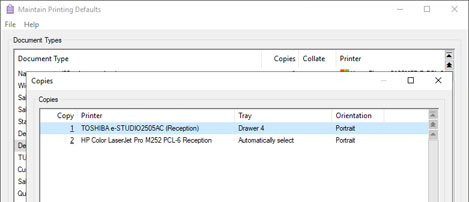
These developments make it easier to manage default printing behaviour and background printing with multiple copies.
Show Phone Numbers and Email as Text in Data Lists
Available to Software Assurance customers with axis diplomat 2024 or above
Release Date: 09/05/2025 Call Reference: 849975
A new parameter has been added to User Details to control whether phone numbers and email addresses are hidden or displayed as plain text in scrolling lists.
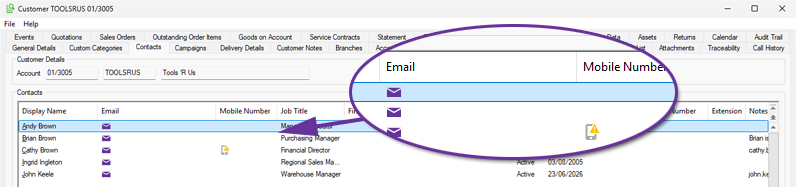
By default, these fields are shown as icons with hover-to-view to reduce the risk of data being screen-scraped. However, some job roles may benefit from being able to see the details directly. We recommend that administrators review job roles and only enable this option where direct visibility of phone numbers and email addresses is justified.
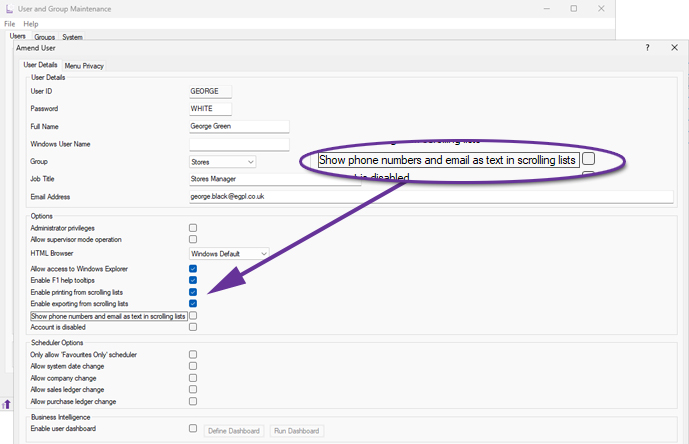
In the default state, with the permission not set, contact details are shown as icons with hover-to-view:
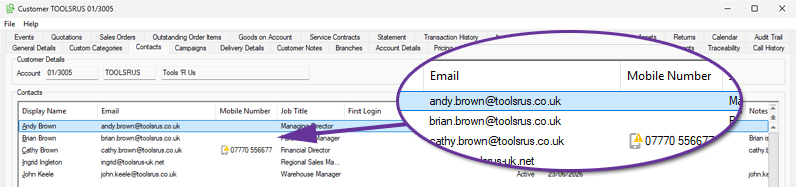
Once permission for this user has been granted, contact details appear as plain text:
Freeze Columns in Scrolling Data Lists
Available to Software Assurance customers with axis diplomat 2022 or above
Release Date: 04/04/2023 Call Reference: 787978
Scrolling data lists, used throughout axis diplomat in functions such as monitors and enquiries, now offer the ability to freeze any number of columns at the left-hand side of the data list, allowing the remaining columns to be scrolled left and right in the usual manner.
This is particularly useful with scrolling data lists containing an extensive amount of columns since it allows you to freeze key data columns and keep those on-screen and in context while you scroll right through the various columns.
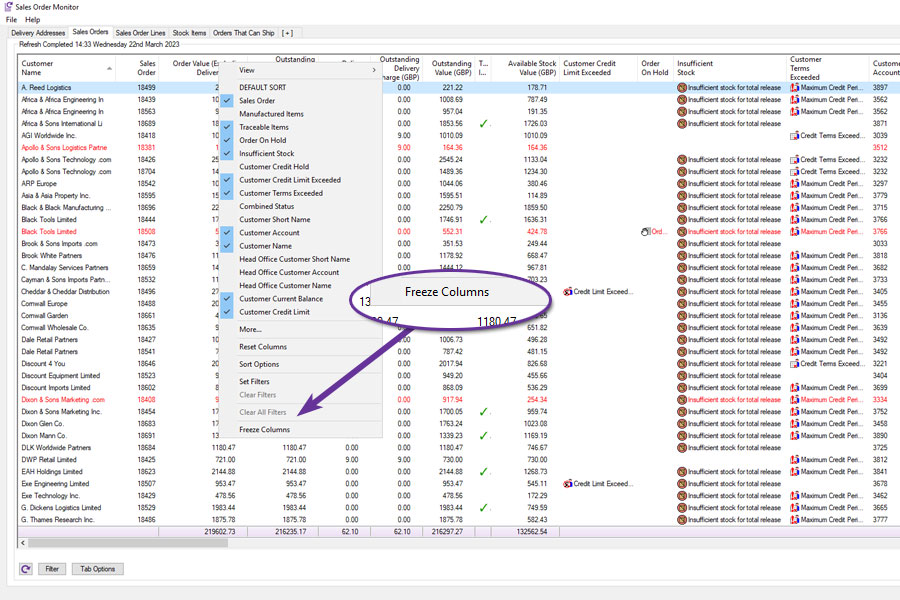
To use, simply right-click on the heading of the rightmost column that you want to freeze:
All columns up to that point are then frozen and the remaining columns can be scrolled:
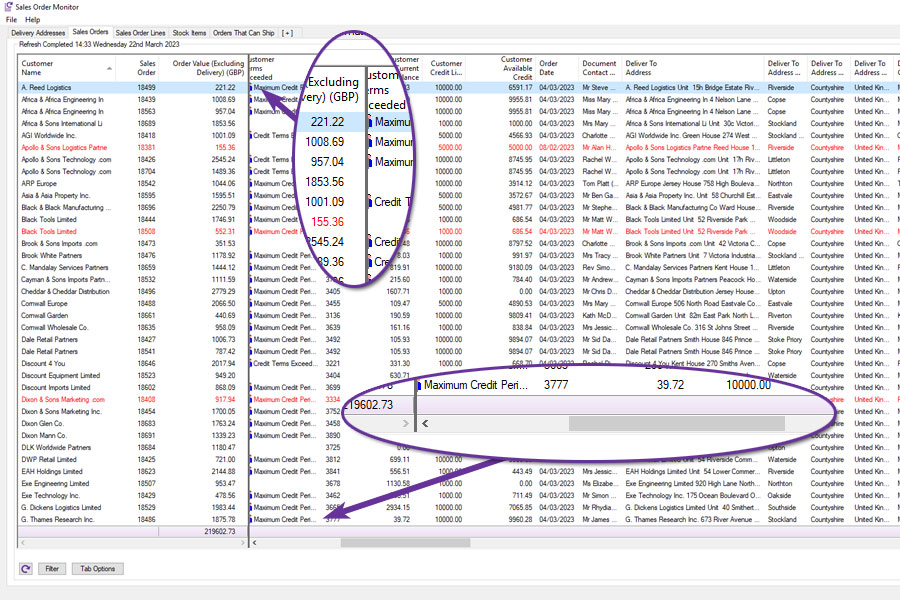
Remember that if the column or columns that you want frozen are not already on the left-hand side of the scrolling data list, you can easily drag them there first and then freeze them.
Make Phone Calls from Telephony Monitor
Available to Software Assurance customers with axis diplomat 2024 or above and the Telephony Interface module
Release Date: 19/05/2026 Call Reference: 846687
A new context menu (right-click) option has been added to the Telephony Monitor to call numbers directly from the monitor.
The option is context-sensitive so, when right-clicking on a column in a row that does not contain a telephone number, the option is disabled. If the user selects a column in the row that does contain a telephone number, the option to directly call the number becomes available.
Default Refresh on Monitors
Available to all customers with axis diplomat 2024 or above
Release Date: 08/10/2024 Call Reference: 829752
Not all monitor tabs require frequent automatic refreshes. For example, a fixed-date tab (such as an Absolute Date filtered list for the first quarter of the previous year) can be refreshed manually when needed, rather than, for example, every five minutes, to help reduce the load on a multi-user system.
To optimise performance, the default refresh interval for new monitor tabs is now set to 0 minutes, encouraging users to be mindful when setting the refresh rate.
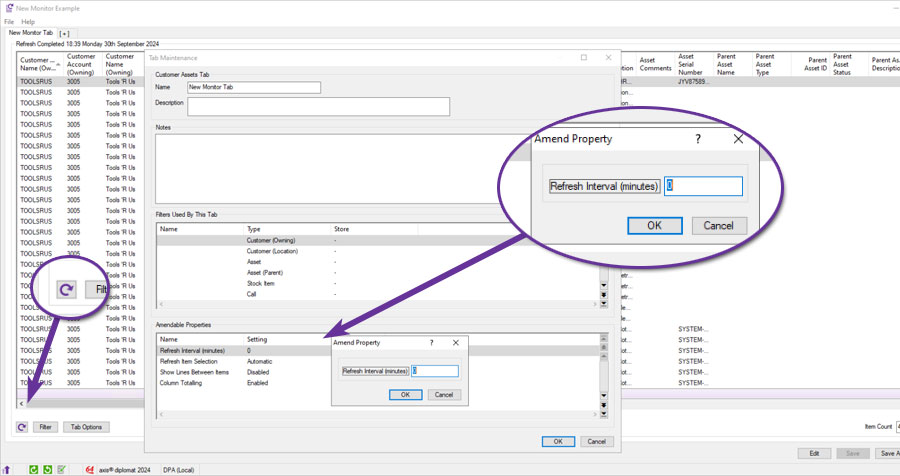
If the automatic refresh rate needs adjusting, this can be done via the Tab Options button: In the Amendable Properties section, simply modify the 'Refresh Interval (Minutes)' setting as required.
If you wish to manually refresh a monitor, you can either click the refresh button in the bottom left corner or hit F5 (the same function key used to refresh a web page in common web browsers).
UK Postcode Format Validation
Available to Software Assurance customers with axis diplomat 2022 or above
Release Date: 14/06/2024 Call Reference: 760071
There are many 3rd party services such as Delivery Service Providers (DSPs) that axis diplomat communicate with which require correctly formatted address information.
To help prevent situations where, for example, couriers are unable to consign a delivery due to an incorrect postcode, UK postcode format validation is now included as standard.
Postcode Format Validation is now provided within following functionality:
- Customer Account Maintenance
- Quotation, Sales Order, Service Contract, Contract Request and Workshop Job Maintenance
- Supplier Account Maintenance
- Purchase Order Maintenance
- Delivery Record Maintenance
- Import eBusiness Orders
Please note that this validates the address format only, it does not verify that an actual postcode exists. An additional axis diplomat Postcode Address Retrieval module is available which uses a 3rd party service to search and retrieve addresses from postcodes.
Document Designer Element Currency Code (ISO)
Available to Software Assurance customers with axis diplomat 2022 or above
Release Date: 15/05/2024 Call Reference: 824557
Alongside the existing currency symbol and description document elements, Document Designer now adds a new element, Currency Code (ISO), which equates to, for example, GBP, USD or EUR. This offers several benefits:
- The ISO currency code provides a globally recognised and standardised way to represent currencies. This is especially important for businesses that operate internationally or deal with clients and suppliers in different countries.
- Using ISO codes like GBP, USD, or EUR ensures clarity and avoids confusion, especially when dealing with multiple currencies that have the same symbol (e.g., "$" for both USD and AUD).
- Many financial systems and software platforms use ISO currency codes for integration and automation. By using ISO codes in your documents, you can improve data exchange with other systems, reducing the risk of errors.
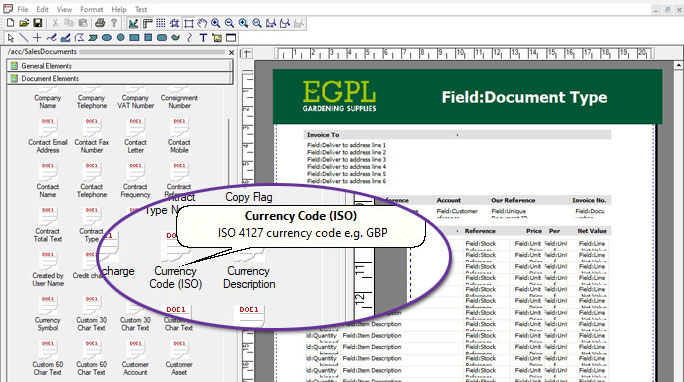
For more information:
Retaining Line Breaks in Documents
Available to Software Assurance customers with axis diplomat 2022 or above
Release Date: 28/03/2023 Call Reference: 781900
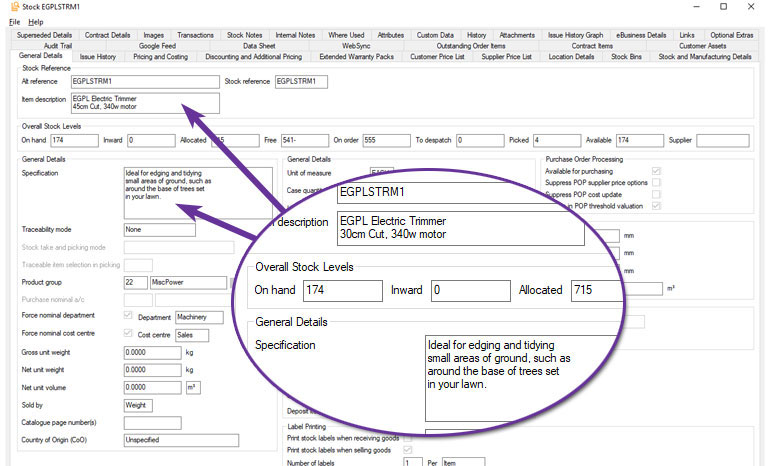
A new document parameter allows Document Designer to preserve a stock item's original line breaks when including long descriptions in document lines. Previously, the two standard lines and/or up to six lines specification, would be merged into one long line, with breaks occurring wherever required to fit the column width. This parameter will force the lines to match the axis diplomat stock ledger.
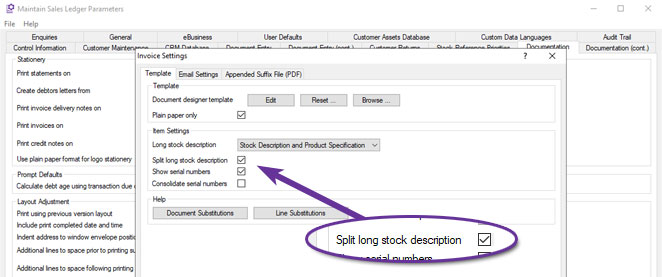
The following example illustrates the difference that this parameter makes:
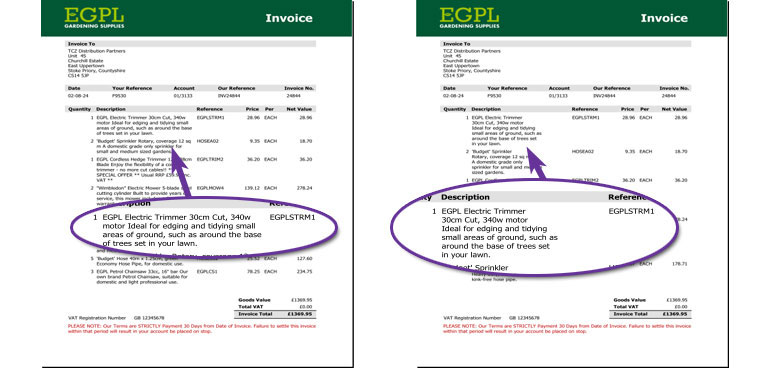
The invoice on the left is produced using the conventional long stock description whilst the one on the right is produced with the "Split long stock description" parameter set.
Maintain Background Printing Defaults
Available to Software Assurance customers with axis diplomat 2022 or above
Release Date: 02/09/2024 Call Reference: 831094
A new supervisor function, Maintain Background Printing Defaults, is now available to define which printers are used for printing from axis diplomat scheduled background tasks. For example, if documents such as Picking Notes are printed automatically at scheduled intervals rather than manually by a user.
The function must be run on the axis diplomat server, ensuring that only printers accessible to the server are offered for selection. These defaults will be applied for all users but it is only necessary to set defaults for those labels and documents that will be printed from background processes.
Update to Embedded Web Viewer
Available to all customers with axis diplomat 2024 or above
Release Date: 08/10/2024 Call Reference: 776564
There are a number of situations where axis diplomat uses embedded web browser technology to view web pages or HTML content - for example, when viewing or editing stock notes.
The embedded control has been updated to use Microsoft's viewer based on their Edge web browser.
This update provides a smoother user experience with enhanced security whilst ensuring that the latest web content continues to be handled correctly when viewed within axis diplomat functions.
Hiding Sensitive Contact Information
Available to all customers with axis diplomat 2024 or above
Release Date: 08/10/2024 Call Reference: 821885
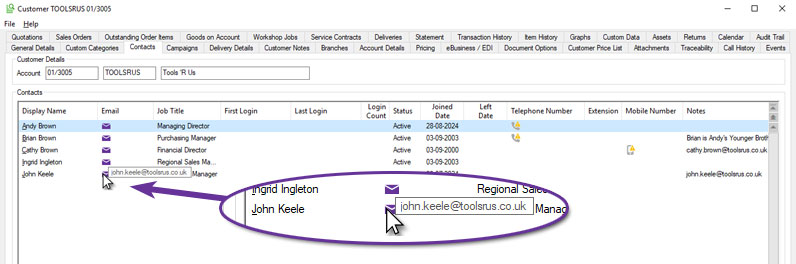
Customer and Supplier contact list views have been enhanced as part of a broader initiative to protect Personal Identifiable Information (PII). Telephone and mobile numbers, along with email addresses, are replaced by icons in order to help prevent personal information from being captured by malware or by taking of unauthorised screen grabs/images.
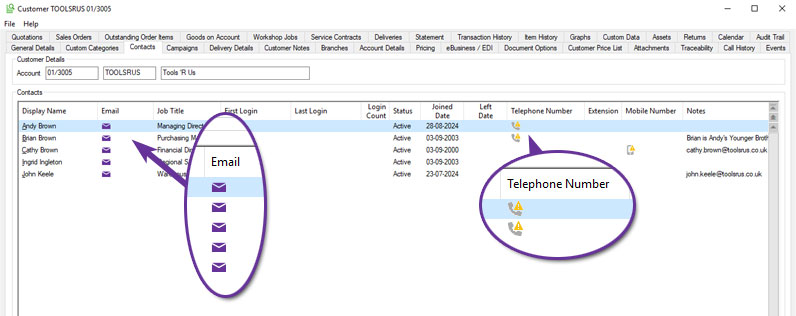
Context menu (right-click) options to email or call (for those with the axis diplomat Telephony Interface) a contact remain unchanged and details can be copied to the clipboard to, for example, paste into an email program:
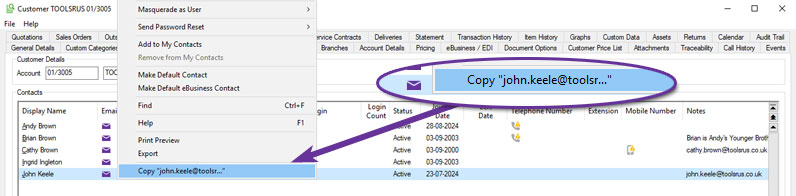
Users with permission to export data from axis diplomat scrolling data lists are still able to do so and these exports will continue to include contact phone numbers and email addresses.
Hovering over the email address or telephone icons, also reveals the information in a tooltip:
Remove Aged Document Attachments
Available to all customers with axis diplomat 2024 or above
Release Date: 08/10/2024 Call Reference: 822048
The Supervisor Function 'Maintain Data Retention Settings' has been extended to include a new tab for 'Attachments' which allows you to specify the retention period (in days) for attachments on various types of document held in the system, including Quotations, Sales Orders, Purchase Orders, and, for systems with the Despatch and Delivery Management module, Deliveries.
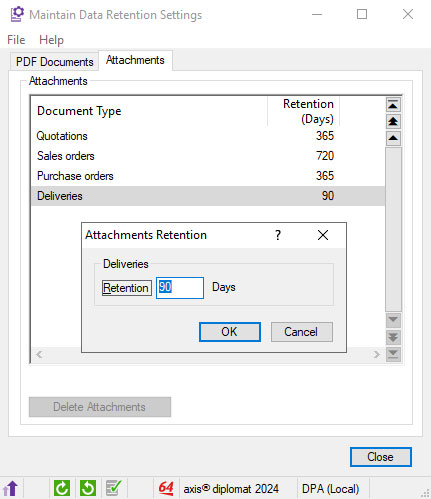
You can specify a different retention period for each type of document, ranging from 30 to 65,000 days.
Attachments that fall beyond the retention period can be removed automatically as part of a scheduled cleanup, configured using the function 'Scheduled Processing Settings'. Alternatively, they can be removed manually using the 'Delete Attachments' button within the Maintain Data Retention Settings function.
Ensuring that your system does not retain attachments longer than is necessary not only improves system efficiency (with smaller, quicker backups, for example) but can help maintain compliance with data protection legislation (e.g. the UK Data Protection Act and the EU GDPR) by not holding personal data when it is no longer required.
Uninstall axis diplomat includes SQL Server Database
Available to all customers with axis diplomat 2024 or above
Release Date: 08/10/2024 Call Reference: 752386
When uninstalling axis diplomat (typically following migration to a new server), the uninstall process now not only includes the axis diplomat software and core data but now also removes the associated Microsoft SQL Server database.
This helps in securing data by eliminating an opportunity for human error in leaving a database on a redundant server.
Logs Monitor
Available to all customers with axis diplomat 2024 or above
Release Date: 08/10/2024 Call Reference: 798836
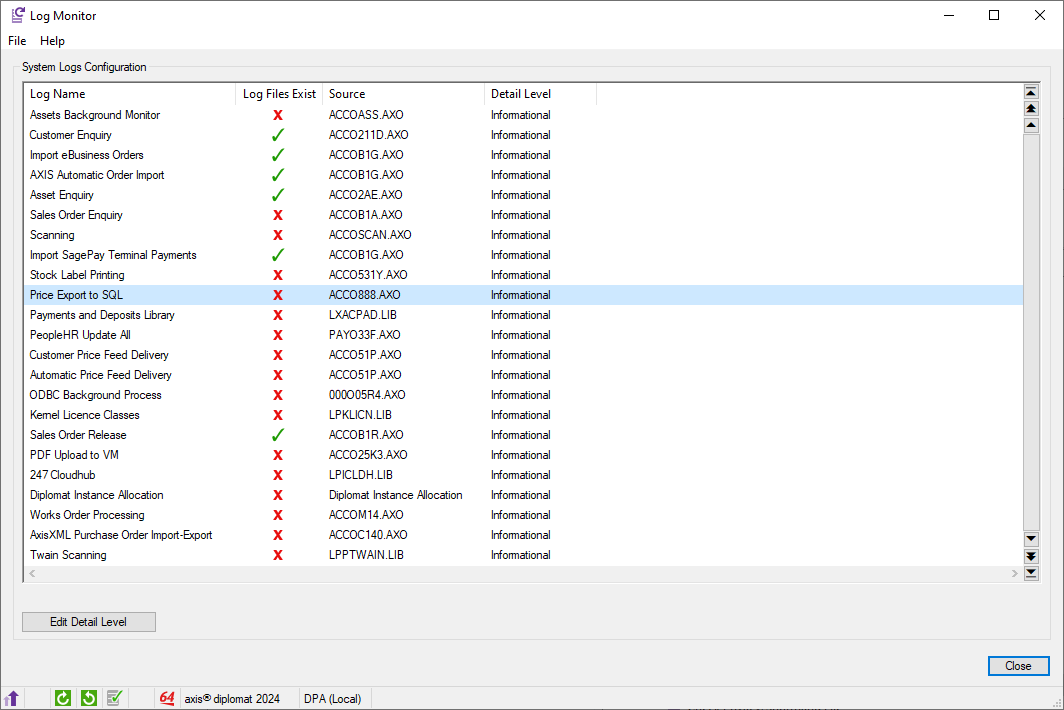
In any business-critical system, the ability to quickly diagnose processing issues is essential. The Log Monitor has been added to the Kernel Supervisor Functions to provide quick and convenient access to view the available system logs.
Users are presented with a list of available logs, which may vary depending on the system's configuration. An icon will indicate whether a log file exists for each entry. Additional details such as the Program Name and Detail Level of each log are also provided.
Via right-click (Context Menu) options, users can open the folder location of the log file or modify the detail level of a specific log for more in-depth diagnostics.
It’s important to note that diagnostic logging does carry a performance overhead, so it should be used cautiously. For any adjustments to logging levels, it is recommended to consult the axis diplomat Customer Services team to ensure proper configuration without negatively impacting system performance.
Verification of Microsoft Graph API Credentials
Available to Software Assurance customers with axis diplomat 2022 or above
Release Date: 06/08/2024 Call Reference: 822408
Microsoft Graph is the preferred technology for sending emails, both from axis diplomat and axis vMerchant. It is an authenticated mechanism for applications to talk directly to your Microsoft 365 account to securely send emails. One of the benefits of using the Microsoft Graph API to send emails is that, because of the strong authentication, delivery success levels are higher because emails are less likely to be treated as spam by the recipient system.
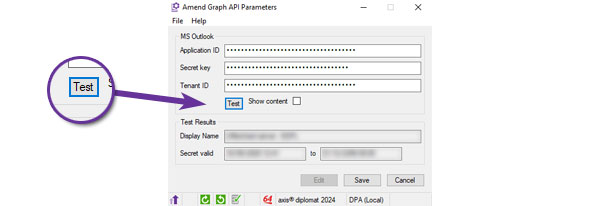
The function for configuring the Microsoft Graph API Parameters now includes a 'Test' button which will attempt to communicate with the Microsoft 365 account using the supplied credentials. If this is successful, the Display Name and Secret valid from and to dates are filled in, confirming that the credentials are valid. Note that no test email is sent - the test simply confirms that the Application ID, Secret key and Tenant ID are valid.
Digital Signing of Software Updates
Available to all customers with axis diplomat 2024 or above
Release Date: 08/10/2024 Call Reference: 779307
Each individual function within the axis diplomat software is now digitally signed to ensure its authenticity. This not only helps prevent malware going unnoticed should it try to attach itself to your application but also ensures that security software does not object to software updates, particularly the installation of individual patches.
Telephony Monitor
Available to Software Assurance customers with axis diplomat 2022 or above and the Telephony Interface module
Release Date: 19/01/2023 Call Reference: 780976
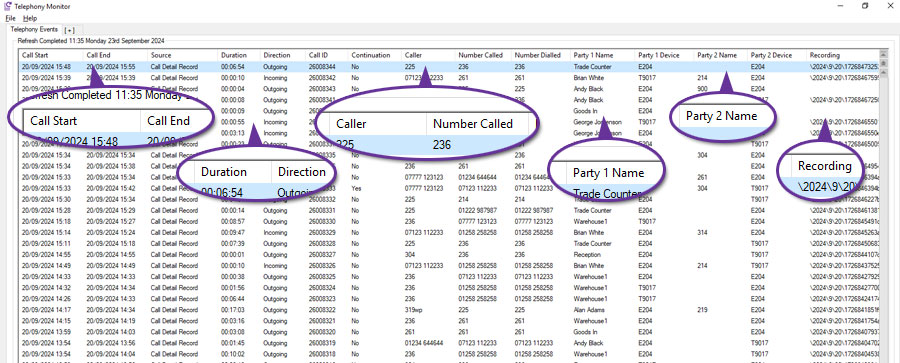
Available as part of the additional axis diplomat Telephony Interface module, the Telephony Monitor is designed to provide managers with a view of all phone calls and recordings in one place, supplementing similar functionality provided in the context of an individual customer/organisation within the Customer or Supplier Enquiry 'Events' tab. Call details include what number was called by who, when (date/time), and the call duration.
Accessible as a menu entry or as a tab type to be added to a new or existing monitor, this monitor includes a tab option whereby phone numbers are compared with those held in your axis diplomat customer and supplier accounts and this can be used to show appropriate organisation and contact details rather than just a sea of numbers!
Context menu options also provide links to the relevant Customer or Supplier account.
On axis diplomat systems which also have the Voice Recording Interface module, the monitor also indicates whether a recording is present for a call and (dependent on the user's security permissions) provides the ability to open/listen to the call recording.
Filters allow you to monitor by a date range, such as last 7 days or by source, as well as providing Customer and Supplier filters.
Nominal Ledger & General Accounts
Integrated Stock Ledger Support for 3rd Party Stock
Available to Software Assurance customers with axis diplomat 2022 or above and the Integrated Stock Ledger module
Release Date: 13/05/2024 Call Reference: 811406
Implementation of the optional Integrated Stock Ledger module has not, until now, been an option for those axis diplomat systems holding supplier consignment stock or other stock owned by third parties. This has been due to the inclusion in the Nominal Ledger of the values of stock movements related to all stock locations and, whilst third party owned stock could be recorded in the system at a zero cost, it is more desirable to record a value for this stock in the Stock Ledger for insurance and reporting purposes and to exclude these values from the financial valuations for the company.
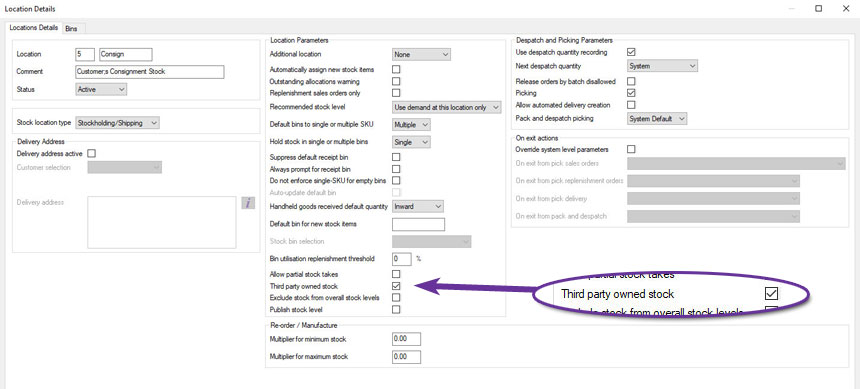
The implementation of the Integrated Stock Ledger module for systems with third party owned stock is now possible with the ability to flag specific stock locations as holding third party owned stock. Once set, this flag indicates that the value of stock and any stock movement transactions at this location are not to be included in the accounting records as the stock is not to be considered a financial asset of the company. Upon transfer of this stock into a company owned stock location, the transferred stock cost value is then held in the Stock Control nominal asset account with a balancing transaction in the Goods Received not Invoiced nominal liability account.
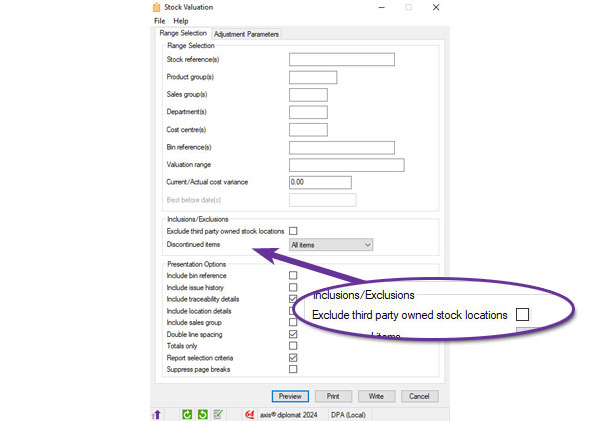
Additional selection criteria has also been added to Stock Valuation reports to allow these locations to be excluded.
For more information:
https://www.axisfirst.co.uk/documentation/Integrated-Stock-Ledger/articles/21311
Transaction Auditing Enhancements
Available to all customers with axis diplomat 2024 or above
Release Date: 08/10/2024 Call Reference: 829686
Financial auditing of customer, supplier and nominal transactions has been enhanced with the addition of the posted date and time to the Posted column in Transaction History tabs for customer and supplier account enquiries and to the Transactions tab for nominal account enquiries.
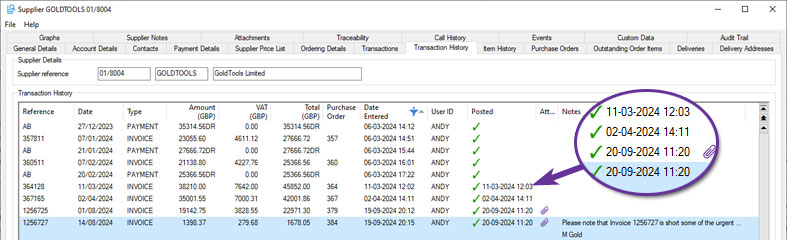
The posted date and time have also been added to Customer Transaction History, Supplier Transaction History and Nominal Transactions type monitor tabs.
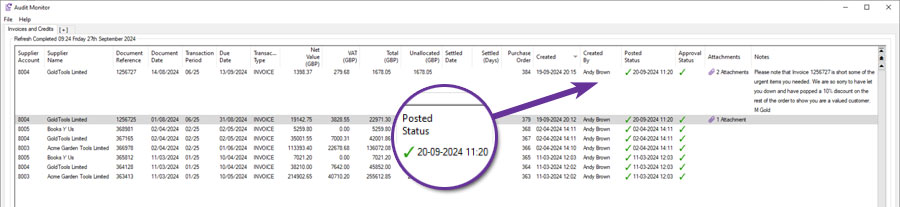
These enhancements facilitate reconciliation by posted date and time for batch postings to control accounts such as the Debtors and Creditors nominal control accounts. This is particularly useful when reconciling sales and purchase transactions to nominal ledger postings when they been entered as a batch or have not posted in real time due to the ledgers being in a split period situation, resulting in those transactions posting to the Nominal Ledger as a single batch upon completion of the previous period Nominal Ledger Period End.
This information may also be exported from the monitor tabs in CSV or Microsoft Excel format for use by external auditors in third party accounts preparation and auditing software tools.
This is available as an additional option for axis diplomat 2024 but with no additional license or support costs. When set, existing customer, supplier and nominal transactions for the current and last financial year will be updated to show the posted date and time.
Disabling Department and Cost Centre Codes
Available to all customers with axis diplomat 2024 or above
Release Date: 08/10/2024 Call Reference: 671129
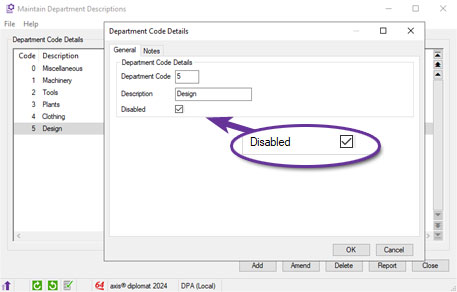
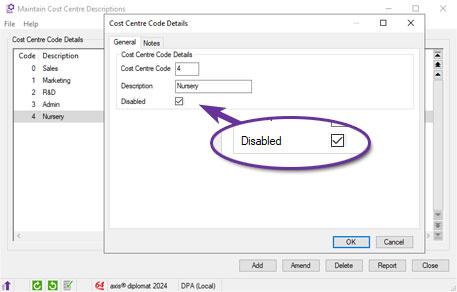
It is now possible to mark individual Department Codes and Cost Centres as Disabled within the functions ‘Maintain Department Descriptions’ or ‘Maintain Cost Centre Descriptions’.
This will prevent these codes being reused for new assignments but allows for historical analysis.
Deferred Income Provision
Available to Software Assurance customers with axis diplomat 2024 or above
Release Date: 03/09/2025 Call Reference: 856394
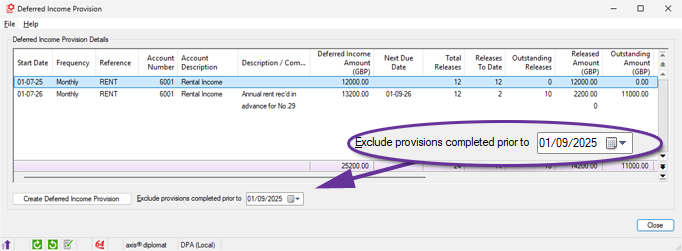
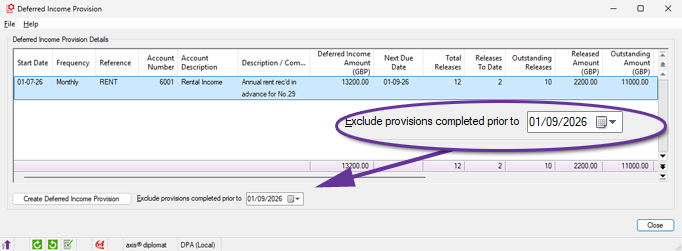
The Deferred Income Provision has been modified to add an option to exclude provisions completed prior to a specified date from the displayed list. This allows the list of deferred income provisions to be filtered as required, to show only outstanding provisions or outstanding plus those completed in the current financial year.
All deferred income:
Outstanding deferred income only:
For more information:
https://documentation.axisfirst.co.uk/deferred-income-provision/article/159903
Improved Nominal Account Enquiry Loading
Available to Software Assurance customers with axis diplomat 2022 or above
Release Date: 17/06/2024 Call Reference: 826987
The functions Nominal Account Enquiry, Nominal Account Maintenance and Cash Account Enquiry have all been modified to replace the 'Include history' checkbox on the 'Transactions' tab with an 'Include transactions' drop-down with options for 'Current Year', 'Current and Last Year' and 'All Transactions'.
Furthermore, the preferred response to this prompt can be saved using the 'Save current tab responses' option.
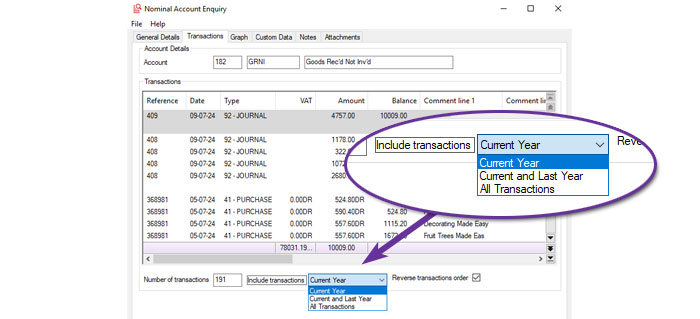
The functions have also been modified to only read transactions once the tab is selected and then only read the applicable transactions. This makes the function much faster to load and makes it easier to find the desired transactions.
Sage Export Invoices / Credits Enhancements
Available to Software Assurance customers with axis diplomat 2022 or above and the Sage Line 50 Interface module
Release Date: 03/11/2023 Call Reference: 810526
For those exporting transactions to Sage Line 50, the 'Export Invoices/Credits' function has been enhanced with a new 'Documents to include' option. It is now possible to select
• Sales & Purchase
• Sales only
• Purchase only
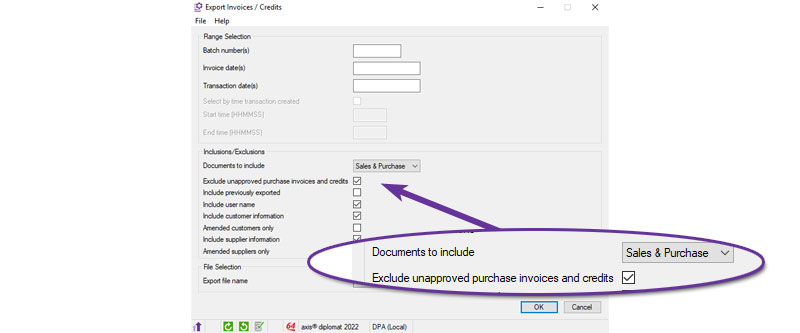
An additional tickbox has also been added to 'Exclude unapproved purchase invoices and credits' which is available if the documents to include is set to 'Sales & Purchase' or 'Purchase only'.
You are able to use the ‘Save Current Responses’ from the File menu to change the default setting for both of these new options.
Amend Nominal Account Numbers
Available to Software Assurance customers with axis diplomat 2024 or above
Release Date: 25/09/2025 Call Reference: 844742
A new Nominal Ledger Utility function, 'Amend Nominal Account Numbers', has been added within Supervisor Functions.
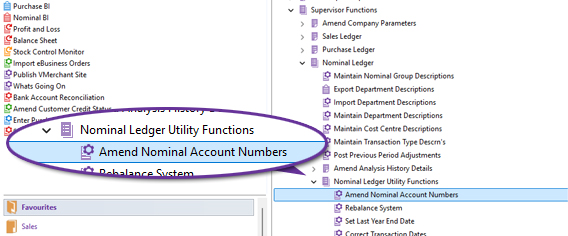
This function allows an existing Nominal Ledger Account to be re-numbered to a new account number.
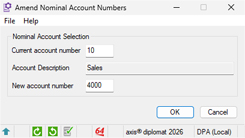
This is a single user function and it is highly recommended that a backup is taken when prompted and, for performance reasons, data protection should be suspended. The function will also update any associated transaction history with the new account number.
Sales Ledger, CRM & Sales Order Processing
Multi-Select in Customer Price List monitor
Available to all customers with axis diplomat 2024 or above
Release Date: 14/11/2024 Call Reference: 830397
Managing Customer Price Lists can now be done more easily from within a Monitor tab.
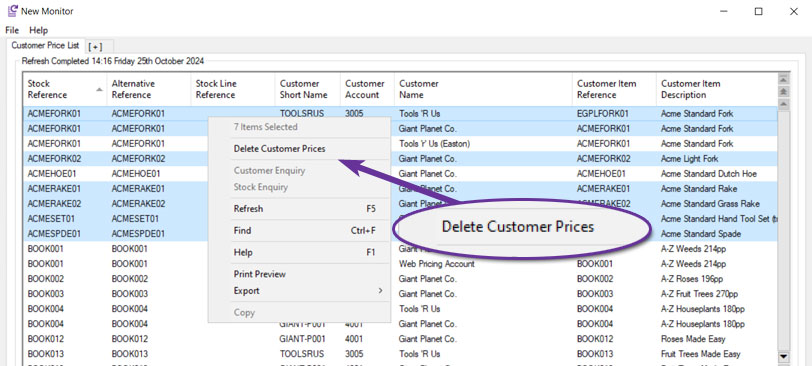
Where security permissions allow, price list entries can be deleted and you can also select multiple entries for deletion.
You can select a contiguous range of entries by clicking on the first row and then clicking on the last row whilst holding down the Shift key. Alternatively, you can select non-contiguous rows by clicking on each individual entry whilst holding down the Ctrl key. You can also select all of the entries displayed by using Ctrl A.
In each case, a right-click will open the context menu offering the option to ‘Delete Customer Prices’.
Each deletion generates an audit trail event on the customer record to provide a clear history of changes.
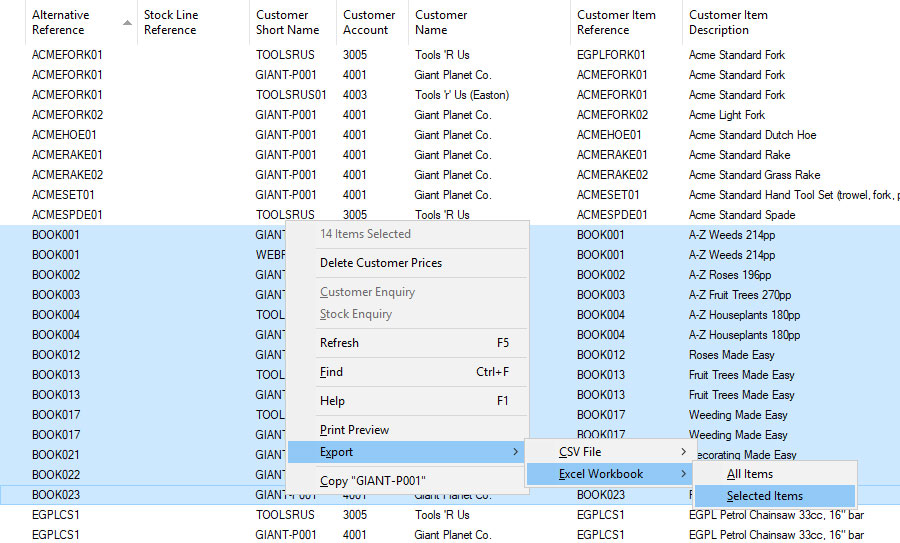
The traditional context-menu export options for CSV and Excel are also extended to allow just the highlighted selection to be exported:
Configurable Debt Analysis Period for Debtors Letters
Available to Software Assurance customers with axis diplomat 2024 or above
Release Date: 13/05/2026 Call Reference: 861082
Previously, the Print Debtors Letters function used the overall customer debt analysis period defined in Maintain Sales Ledger Parameters but a separate Debtors Letters debt analysis period has now been added.
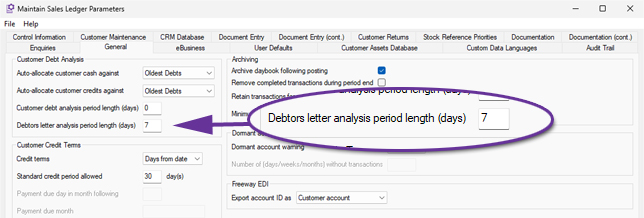
This allows, for example, Statements to use the standard monthly debt aging periods as defined in the customer debt analysis period length parameter and for Debtors Letter variants to be sent at 7, 14 and 21 days past their due date.
Apply User Defaults by User or Group
Available to Software Assurance customers with axis diplomat 2024 or above
Release Date: 29/12/2025 Call Reference: 860673
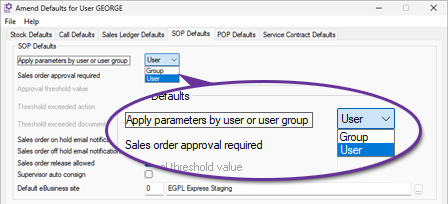
User and Group Maintenance has been modified to improve the administration of both SOP Defaults and Call Defaults configured at User and Group level.
The revised screens provide a clearer view of configured values and inheritance behaviour, making it easier to identify whether a setting originates from a Group configuration or has been overridden at User level.
These improvements provide administrators with clearer visibility of how values are inherited and applied whilst reducing the complexity of maintaining user-specific and group-based configurations.
Anonymise Sales Ledger Accounts
Available to all customers with axis diplomat 2024 or above
Release Date: 08/10/2024 Call Reference: 815563
This new function provides facilities to anonymise and close a sales ledger (customer or prospect) account which has been dormant for greater than a specified number of days. It is designed to provide an easy to use tool to assist in meeting the requirements of data protection legislation such as the UK's Data Protection Act and the EU's General Data Protection Regulation (GDPR).
The function can be run either:
- Manually via the menu function with selection criteria, or
- Automatically via a scheduled background task based on predefined parameters.
The default dormancy period after which a sales ledger account will be anonymised and closed is configurable either system wide or separately for each customer group. By assigning different retention periods to different customer groups you may, for example, anonymise retail accounts originating from your own web site after one period of inactivity, retail accounts originating from a third party marketplace such as Amazon after a different period of inactivity and not anonymise trade accounts.
This function can be run as an automated scheduled task so that once your data retention period parameters have been defined and the task scheduled, adherence to your policy should not require further manual intervention although the function should still be run interactively from time to time if logging is enabled in order to archive/clear the log.
An audit trail event is created against the sales ledger account as it is anonymised.
If anonymisation logging is enabled, a log file detailing each account which has been anonymised is created or appended to.
Customer Account Charity Number
Available to Software Assurance customers with axis diplomat 2024 or above
Release Date: 22/11/2024 Call Reference: 830358
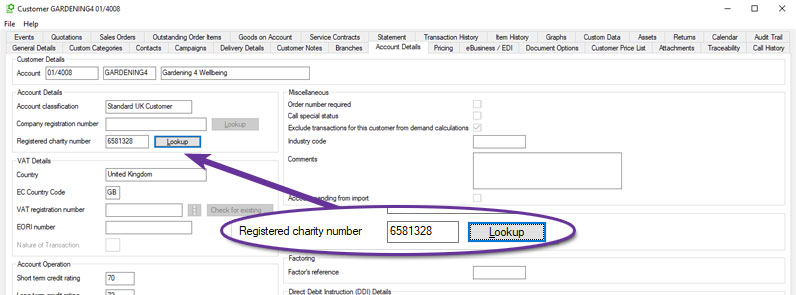
A new field has been added to Customer Accounts to record a Registered Charity Number. The new field can be found on the Account Details tab of Customer Enquiry and there is also a Lookup button to check the charity number against the Charity Commission register of charities.
Automatically Increase Customer Accounts File
Available to all customers with axis diplomat 2024 or above
Release Date: 08/10/2024 Call Reference: 751410
A new overnight scheduled processing option has been added to automatically increase the size of the customer accounts file if required. The resizing of the customer accounts file is triggered when the number of free records drops below 5% of the total file size OR to less than the number of customer records created in the preceding six months, extending the file by the greater of these.
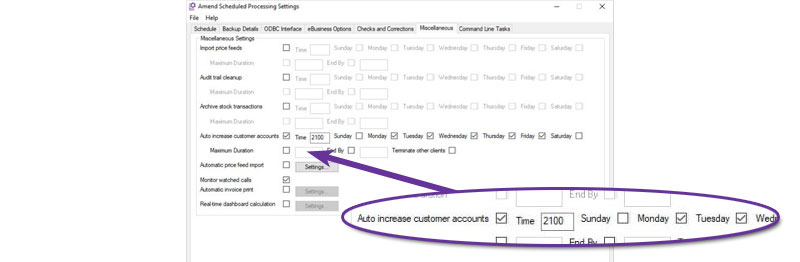
The customer accounts file is one of the few files on the system that have needed to be manually increased in size, a single user operation that is inconvenient to run during normal hours. This development means that, in normal use, this maintenance task is no longer a concern.
Improved Sales Document Audit Trail
Available to Software Assurance customers with axis diplomat 2024 or above
Release Date: 16/04/2025 Call Reference: 839651
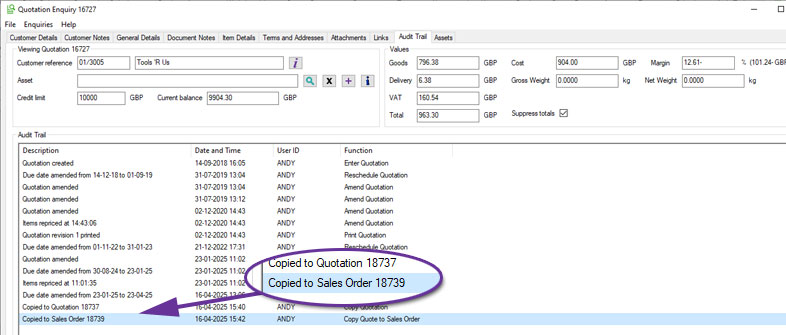
When a sales document, such as a quotation, is copied, both the new and original documents now include detailed audit trail entries.
The newly created document displays the source (for example, "Quotation copied from document 544862") and the original document now also shows that it was copied and the reference of the new document, such as "Copied to Quotation 654321".
This update makes it easier to identify related documents and track document history, particularly when reviewing or correcting issues in an original document that may be a replicated elsewhere.
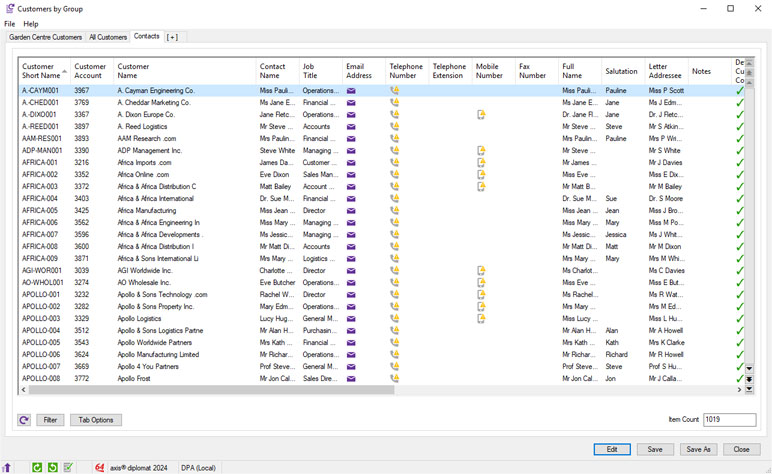
Customer Contacts Monitor
Available to all customers with axis diplomat 2024 or above
Release Date: 08/10/2024 Call Reference: 832075
A new monitor tab type allows you to view, manage, and organise customer contacts within a single list. A right-click (context) menu allows drilldown to the customer’s account to modify settings or add any information that the monitor has highlighted as missing.
The monitor can be filtered to show only certain types of contacts as well as limiting the range of customer accounts included.
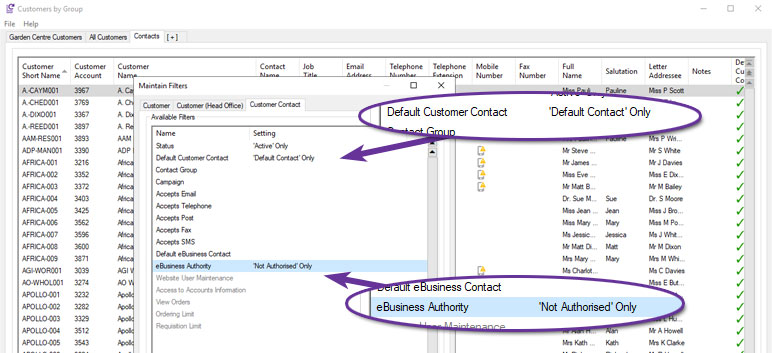
This monitor, for example, is filtered to show only those contacts that are the account main contact but do not have eBusiness Authority. This would be useful when rolling out a new trade website, for instance, to identify those customers to migrate to using the website.
For users of the eProcurement module, additional columns include, for example, spending limits and requisition limits.
Exclude Zero Value Invoices from Background Printing
Available to Software Assurance customers with axis diplomat 2024 or above
Release Date: 23/06/2026 Call Reference: 859406
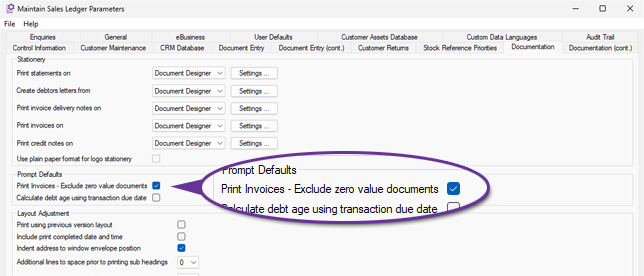
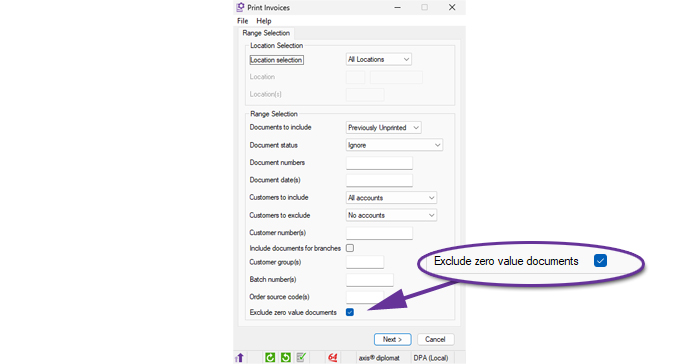
The Print Invoices function now provides the ability to exclude zero value invoices from invoice print runs, helping to minimise waste and reduce processing time.
This setting can be configured as a default within Sales Ledger Parameters, allowing organisations to embed the behaviour into their standard processes:
Users can also select the option manually when running individual invoice print runs, providing flexibility where business requirements vary:
Additional Customers Monitor Filter and Column
Available to Software Assurance customers with axis diplomat 2022 or above and the Customer Price Feed Delivery module
Release Date: 28/05/2024 Call Reference: 825419
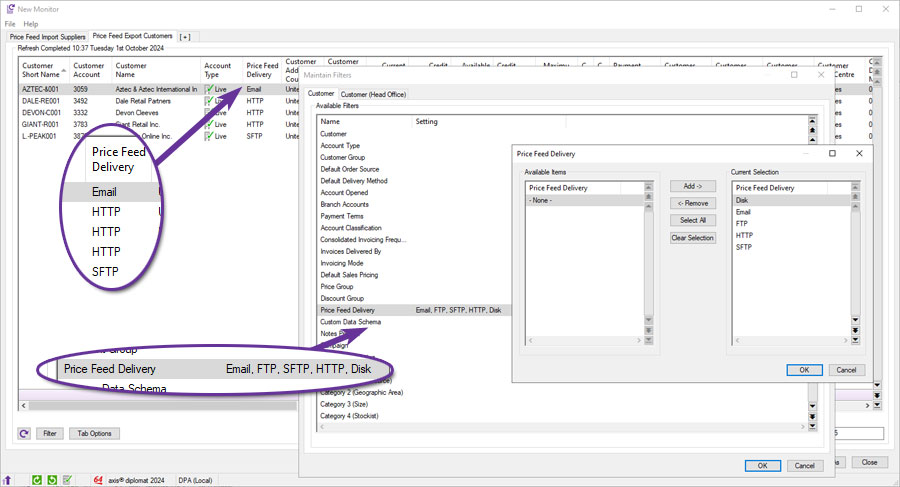
For those using the Customer Price Feed Delivery module to provide daily price and/or stock level files to customers, information on the type of feed configured for a customer is now available as an additional column on Customer monitor tabs.
Furthermore, these monitors can be filtered to only show customers with particular feed types, for example, just those customers with FTP, SFTP and HTTP-based feeds.
For more information:
https://www.axisfirst.co.uk/software/axisdiplomat/modules/Customer-Price-Feeds/21931
Automatic Invoice Delivery
Available to Software Assurance customers with axis diplomat 2024 or above
Release Date: 10/10/2025 Call Reference: 857963
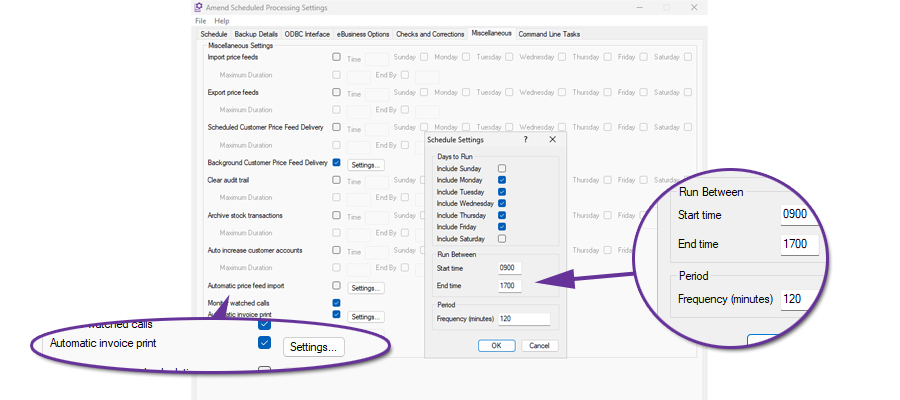
Invoices raised during the day can now be delivered automatically in the background at scheduled intervals. The Kernel Function Amend Scheduled Processing Settings can be used to enable automatic invoice printing to run at set intervals throughout the day. Customers set to receive their invoices by email will be included as well whilst those set for post will have their invoices printed on the nominated default printer.
Point of Sale Invoicing and Insufficient Stock
Available to Software Assurance customers with axis diplomat 2022 or above and the Stock Transaction Traceability module
Release Date: 19/04/2024 Call Reference: 806745
Point of Sales Invoice Entry now has improved capabilities for handling the sale of items for which there is insufficient system stock at the current location or where the serial number of a traceable item does not exist at the current location.
Stock discrepancies do happen from time to time, for example, due to human error when someone puts sample stock back on a shelf without updating the system. It is important that a Point of Sale system is able to cope with these scenarios since clearly the stock does physically exist.
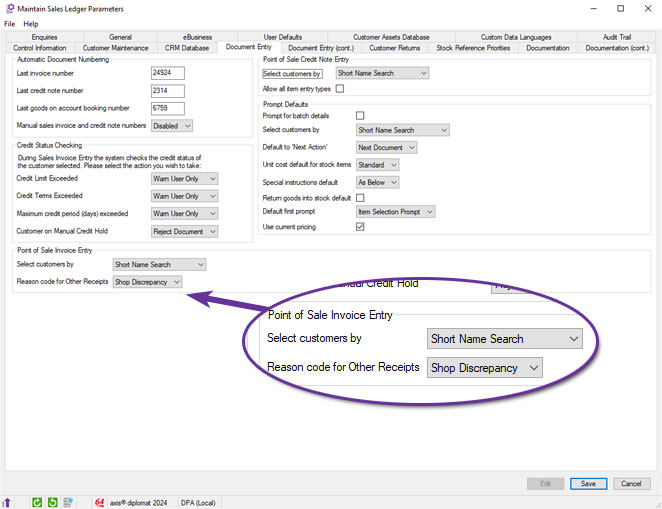
For non-traceable items, the “missing” stock is automatically adjusted (received) prior to being issued on the invoice. A new system parameter allows a reason code to be defined for these adjustments, allowing them to be identified and the related discrepancies dealt with at a later point.
If the item is configured for serial number traceability and the item is in stock but at a different location, the item is transferred to the correct location before being issued.
Improving visibility of Delivery Charges in Document Maintenance
Available to all customers with axis diplomat 2024 or above
Release Date: 31/10/2024 Call Reference: 788974
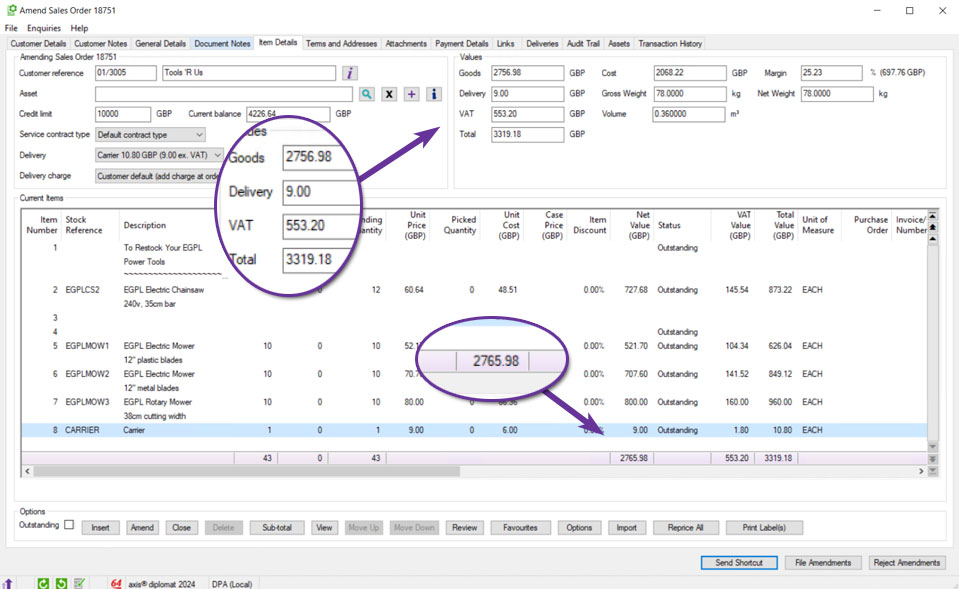
The Values section at the top of Quotation and Sales Order maintenance functions now includes an additional field for Delivery. The Goods value excludes any lines marked as delivery and these are now itemised separately. The VAT figure is the total VAT covering both Goods and Delivery values.
Additionally, the Current Items scrolling data list now includes delivery charge items, making the column totals clearer.
Exclude Accounts with Balances from Automatic Cash Allocation
Available to Software Assurance customers with axis diplomat 2024 or above
Release Date: 04/12/2025 Call Reference: 844758
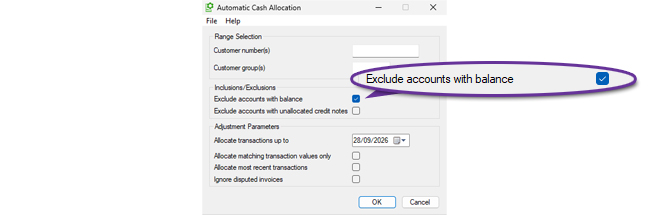
The Automatic Cash Allocation function has been extended to provide an option to 'Exclude accounts with balance'. This allows the function to be run so that it only deals with allocations on accounts that have a zero value outstanding balance. Those with non-zero balances can then be reviewed manually afterwards to assess what allocations need to be made.
Credit Control Monitor Enhancements
Available to all customers with axis diplomat 2024 or above
Release Date: 08/10/2024 Call Reference: 817010
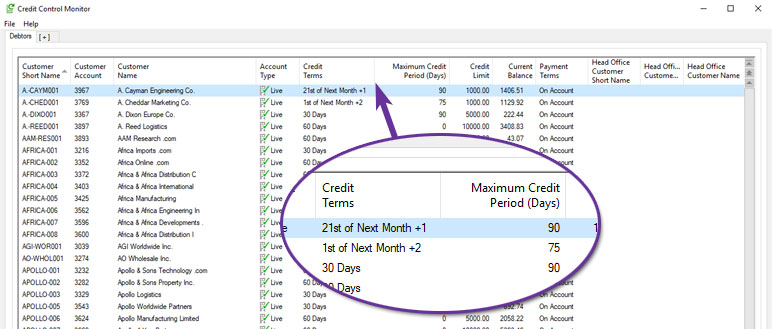
The Credit Control Monitor now features two additional columns to provide further account information: Credit Terms and Maximum Credit Period.
The Credit Terms column presents the customer's credit terms in plain language, combining the credit terms and days from the customer record. It is populated with combinations such as:
- No credit terms
- 30 Days
- End of current month
- End of next month
- 1st of next month
- etc.
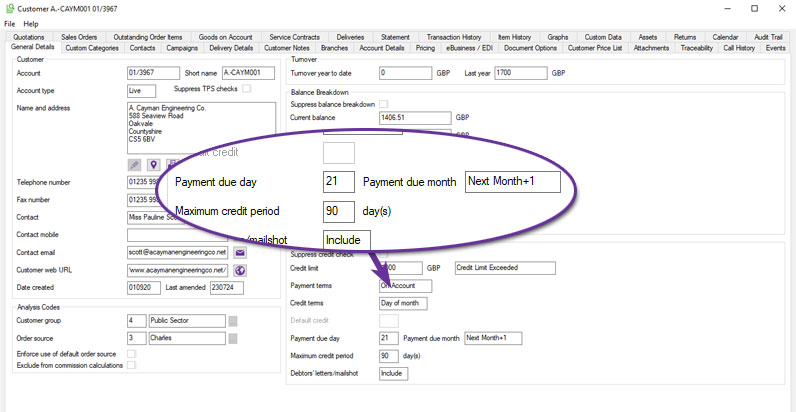
The Maximum Credit Period column comes from the equivalent field from the customer record.
Deactivate Customer Delivery Addresses
Available to Software Assurance customers with axis diplomat 2024 or above
Release Date: 30/07/2025 Call Reference: 851038
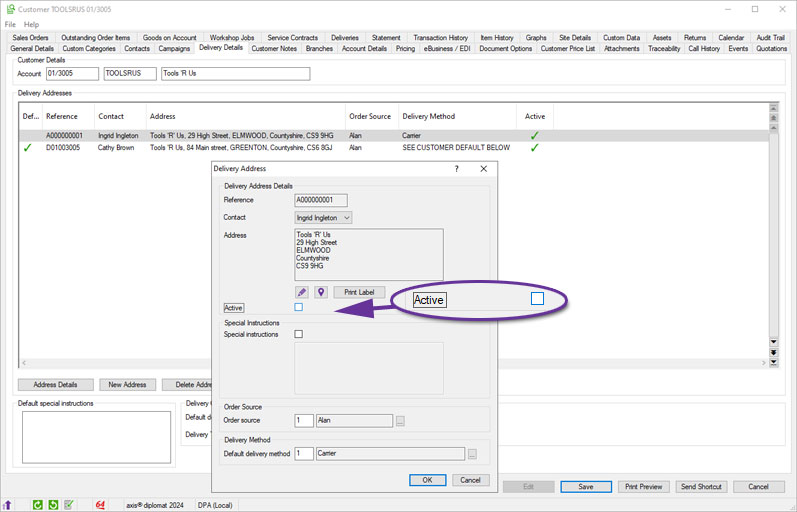
A new option allows individual Customer Delivery Addresses to be flagged as inactive, helping keep address records clean and relevant. Once an address is marked inactive, it will no longer be available for selection during order maintenance. For systems linked to axis vMerchant, deactivated delivery addresses will also no longer be published for selection at the checkout.
This change reduces the risk of selecting incorrect or obsolete addresses and helps keep address lists easier to navigate.
Sales Invoice & Credit Note Enquiry
Available to all customers with axis diplomat 2024 or above
Release Date: 08/10/2024 Call Reference: 832446
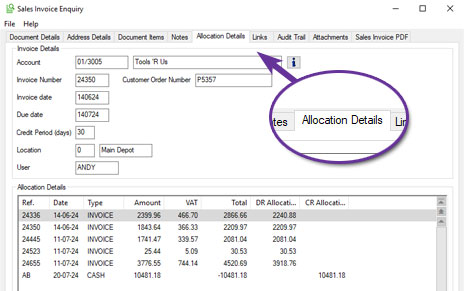
Sales Invoice and Credit Note Enquiries have been extended to include two additional tabs; Notes and Allocation Details.
The Notes tab allows the entry of notes against the transaction when in Edit mode. Supplementing existing Credit Control tools, this is particularly useful for recording information relating to a disputed transaction or extended details as to why a credit note has been issued.
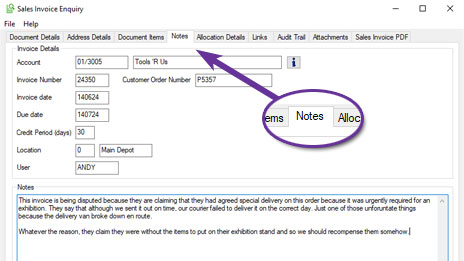
A Notes column has also been added to the Statement and Transaction History tabs of Customer Enquiry and to the Customer Transaction History type monitor tab.
The Allocation Details tab displays any allocation history for the transaction, assisting the accounts team in dealing with a customer's payment queries:
Additional Columns in Sales Business Intelligence Stock Tab
Available to Software Assurance customers with axis diplomat 2024 or above
Release Date: 09/01/2025 Call Reference: 837483
Sales Business Intelligence has been enhanced to allow more insight into your business performance by adding new columns to the Stock tab for Stock Attributes, enabling you to sort, filter, and analyse sales data in more ways.
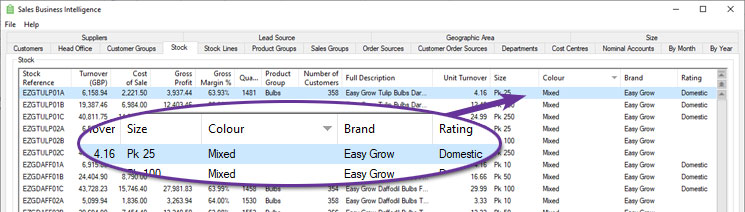
You can define up to ten custom attributes, such as size, colour, material, or any other classification relevant to your business, and now see this information against stock items listed within Sales Business Intelligence.
Suppress GOA Reference and Date from Documents
Available to Software Assurance customers with axis diplomat 2022 or above and the Goods on Account module
Release Date: 16/05/2024 Call Reference: 819803
A new system parameter has been added to allow suppression of the header information that is normally filed as description lines on invoices generated for Goods on Account bookings.
These headers, of the format "Goods DD-MM-YY Ref: XXXXXX", are normally filed as additional invoice lines and so cannot be suppressed by changes to the document template.
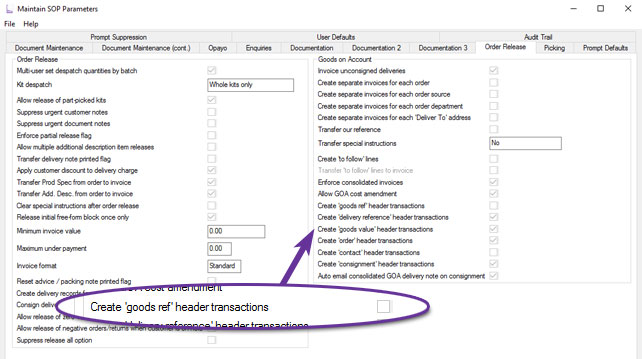
This will be of particular interest to those who do not produce Goods on Account Delivery Notes since their customers will then not have the Goods on Account Booking Reference and suppressing the header information from invoices can reduce confusion.
Sales Order Enquiry Transaction History Tab
Available to Software Assurance customers with axis diplomat 2022 or above
Release Date: 29/07/2024 Call Reference: 787727
The Sales Order Enquiry function now includes an additional tab for the Transaction History, which lists the invoices (and credit notes if they exist) generated from the Sales Order.
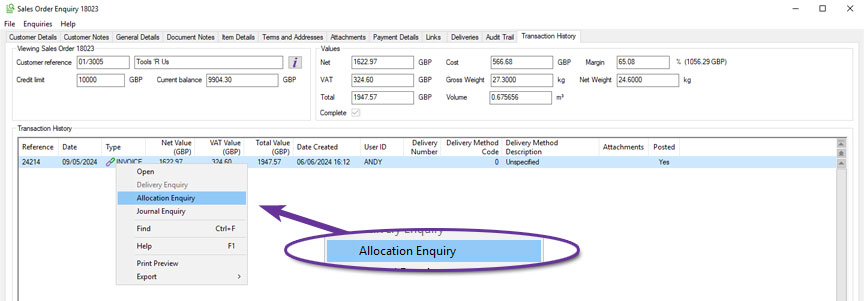
This makes it easier to handle invoice enquiries, particularly where orders have been part-shipped in a number of instalments. In addition to providing a drilldown to the individual invoices, it is also possible to see the allocation of payments against those invoices, further helping to handle queries from customers and saving time.
Type-Specific Filenames for Sales Document Attachments
Available to Software Assurance customers with axis diplomat 2022 or above
Release Date: 14/12/2022 Call Reference: 788580
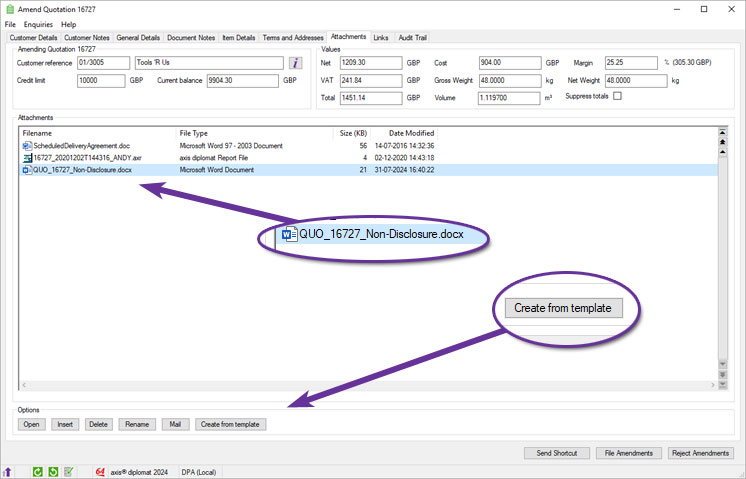
When editing sales documents (Sales Orders, Quotations and, for those with the Service Contract Management module, Service Contracts and Requests for Service Contract), you are able to create Word document attachments from templates.
These documents are now automatically created with a prefix indicating the document type and reference.
The filename format is:
{document type}_{document reference}_{template filename}
Where {document type} is ORD (for sales orders), QUO (for quotations), SCO (for service contracts) or RSC (for service contract requests).
For example, creating an attachment from a template called "Non-Disclosure.dotx" for quotation 16727 will create a document called "QUO_16727_Non-Disclosure.docx".
Sales Order Authorisations
Available to Software Assurance customers with axis diplomat 2024 or above
Release Date: 23/12/2025 Call Reference: 858131
Functionality has been added to axis diplomat to manage Sales Order Authorisations and to provide an approval mechanism.
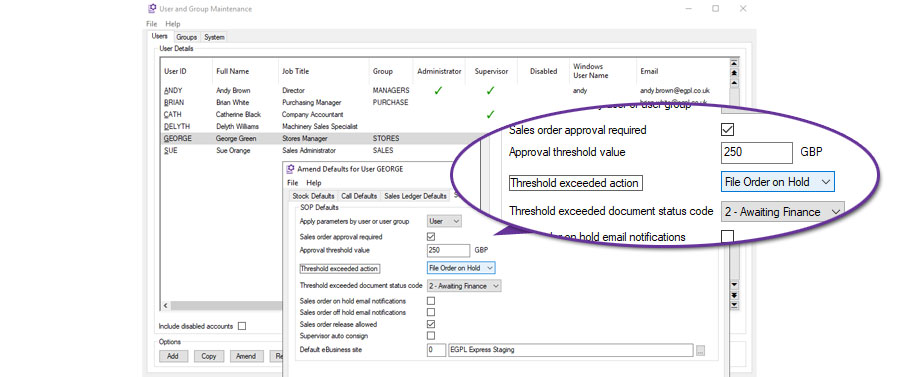
Sales Order Authorisations can be used to limit financial risk by applying value limits to sales orders. Each user, or user group, can be assigned their own approval threshold.
When a user attempts to file a sales order that exceeds that threshold, axis diplomat can, on a user by user basis, either:
- Block filing - this prevents the user from saving the sales order until the document value is reduced below the approval threshold.
- Warn Only - this issues a warning message to the user but does not prevent filing.
- File order on hold - this files the order but places it on hold and creates an order audit trail entry.
In addition, a specific Document Status Code may be set on orders which exceed the sales order approval threshold when filed. This could, for example, allow managers to run a monitor listing just orders that are on hold for this specific reason.
When the Sales Order On hold option is used, the order can be reviewed and released by someone with the appropriate security permission. The action that placed the order on hold, and the subsequent release, are both recorded in the Sales Order audit trail. This provides clear visibility of when the threshold was exceeded, who released the order, and when it was allowed to progress.
Sales Order Authorisations are configured using Kernel Supervisor Functions > User and Group Maintenance and selecting Accounts User Defaults, SOP Defaults for the user or group in question.
Head Office Consolidated Invoicing
Available to Software Assurance customers with axis diplomat 2022 or above
Release Date: 07/06/2023 Call Reference: 770161
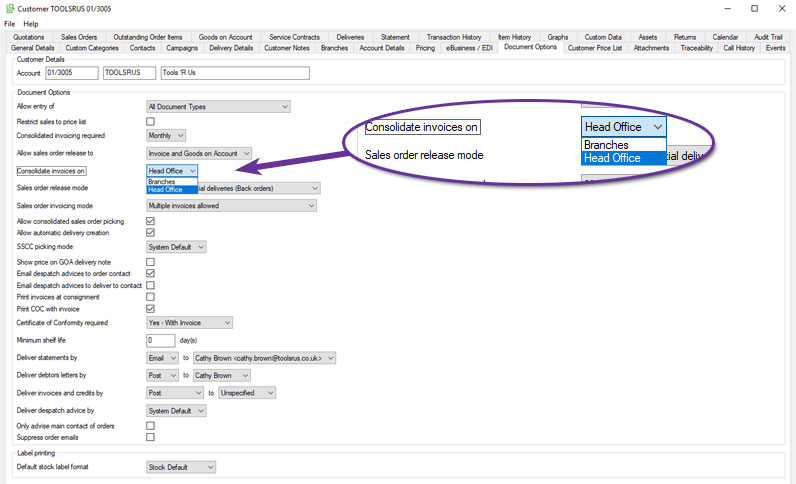
Consolidated invoicing enables items from a number of deliveries to the same customer to be consolidated into one invoice (typically weekly or monthly).
This has now been extended to support consolidation of multiple branch account deliveries onto a single head office invoice.
This behaviour is controlled via settings on the Document Options tab for a given head office account:
Deposit Rules for Quotations and Sales Orders
Available to Software Assurance customers with axis diplomat 2024 or above
Release Date: 06/02/2026 Call Reference: 849833
For businesses that need to enforce or encourage deposits on certain transactions, this significant and extensive development brings control and visibility by integrating deposit settings into the sales workflow. With this functionality, there is no longer a need to rely on manual reminders or calculations. Sales and admin staff are immediately shown the appropriate deposit percentage and value as they build a quotation or sales order, ensuring consistency and removing uncertainty.
At the system level, deposit rules are configured within Supervisor Functions > Amend Company Parameters > Maintain SOP Parameters, on a dedicated Deposits tab.
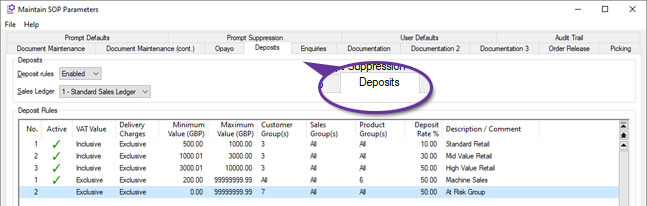
Users can define rules based on order value thresholds, customer group, sales group, and product group. The rules can be tailored to include or exclude VAT and delivery charges, making them flexible enough to match a variety of commercial models. Multiple rules can be created per sales ledger, and where more than one rule could apply to a given document, the system automatically uses the one with the highest level of deposit. This gives administrators granular control over policy without sacrificing clarity for users.
When working within a sales document, deposit information is always in view, updated as changes to the lines dictate. The deposit is shown as both percentage and currency values.
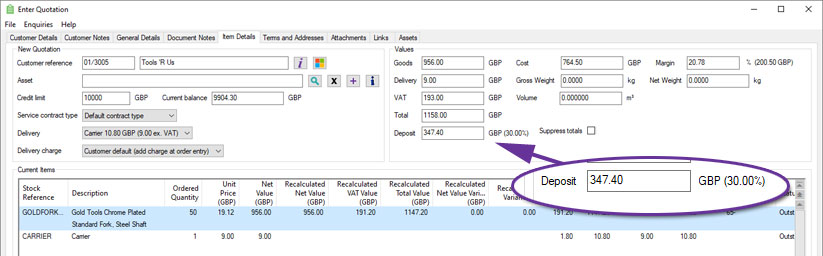
When entering or amending a sales document, on the General Details tab, the system displays the specific deposit rule that has been applied and allows users with appropriate security permissions to override the deposit percentage.
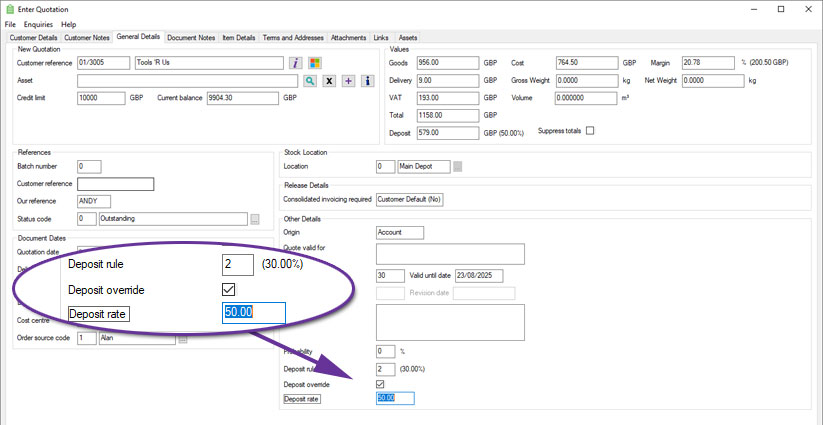
This override function is particularly useful when dealing with exceptions, such as trusted customers or promotional campaigns, and provides the necessary flexibility without compromising audit integrity. An audit trail of any deposit percentage or rule changes is recorded against the document.
Copy functions will recalculate deposit values based on current rules, whereas converting a quotation to an order will preserve the original deposit value.
The Quotations and Sales Orders monitor now include dedicated columns showing the deposit percentage, deposit value, and the rule applied.
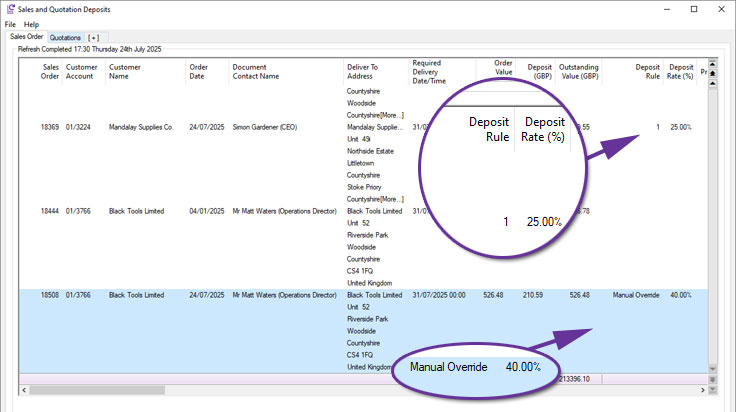
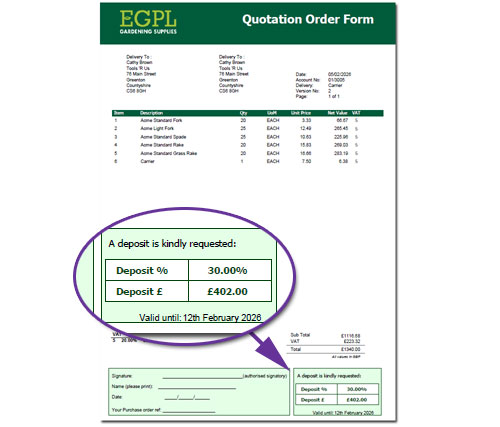
Document Designer templates, such as Quotations, Quotation Order Forms and Pro Forma Invoices, can also include information on the deposit required on a particular quotation or sales order:
Account Type Column on Customer Enquiry Branches Tab
Available to all customers with axis diplomat 2024 or above
Release Date: 08/10/2024 Call Reference: 818061
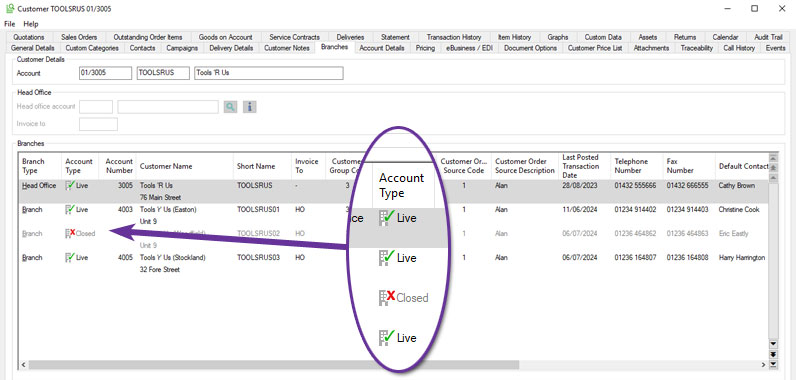
The Customer Enquiry function's ‘Branches’ tab has been extended to include an additional column for the Account Type, showing whether each branch is ‘Live’ or ‘Closed’:
Disable Sales Groups
Available to Software Assurance customers with axis diplomat 2022 or above
Release Date: 08/11/2023 Call Reference: 802807
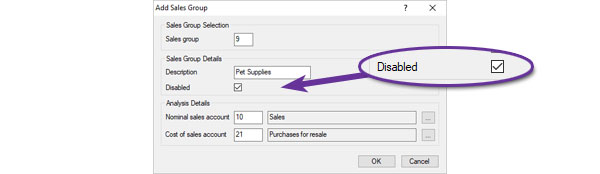
In situations where a Sales Group cannot be deleted (because it has been used in the past and so exists on archived transactions, for example), it is now possible to flag it as ‘Disabled’.
If a group is disabled, it will no longer appear in lists of available sales groups although it is still selected for analysis and historical reporting.
Additional Barcode Columns in Sales Order Maintenance
Available to Software Assurance customers with axis diplomat 2024 or above
Release Date: 07/11/2024 Call Reference: 836737
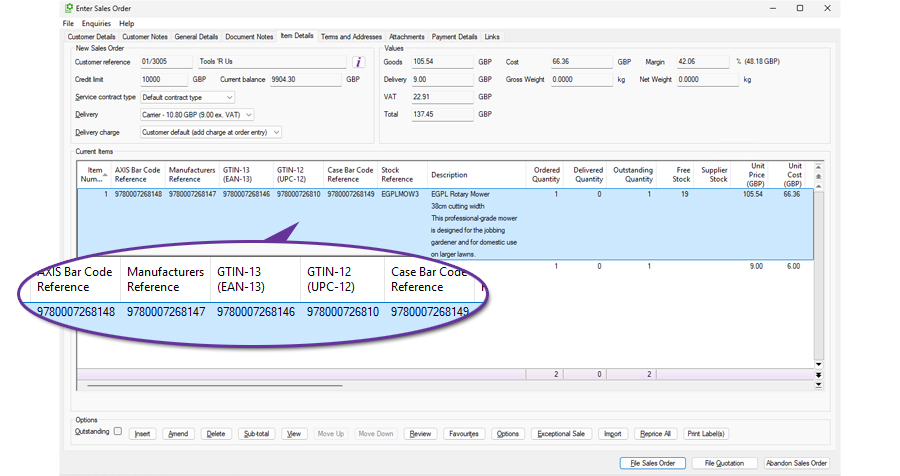
The Sales Order Maintenance function has been enhanced to include additional columns on the Item Details tab for additional references and barcodes:
- AXIS Bar Code Reference
- Manufacturers Reference
- GTIN-13 (EAN-13)
- GTIN-12 (UPC-12)
- Case Bar Code Reference
These additional columns make it easier to review, check and analyse product information relating to customer orders. The fields, alongside existing sales order information, can then be exported using the standard export facilities, providing a simple method of supplying order-related barcode and reference information to customers, third-party systems or internal departments.
Security Permissions on Sales Transactions
Available to Software Assurance customers with axis diplomat 2022 or above
Release Date: 16/11/2022 Call Reference: 775509
New advanced security permissions have been added to allow users to be limited on the range of customer's historical transactions that they can view, based on the account's order source code.
This restriction will then, for instance, prevent them from seeing some customer's transactions within a Sales Item History monitor tab.
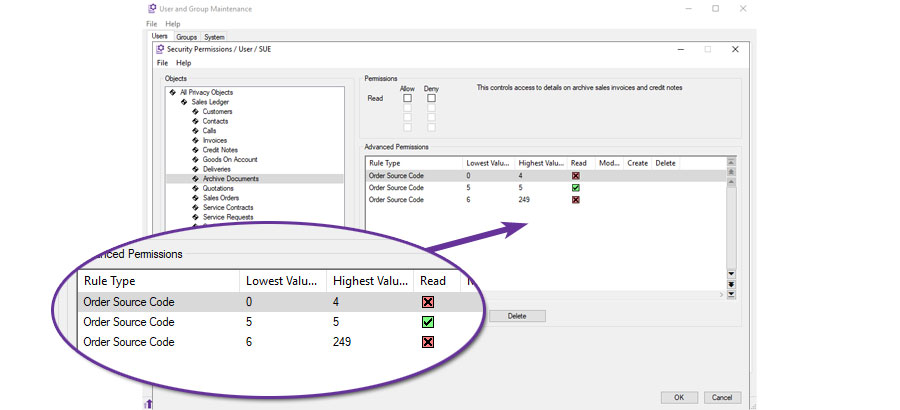
This user, for example, is limited to only be able to see transactions for customers whose Order Source Code is 5.
Outstanding Items Margins on Sales Order Monitors
Available to Software Assurance customers with axis diplomat 2024 or above
Release Date: 20/01/2025 Call Reference: 836505
Three new columns have been added to Sales Order monitor tab types to improve visibility of margins on unreleased items. These columns focus specifically on outstanding sales order lines.
The new columns are:
- Outstanding Items Margin (Order Currency)
- Outstanding Items Margin (Base Currency)
- Outstanding Items Margin (%)
These additions help sales, finance, and operational teams better assess the profitability of pending sales to set priorities or identify issues.
Date-Specific Customer Price List Monitor
Available to all customers with axis diplomat 2024 or above and the Date Specific Prices and Discounts module
Release Date: 08/10/2024 Call Reference: 807987
For those using the Date Specific Prices and Discounts module, Customer Price List monitor tabs can now show information as at a specific date in the future.
This is particularly useful in conjunction with the recent modifications to allow the recording of future costs since it provides oversight of the expected changes to margins and so protecting profitability.
The functionality is controlled via a Tab Option, which then enables the additional columns of information.
Print Proforma (Quote) from Data Lists
Available to Software Assurance customers with axis diplomat 2024 or above
Release Date: 16/04/2025 Call Reference: 839911
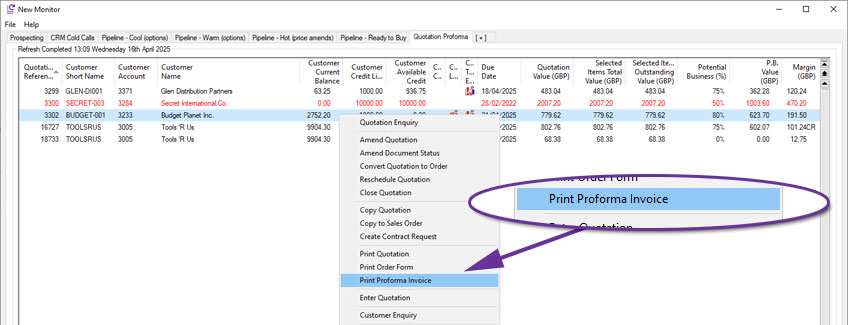
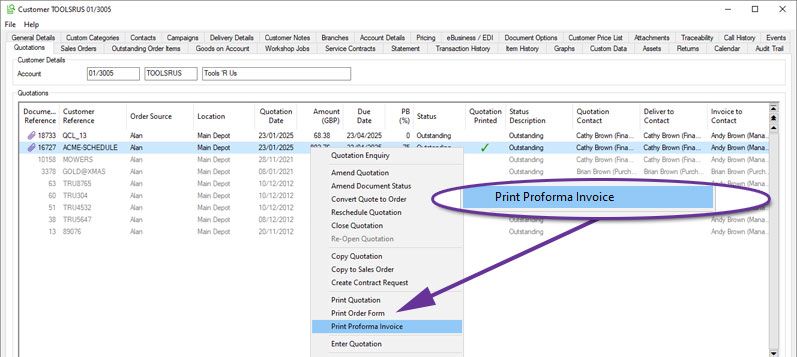
A customer quotation may be used to create a proforma invoice and this can now be accessed from the scrolling data list in either the Quotations tab of Customer Enquiry or a Quotations monitor tab.
For more information:
https://documentation.axisfirst.co.uk/Proforma-Invoice/articles/21797
Margin Information in Customer Price List Monitors
Available to all customers with axis diplomat 2024 or above
Release Date: 04/11/2024 Call Reference: 807987
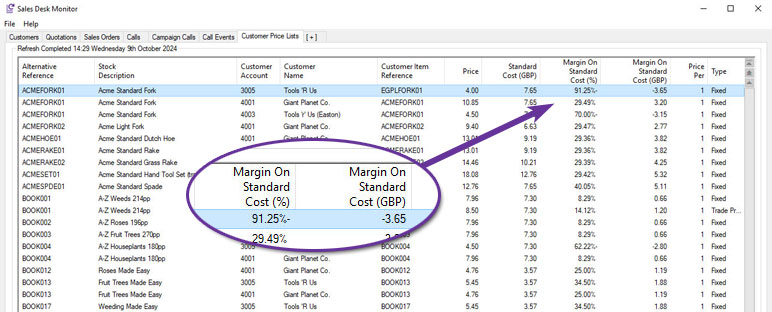
Customer Price List monitor tab types now include additional margin information.
Columns have been added for the calculated margin against standard cost, expressed as both currency and percentages. This is particularly useful in helping to identify issues where profits have been lost because contracted price lists have not kept pace with increasing costs.
Support added for Excel Call Templates
Available to Software Assurance customers with axis diplomat 2022 or above
Release Date: 11/04/2023 Call Reference: 790163
CRM Calls in axis diplomat have long had the ability to create document attachments from pre-defined Word templates. This capability has now been extended to include Excel templates.
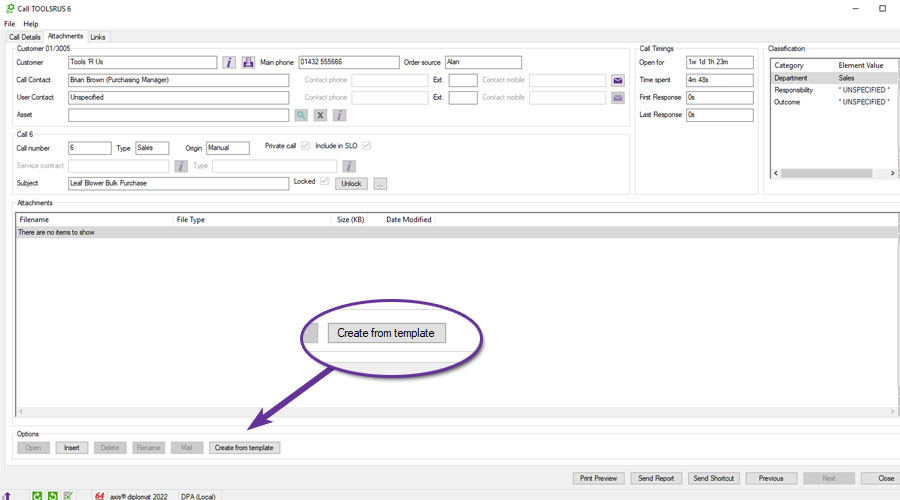
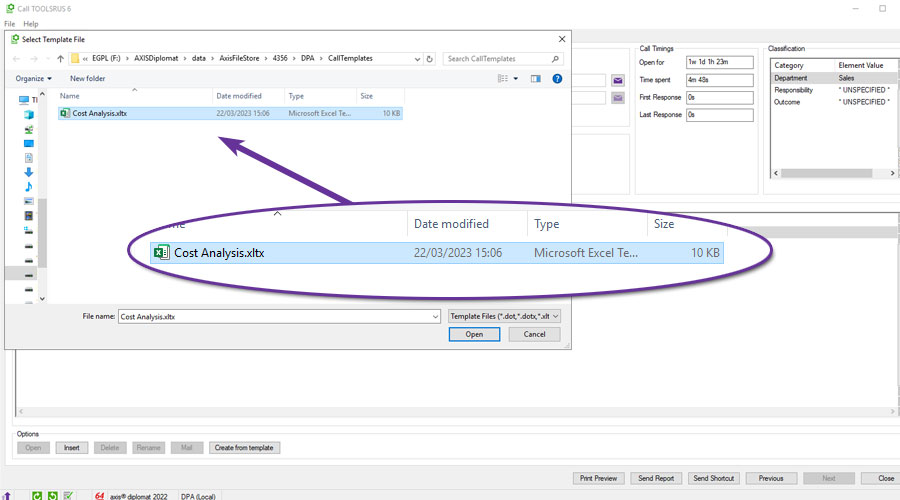
Excel templates are simply normal Excel files that have been saved as a template (.xltx) instead of a worksheet (.xlsx). They do, however, support all of the same text replacements that Word documents allow, such as {Email} for the email address of the CRM Call Contact.
For more information:
Automatic Stock Data Sheets For Sales Orders Acknowledgements
Available to Software Assurance customers with axis diplomat 2024 or above
Release Date: 19/06/2025 Call Reference: 849694
Stock Data Sheets may now be incorporated into sales order acknowledgements.
When a Stock Item has a Data Sheet PDF, or on its Product Group for shared use, it may be automatically appended to the document. This was previously available for quotations but has now been extended to sales orders.
This can help with compliance and reduce the need for manual intervention and is ideal for COSHH information, installation instructions, and general product specifications.
This functionality is controlled by a parameter in Maintain SOP Parameters:
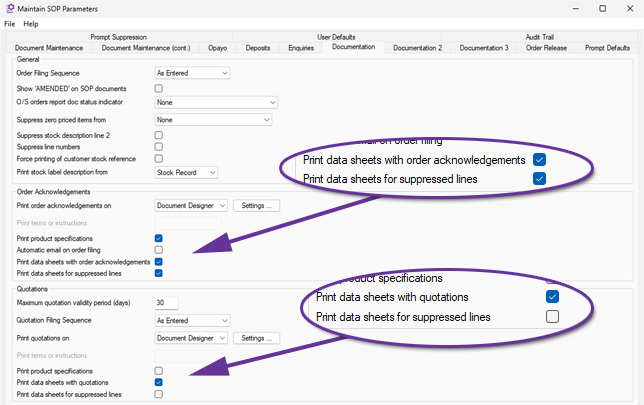
If you want data sheets to be included for lines that are suppressed by sub totals, also tick Print Data Sheets for suppressed lines. This enhancement has also been added to the Quotation data sheet options.
Filter Monitor to Calls Linked to Sales Orders or Quotations
Available to Software Assurance customers with axis diplomat 2022 or above
Release Date: 22/08/2023 Call Reference: 797297
When setting up a monitor tab showing Calls, it is now possible to filter the list of calls shown to only those that are linked to a sales order and/or quotation, or only those that are not linked to a sales order or quotation.
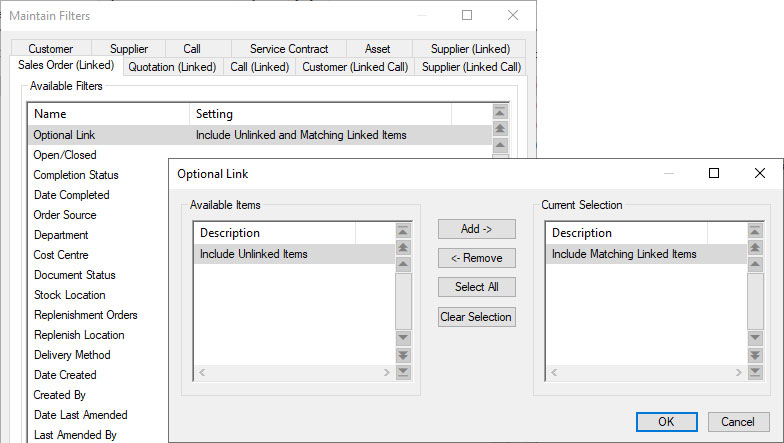
This would allow, for example, the creation of a monitor showing open sales calls that are linked to quotations to encourage sales agents to follow up old quotes and update or close the enquiries as appropriate.
Suppress Sub-Totalled Items from selected documents
Available to Software Assurance customers with axis diplomat 2024 or above
Release Date: 18/12/2024 Call Reference: 830861
The Sub-Total functionality in Sales Order Processing now includes the option to suppress sub-totalled lines from selected documents.
This ability is controlled by an overall system parameter on the Documentation (cont.) tab of Maintain Sales Ledger Parameters:
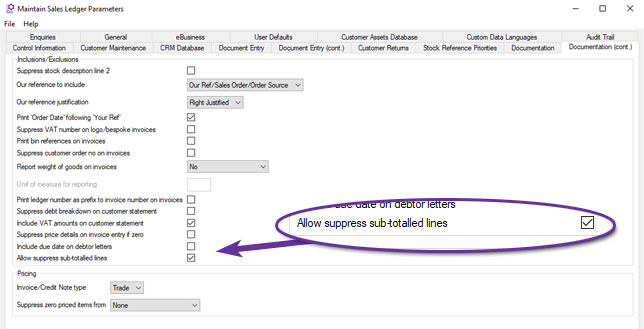
Once set, individual document types can be configured to suppress sub-totalled items. For example, to suppress sub-totalled items from Quotations, set the parameter within Quotations Settings, from the Documentation tab of Maintain SOP Parameters:
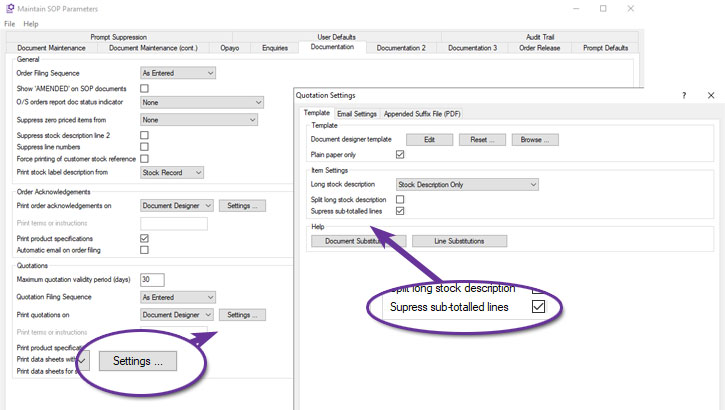
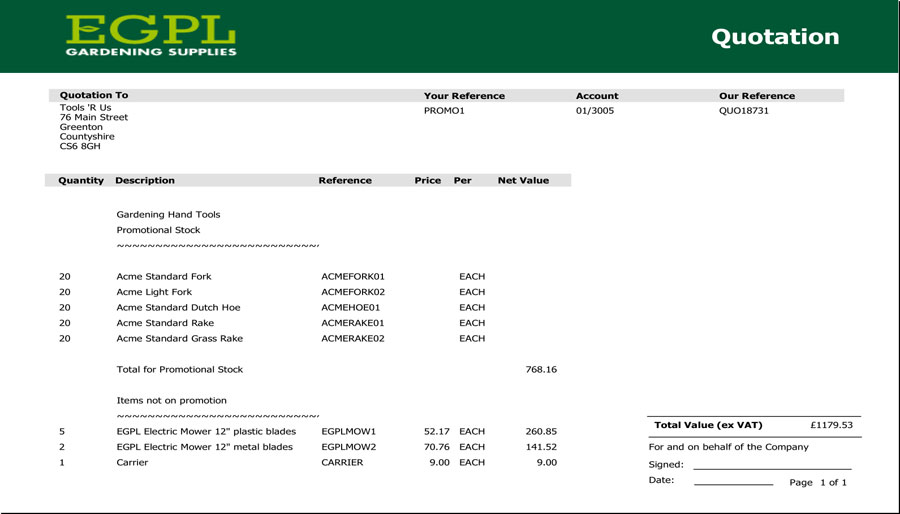
Quotation with Sub-Totalled Lines not suppressed
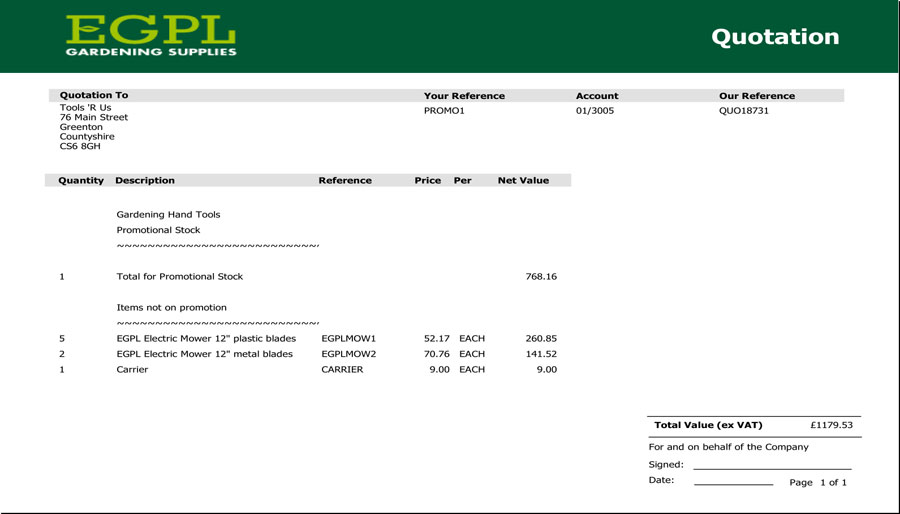
Quotation with Sub-Totalled Lines suppressed
As can be seen from the examples above, this can simplify documentation, focusing on sub-totals when the individual components are of little or no interest to the customer.
For more information:
https://documentation.axisfirst.co.uk/Sub-Totalling-in-Sales-Ledger-Document-Entry/articles/20735
User Preferences for Showing Specifications in Order Maintenance
Available to Software Assurance customers with axis diplomat 2022 or above
Release Date: 04/09/2024 Call Reference: 831043
When entering or amending sales documents, each operator can now decide for themselves whether the Item Details' Description column should include the product specification as well as the main description.
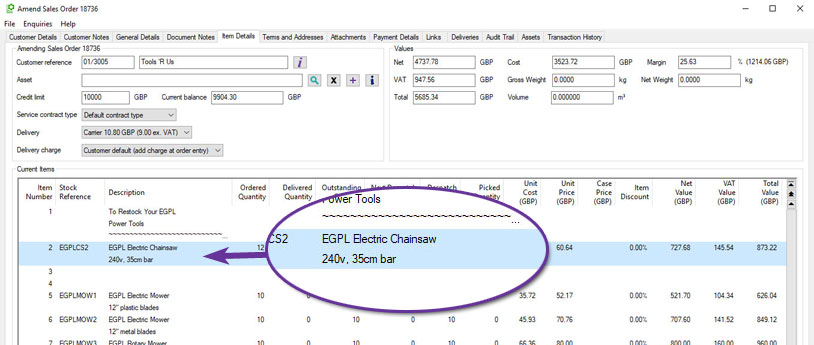
The setting is accessed by clicking on the Options button:

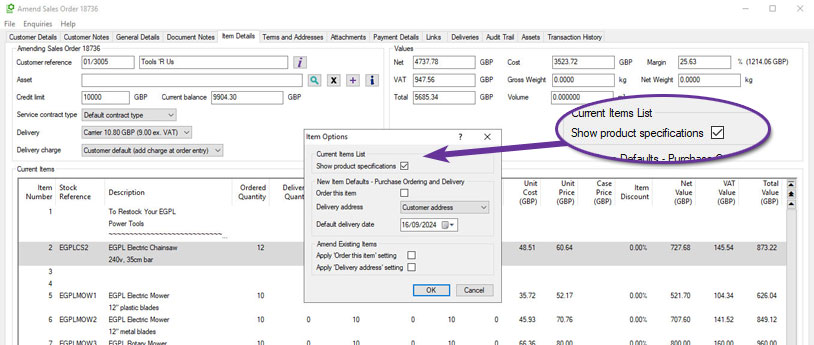
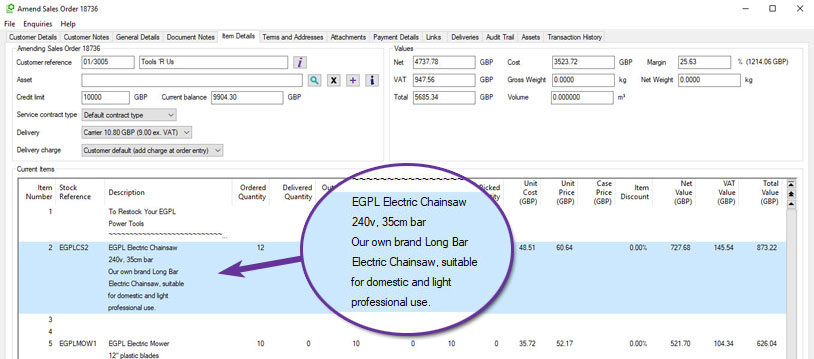
This setting can be accessed from all types of sales document, including invoices, credit notes, orders, quotations and, for those with the appropriate additional modules, workshop jobs and service contracts.
Import List of Sales Orders to Close
Available to Software Assurance customers with axis diplomat 2024 or above
Release Date: 03/12/2025 Call Reference: 860987
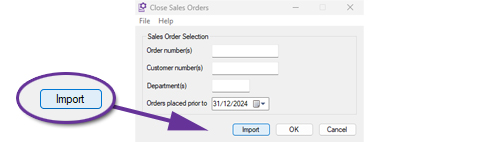
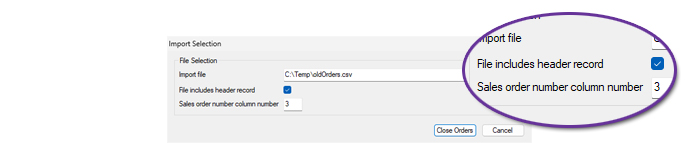
The Close Sales Orders function now supports importing a list of orders for closure from a CSV file.
Closing large numbers of old or redundant sales orders has, in the past, been a time-consuming process but this enhancement can reduce both the time spent and the potential for keying errors when dealing with a large number of sales orders. This is especially the case if the list of orders to be closed already exists in an external data source or can be exported (for example, from a sales order monitor).
The CSV file does not need to have a specific layout as long as there is a particular column that contains the sales order numbers.
Additional Columns in Sales Order/Quotation Maintenance
Available to Software Assurance customers with axis diplomat 2022 or above
Release Date: 17/08/2023 Call Reference: 805242
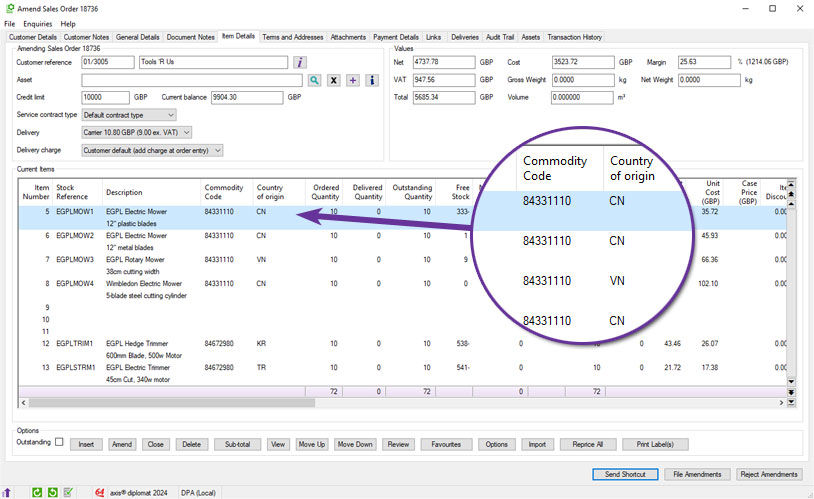
Additional columns for “Commodity code” and “Country of Origin” have been made available within the Item Details tab when entering, amending or enquiring on sales orders and quotations:
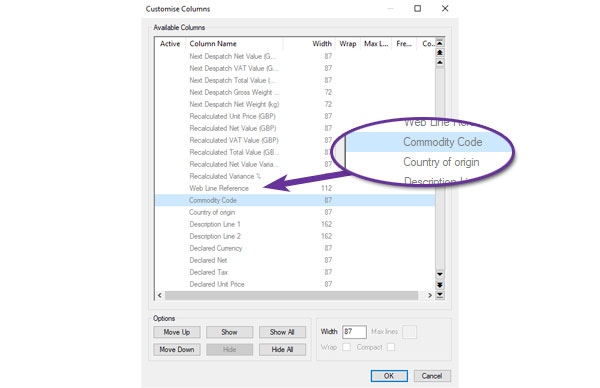
These new columns are not enabled by default and so, to enable them, simply right-click on the headings and choose ‘More...’. You will be able to select additional columns from here (and re-order the columns for your convenience too).
Sales Order On Hold and Off Hold Email Notifications
Available to Software Assurance customers with axis diplomat 2024 or above
Release Date: 24/12/2025 Call Reference: 861335
Individual users and groups within axis diplomat can now be configured to receive an email whenever Sales Orders are placed on hold or released from hold.
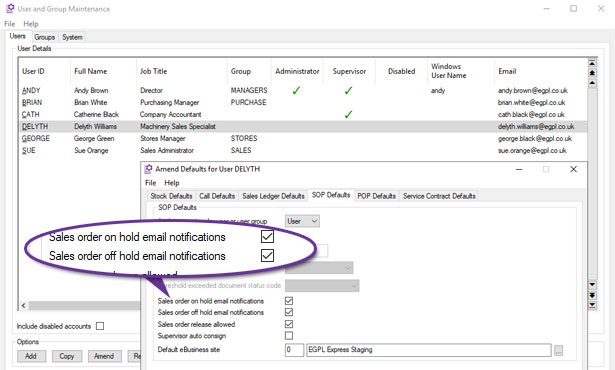
This is configured by using Kernel Supervisor Functions > User and Group Maintenance and selecting Accounts User Defaults for the user or group in question.
Orders may be placed on hold for a variety of reasons, including approval thresholds, credit control and manual intervention.
These email notifications provide clear visibility whenever an order’s hold status changes and removes the need for users to solely rely on a monitor of order lists, which may result in a quicker response. They include a link to open the order within axis diplomat direct from the email.
Sales Order Priority in Order Maintenance
Available to Software Assurance customers with axis diplomat 2022 or above
Release Date: 18/10/2023 Call Reference: 809792
The setting of a sales order's priority is now easier to see and change following the addition of the field to the General Details tab when entering or amending sales orders:
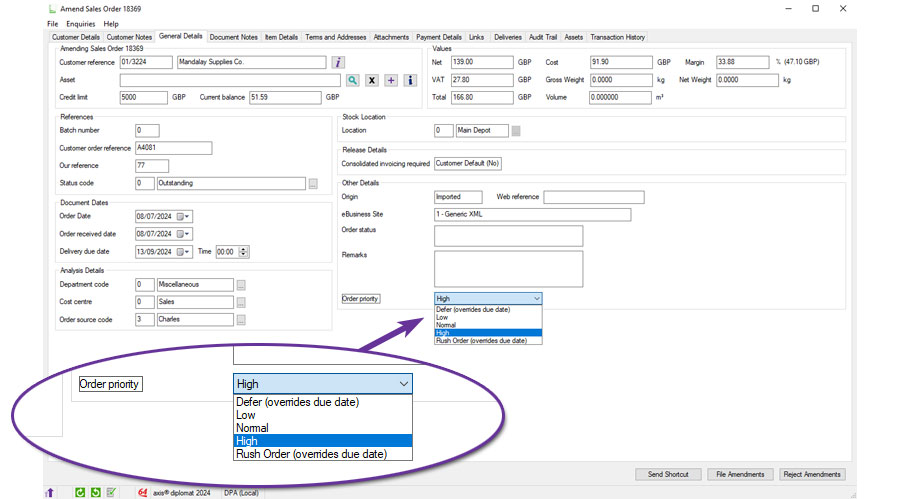
Previously, it was only visible when filing an order or from a right-click context menu from, for example, a Sales Order monitor.
Audit Trail for Delete Sales Order Line
Available to Software Assurance customers with axis diplomat 2024 or above
Release Date: 19/05/2026 Call Reference: 858675
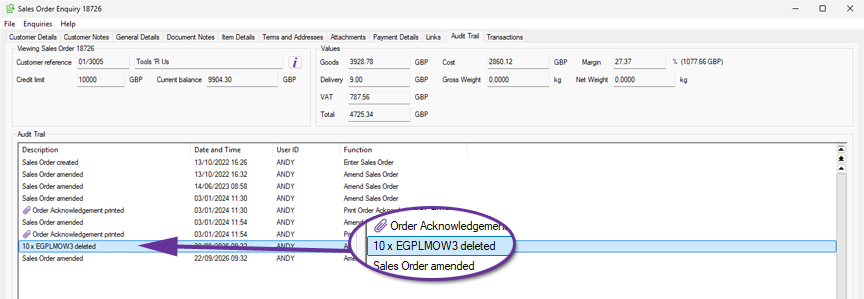
When a line is deleted from a Sales Order, the system will now automatically generate an audit trail event recording the stock reference and quantity removed, along with the time, date and operator.
This provides a clearer operational history of changes made to Sales Orders.
Pricing information has intentionally not been included within the audit trail event due to privacy considerations. The function Audit Trail Search can be used to review these events, or a User Activity monitor can be created.
Sales Order Monitors & Additional Stock Locations
Available to Software Assurance customers with axis diplomat 2022 or above and the Stock Location Replenishment module
Release Date: 20/12/2023 Call Reference: 814092
Additional Stock Locations act as backup stock locations for order picking, typically in situations where a warehouse is split into picking and bulk locations.
Enhancements to monitor tabs now make this information easier to see, helping to identify when orders could be fulfilled by replenishing from the bulk location.
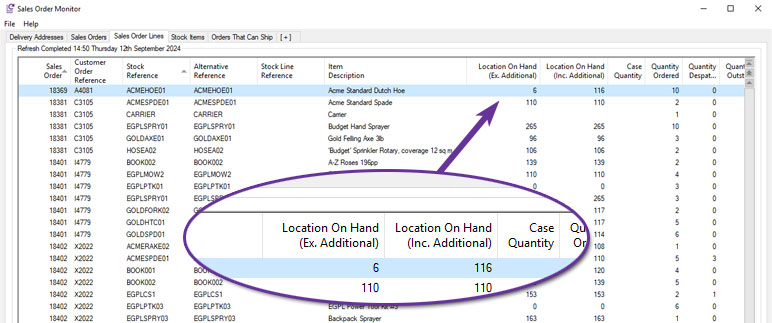
Sales Order monitor tabs now show a new status of "All stock available using additional locations" when there is insufficient stock available at the order's location but there is sufficient stock if the additional bulk location's stock is also taken into account:
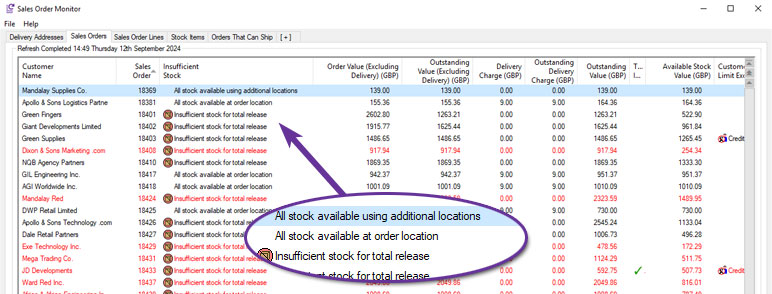
Sales Order Line monitor tabs now also show further information, with separate columns to show the On Hand, Free, Available and On Order stock figures with and without the additional location included:
Improved Margin Visibility within Sales Order Enquiry
Available to Software Assurance customers with axis diplomat 2024 or above
Release Date: 19/05/2026 Call Reference: 857541
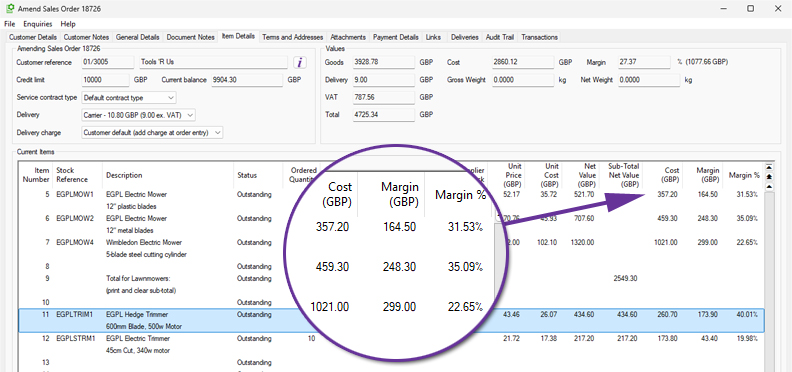
Sales Order maintenance and enquiry functions have been enhanced to show more margin information at a line level.
Columns are now included for:
- Cost
- Margin
- Margin Percentage
The cost and margin columns are monetary amounts for the total line so are particularly useful when dealing with larger quantities.
This gives users better visibility of detailed margin information, helping to ensure that profitability is not affected, for example when applying discounts.
Close Quotations by Order Source Code
Available to Software Assurance customers with axis diplomat 2022 or above
Release Date: 14/06/2024 Call Reference: 826566
The Supervisor Function 'Close Quotations' has been extended to provide an additional selection criterion by Order Source code(s).
The function allows all quotations prior to a specific date, or prior to a specific quotation number, to be closed. This additional selection criterion now also allows the selection of quotations to be closed to be further filtered to just those for a specific order source code, or a range of order source codes.
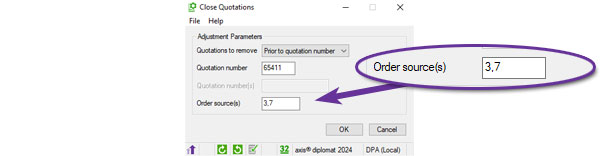
This makes it much easier to close a block of quotations when, for example, a sales agent leaves or changes their area of responsibility.
Additional Colour Coding in Sales Order Maintenance
Available to Software Assurance customers with axis diplomat 2024 or above
Release Date: 13/10/2025 Call Reference: 832958
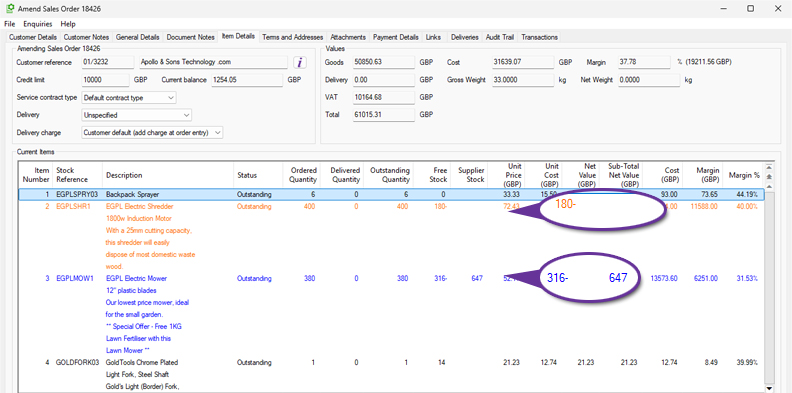
Further colour coding is now used on the Item Details list in Sales Order Maintenance functions with the addition of orange.
Items with insufficient stock are still shown as blue if there is sufficient supplier stock. If there is insufficient stock and there is also insufficient supplier stock available then these are now shown in orange.
Suppress Data Sheets from Quotations
Available to Software Assurance customers with axis diplomat 2022 or above
Release Date: 28/03/2023 Call Reference: 792903
The standard behaviour of the system is to automatically append to printed quotations any data sheets attached to the stock items that appear on the quote.
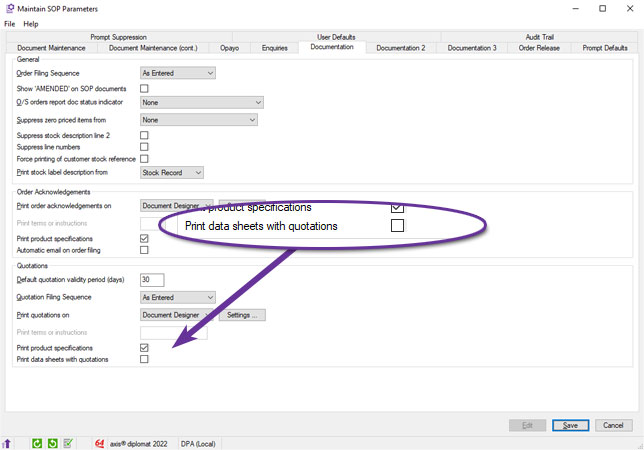
A new system parameter has been added to allow these data sheets to be suppressed from quotations.
The parameter can be found on the Documentation tab of the Supervisor Function Maintain SOP Parameters:
CRM Call Category Element Sort Options
Available to Software Assurance customers with axis diplomat 2024 or above
Release Date: 12/12/2024 Call Reference: 788970
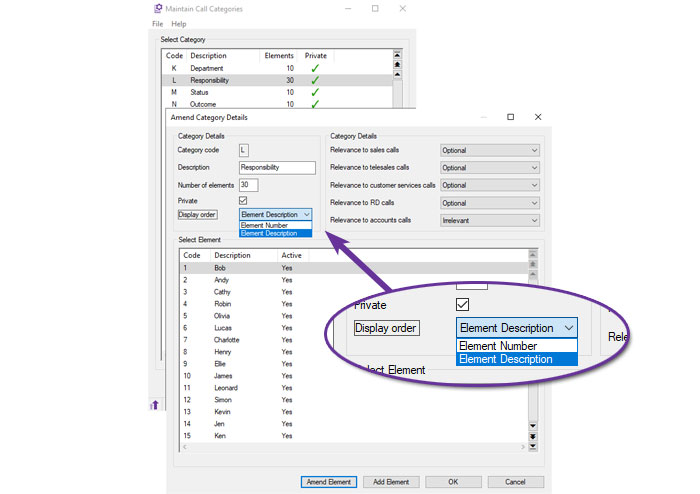
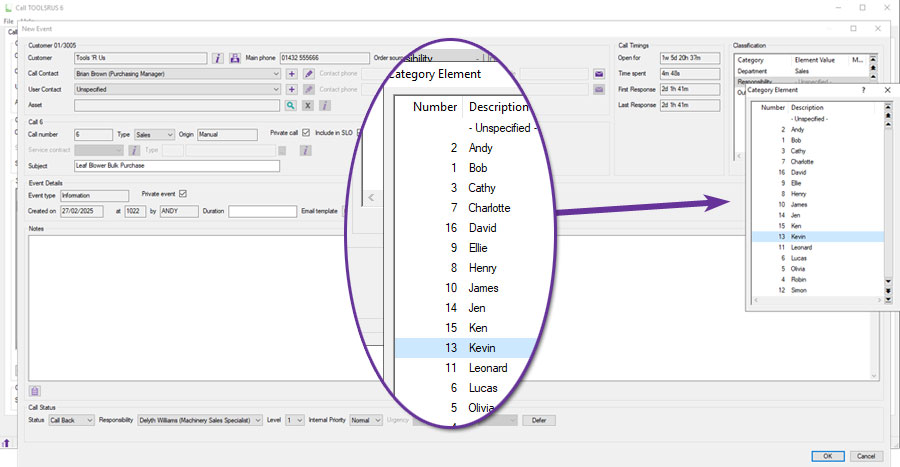
When using Call Categories to analyse CRM calls, the ‘Call Elements’ by default, can now be listed numerically, sorted by the element's code number, or alphabetically, sorted by the element's description.
This parameter can be set separately for each Call Category:
This is particularly useful for Call Categories that have long lists of elements, since it makes it easier for the operator to find the correct option:
Prevent Filing as Quotation when entering Sales Orders
Available to Software Assurance customers with axis diplomat 2022 or above
Release Date: 17/10/2023 Call Reference: 802799
It is now possible to remove the option to file sales orders as quotes by suppressing the "File Quotation" button when entering sales orders:
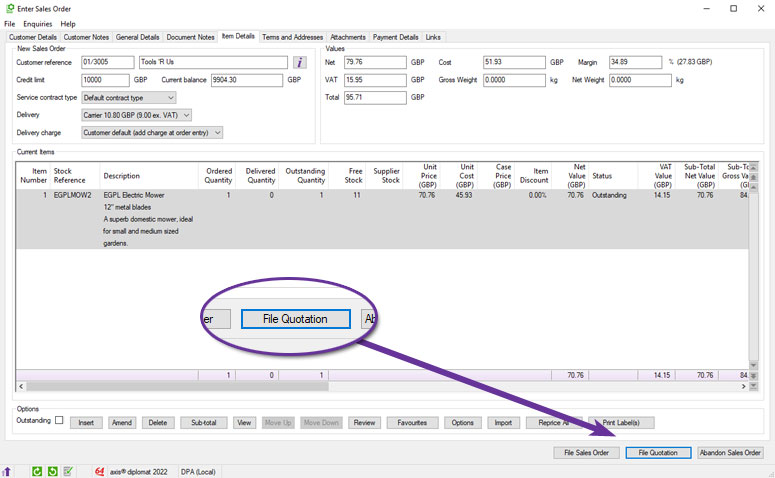
A new option on the "Prompt Suppression" tab of "Maintain SOP Parameters" allows this to be removed:
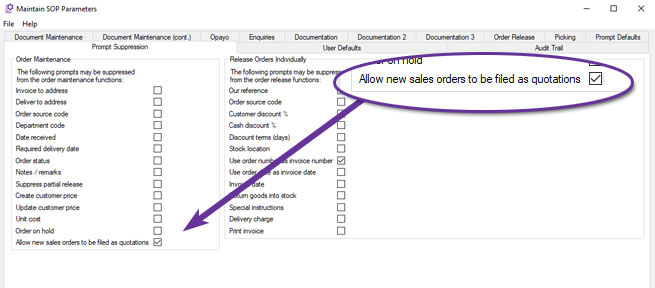
This means that even operators who are allowed to enter quotes are prevented from starting to create a sales order but filing as a quote instead - they will need to use the Enter Quotation function.
This can help avoid errors where staff accidentally file a document as a quote when they meant to file it as a sales order.
Validation of Quotation Delivery Dates
Available to Software Assurance customers with axis diplomat 2022 or above
Release Date: 09/09/2024 Call Reference: 829010
A number of changes have been made to quotation maintenance to help ensure that planned delivery dates remain valid when quotation dates are changed:
- If a user changes the quotation date, a new delivery date is now calculated and updated based on the rules for default delivery lead time for the items on the quotation.
- If the delivery date is set to occur in the past, the software now offers to recalculate the delivery date based on the default delivery times.
- Any line items which currently have a delivery date earlier than the overall quotation delivery date are updated to match the new quotation delivery date.
Defer Call Button in CRM Events
Available to Software Assurance customers with axis diplomat 2024 or above
Release Date: 19/02/2025 Call Reference: 844540
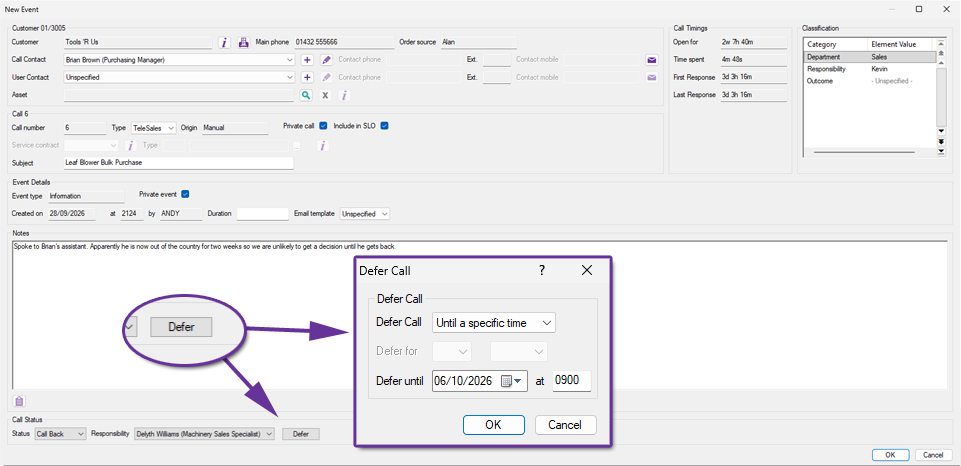
A new Defer button has been added to the Call Event window when updating CRM Telesales Calls. This allows a user to postpone a call until a later time without closing the event.
Users often need to record an interaction and then defer the follow-up until a more appropriate time. This can now be done in one operation.
Disable Address Postcode Validation on Quotations
Available to Software Assurance customers with axis diplomat 2022 or above
Release Date: 05/06/2024 Call Reference: 824872
When entering a new sales opportunity as a quotation, you may not yet have the full billing or delivery address details. There is now a new system parameter to disable postcode validation for the addresses on quotation documents.
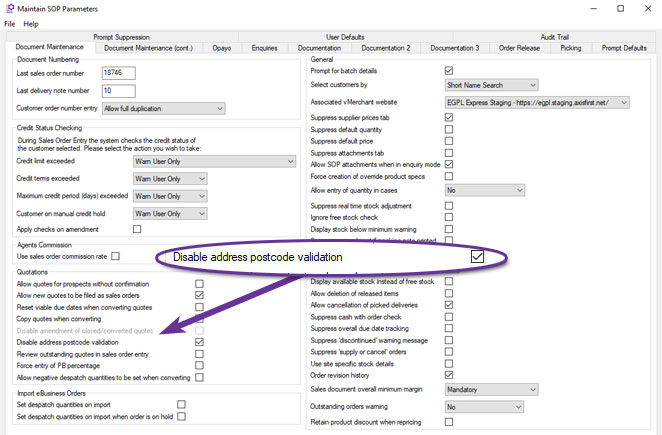
Please note that when a quotation is converted to a sales order, a valid postcode is then required.
Multi-Select in Calls Monitor
Available to Software Assurance customers with axis diplomat 2024 or above
Release Date: 11/12/2024 Call Reference: 661293
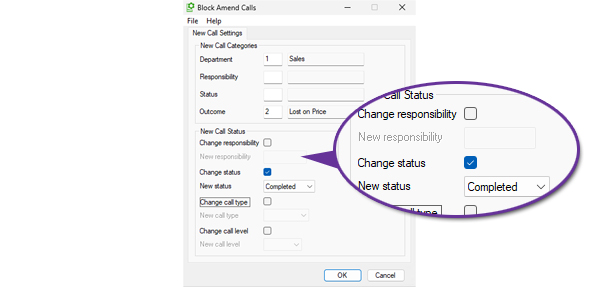
Managing Call lists can now be done more easily from within a Calls Monitor tab with the new ability to multi-select calls for block amendment.
You can select a contiguous range of entries by clicking on the first row and then clicking on the last row whilst holding down the Shift key. Alternatively, you can select non-contiguous rows by clicking on each individual entry whilst holding down the Ctrl key. You can also select all of the entries displayed by using Ctrl A.
In each case, a right-click will open the context menu offering the option to ‘Block Amend Calls’.
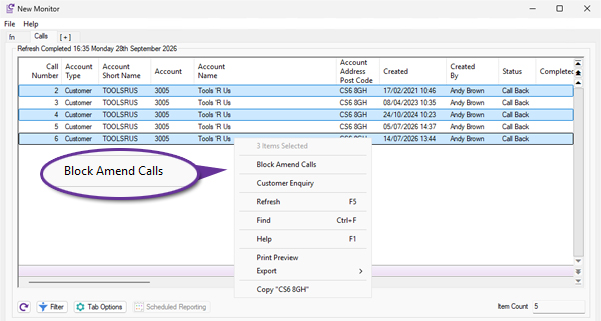
The block amendment function allows modification of the call classifications, responsibility, status, type and level.
Customer Mailing Labels (Bartender Format)
Available to Software Assurance customers with axis diplomat 2022 or above and the Bartender Bar Code Labels module
Release Date: 22/07/2024 Call Reference: 787567
Those using the link to the third party label printing solution, Bartender from Seagull Scientific, are now able to print customer mailing labels in addition to stock labels.
This provides a completely customisable label printing solution, allowing users to choose which customer fields are printed on the labels and to match the template to the desired label size.
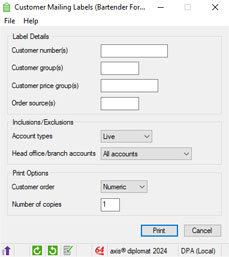
The Customer Mailing Labels (Bartender Format) function allows you to print labels for a range of customers at once, by ranges of customer group, order source code and account type, for example:
Note: Only the Bartender Automation Edition or higher provide an API for use by other software applications such as axis diplomat.
For more information:
Option to Exclude Credits from Goods on Account Invoicing
Available to Software Assurance customers with axis diplomat 2024 or above and the Goods on Account module
Release Date: 18/06/2026 Call Reference: 872727
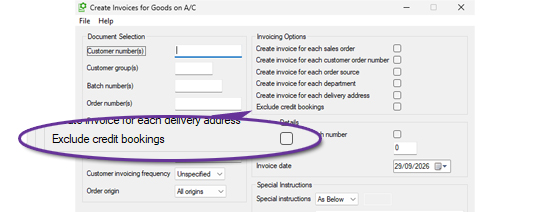
The Create Invoices for Goods on A/C function has been enhanced to provide greater control over the generation of invoices and credit notes from Goods on Account bookings. A new option, 'Exclude credit bookings', has been added to the Invoicing Options within the selection criteria screen.
Goods on Account processing is commonly used to automatically generate sales invoices from outstanding bookings. In some business environments, however, users may wish to prevent credit bookings from being converted into credit notes during the same run.
When the new 'Exclude credit bookings' option is selected, the function will ignore any Goods on Account bookings that have a negative value and would otherwise result in the creation of a credit note. Positive value bookings continue to be processed normally.
Additional Filters for Customer Assets Monitor Tabs
Available to Software Assurance customers with axis diplomat 2022 or above and the Customer Assets module
Release Date: 23/01/2024 Call Reference: 788704
Customer Asset monitor tabs now include the ability to filter assets based on the presence or absence of a parent asset. When filtering to include only assets with a parent asset, you can further restrict the monitor to listing only assets with parent assets that have particular features.
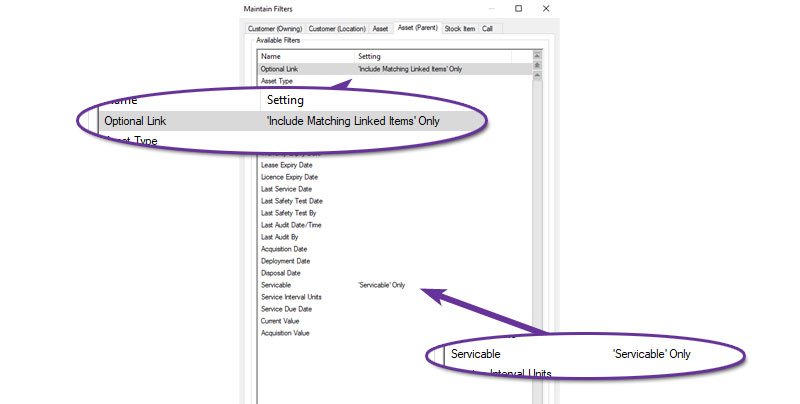
This screenshot, for example, shows a Customer Asset monitor tab that is filtered to only include assets with a serviceable parent asset.
User and Group Security Permissions for Delivery Charges
Available to Software Assurance customers with axis diplomat 2024 or above and the Delivery Methods & Charges module
Release Date: 02/09/2025 Call Reference: 838195
The security permissions within axis diplomat have been extended to allow permissions to be set on altering the delivery charge on a sales order. This allows you to keep delivery pricing consistent, and prevent accidental zero charges, protecting margins without slowing order entry.
A number of parameters (found on the Document Maintenance (cont.) tab of Sales Ordering Processing Parameters) control the use of Delivery Methods for Delivery Charges.
You can now allow or deny a user or user group the ability to amend the Delivery Charge on Sales Orders when “Delivery charge from delivery method” is enabled. Users without this ability may still choose the Delivery Method but cannot alter the Delivery Charge associated with that method.
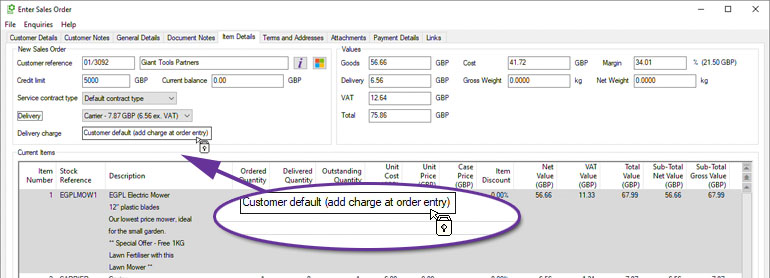
For further details see Delivery Methods and Charges
Customer Assets Monitor Tab Enhancements
Available to Software Assurance customers with axis diplomat 2022 or above and the Customer Assets module
Release Date: 30/01/2024 Call Reference: 815334
Customer Asset monitor tabs now features additional columns showing linked call information.
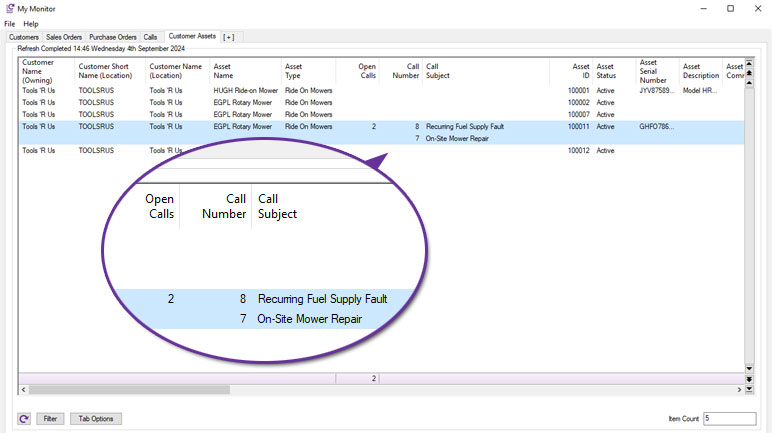
The following columns have been added to show open calls linked to each asset:
- Open Calls is the number of open calls linked to this asset; more detailed information can be found by opening the individual asset and referring to the ‘Calls’ tab.
- Call Number lists each call number for the open calls linked to this asset.
- Call Subject displays the call subject for each open call linked to this asset.
A right-click option has also been added to allow a new linked call to be created:
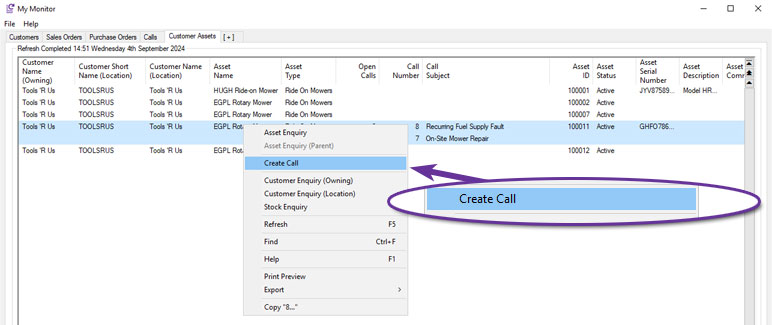
For customers who also have the Service Contract Management module, further columns have also been added:
- Contractable Stock Item indicates that the asset is linked to a stock item that can be added to a service contract.
- Service Contract Links displays the number of open contracts linked to this asset.
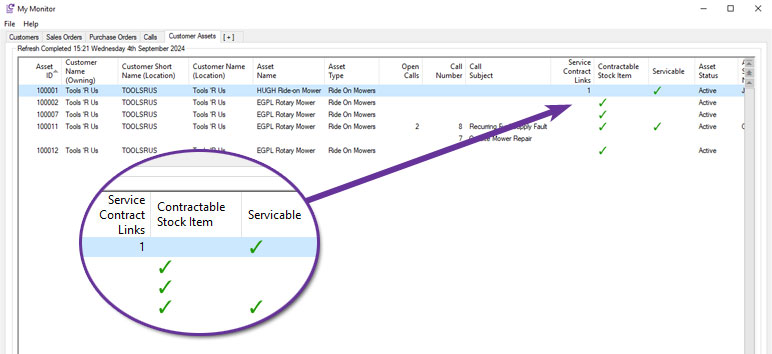
In conjunction with the existing Serviceable column, which indicates whether the asset itself is serviceable, the Customer Assets monitor tab can be a useful aid to identifying potential opportunities for new service contracts.
Additional Options in Customer Price Feed Delivery
Available to Software Assurance customers with axis diplomat 2024 or above and the Customer Price Feed Delivery module
Release Date: 11/12/2024 Call Reference: 837114
A number of additional options have been added to the specification of customer price feed files:
Exclude Items With Zero or Negative Stock
It is now possible to create customer price feed files that only include items that you currently have available.
Supplier Stock Level by Individual Supplier(s)
You can now specify a list of suppliers to include in stock availability figures. Any available stock with other suppliers will be ignored.
‘Has Stock’ Indicator
If you wish to provide a customer with an indication of whether a particular item has stock available without actually specifying a stock on hand figure, you can now include a simple Yes/No column. The column can contain whatever text you wish, for example "Y" and "N", 0 or 1, "Available to Order", "Currently Out of Stock", etc.
Fixed Text
You can now specify a column that contains fixed text which will be used for every stock item (i.e. the same text will appear in that column on every row).
Custom Row Sorting
You can now define the order in which items appear in the customer price feed file.
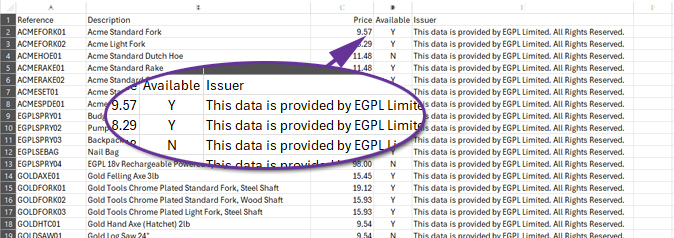
For more information:
https://documentation.axisfirst.co.uk/customer-price-feed-delivery/articles/29587
Additional eBusiness Settings in Customer Record Block Amendment
Available to Software Assurance customers with axis diplomat 2022 or above and the eBusiness module
Release Date: 12/01/2024 Call Reference: 815221
The Customer Record Block Amendment function has been extended to allow setting of the following flags on systems with the eBusiness module:
- Create addresses for web orders
- Allow different delivery address on web orders
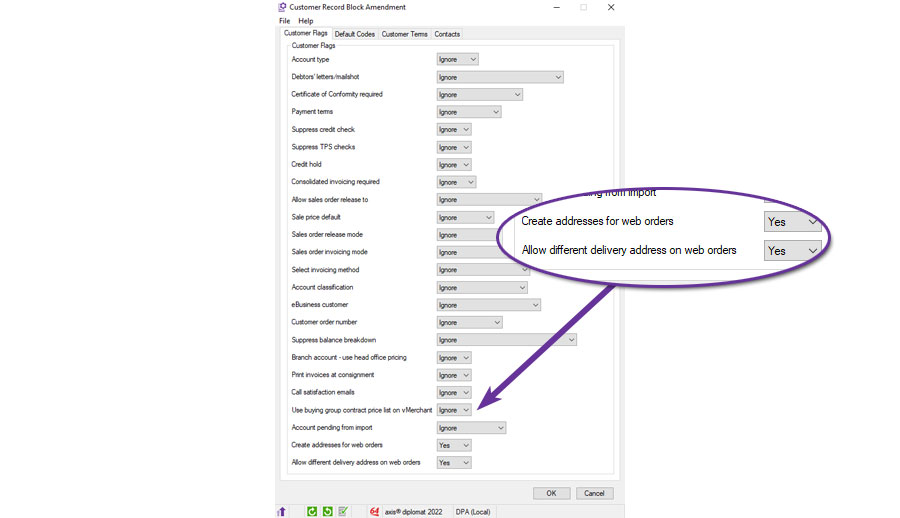
Allow Customer Price Feeds for Prospect Accounts
Available to Software Assurance customers with axis diplomat 2024 or above and the Customer Price Feed Delivery module
Release Date: 06/08/2026 Call Reference: 872528
Configuration of Customer Price Feeds was previously restricted to live account customers. This has now been extended to also include prospect accounts.
This is because it may be desirable, for commercial reasons, to provide a prospective customer with regular price updates before they become a live customer account. For example, the receipt of automated daily price and stock updates may be a pre-requisite that they have before agreeing to buy from you.
Furthermore, for those using the Sales Ledger Buying Groups module, the Buying Group accounts are themselves set as prospect accounts to ensure that they are not inadvertently used for sales transactions. This new development means that a customer price feed can now be configured for a buying group.
For more information:
https://documentation.axisfirst.co.uk/sales-ledger-buying-groups/articles/29625
Automatically Create Assets from Stock
Available to Software Assurance customers with axis diplomat 2022 or above and the Customer Assets module
Release Date: 22/02/2024 Call Reference: 806587
Previously, axis diplomat was only able to automatically create Customer Assets on the sale of traceable stock items (meaning that this facility was only available to those who also had the Stock Transaction Traceability module).
This facility has now been extended to also allow automatic creation of customer assets for non-traceable items as well. This is controlled at the Product Group level:
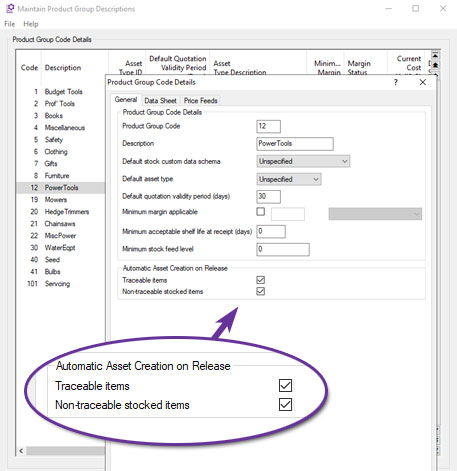
Forward-Dated Case Pricing on Monitors
Available to Software Assurance customers with axis diplomat 2024 or above and the Case Pricing module
Release Date: 30/07/2025 Call Reference: 848241
For systems using the Case Pricing module in conjunction with Date-Specific Prices and Discounts, both the Stock Items and the Customer Price Lists monitor tabs have been enhanced with eight new columns to support future-dated pricing analysis.
These additions provide greater visibility into how case pricing, margins, and costs will look at a specified point in time. Users can configure the monitor tab using the Tab Options button, which includes a Show Prices For option to enable the additional columns. This allows you to specify a future date and time and view pricing information as at that point in time.
These enhancements make it easier to review future pricing and protect margins.
| Column | Description |
|---|---|
| Case Price (Current) | Renamed from Case Price. Shows current case price calculated as inner price x case quantity. |
| Case Price (DD/MM/YY) | Displays case price for the selected future date and time (inner price x case quantity). |
| Case Inner Price (Current) | Renamed to show current case inner price used in the calculation of the case price. |
| Case Inner Price (DD/MM/YY) | Shows case inner price for the selected date and time. |
| Case Margin On Standard Cost (%) (Current) | Shows margin percentage between standard cost and case price (current). |
| Case Margin On Standard Cost (%) (DD/MM/YY) | Shows margin percentage between standard cost and case price for selected date. |
| Case Margin On Standard Cost (Current) | Shows margin value between standard cost and case price (current). |
| Case Margin On Standard Cost (DD/MM/YY) | Shows margin value between standard cost and case price for selected date. |
Direct Debit with SmarterPay Cloud
Available to purchase for all customers with axis diplomat 2024 or above
Release Date: 08/10/2024 Call Reference: 552836
The axis diplomat Direct Debits module works in conjunction with the Sales Ledger and, optionally, the Service Contract Management module to allow collection of sales and service contract invoice payments by Direct Debit.
The software is designed to interface with SmarterPay Cloud from SmarterPay Limited however limited functionality can also be used to provide payment files to some other BACS solutions that utilise "Standard 18" format payment files.
It is assumed that an active Direct Debit originator agreement with a sponsoring bank is in place together with with a BACS user number which must be configured in both SmarterPay and in axis diplomat.
The axis diplomat Direct Debit module is capable of managing AUDDIS when used in conjunction with the SmarterPay software package. If using another BACS software solution then AUDDIS messages must be processed manually using that package.
Direct debit processing supports automated background operation to:
- Upload new DDI setup requests.
- Check the status of new DDI requests and existing DDI’s.
- Check the status of collections and process any collection failures.
The axis diplomat "Direct Debit Processing” function is used to initiate collections. Each set of payments collected are given a submission number which is stamped on the payments.
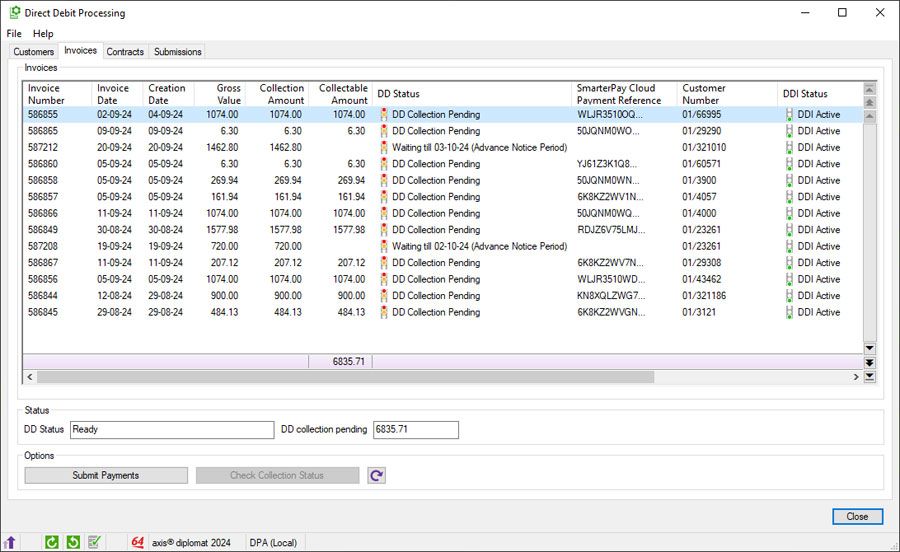
For more information:
https://www.axisfirst.co.uk/documentation/Direct-Debits-SmarterPay-interface/articles/21062
More Stock Availability Information in Sales Order Maintenance
Available to Software Assurance customers with axis diplomat 2024 or above and the Despatch Quantity Recording module
Release Date: 08/05/2025 Call Reference: 843600
Sales Order Maintenance has been enhanced to provide greater visibility of stock availability when entering or amending sales orders and quotations. Additional columns can now be displayed on the Item Details tab, helping users to make better informed decisions more easily when processing customer orders.
The function now includes the following additional columns:
- Available Stock
- Available O/S Quantity
- Available O/S Net Value
- Available O/S VAT Value
- Available O/S Total Value
For businesses using despatch quantities, the Available Stock figure provides a more accurate indication of stock that is genuinely available to fulfil customer demand, taking existing allocations into account.
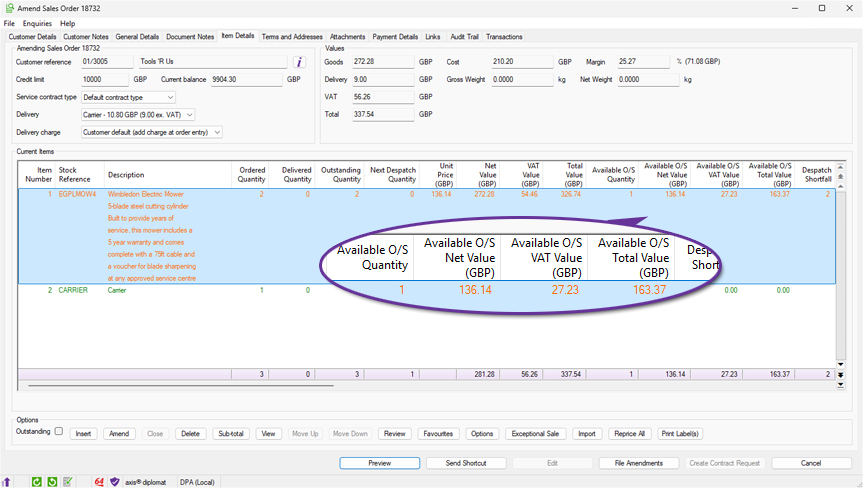
Improved Validation of Scanned Documents
Available to Software Assurance customers with axis diplomat 2024 or above and the Despatch & Delivery Management module
Release Date: 13/04/2026 Call Reference: 852810
The Attach Documents function has been enhanced to provide improved validation of scanned delivery documents, helping to prevent processing errors caused by incorrect Optical Character Recognition (OCR) results.
Documents can now be validated using a checksum contained within the scanned filename. During processing, axis diplomat verifies that the document reference and checksum contained within the filename match the expected values generated by the system. Documents that fail validation are prevented from being processed and are clearly identified for user review.
Where a document cannot be validated, the function displays the reason why the document is not suitable for processing, such as an invalid filename format or a checksum mismatch caused by an OCR recognition error. This improves the reliability of automated document processing by ensuring that scanned documents are validated before any attachment or post-processing activity takes place.
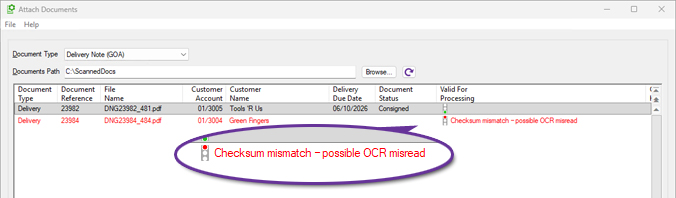
Statement Delivery Link to Web
Available to Software Assurance customers with axis diplomat 2024 or above and the axis vMerchant module
Release Date: 22/12/2025 Call Reference: 512189
This feature is intended for systems using axis vMerchant Express, where customers are encouraged to view their statements online.
Sales Ledger Statement emails can now include a link to a website (URL) that allows eligible recipients to access their statement online. When a statement is sent to a contact who is enabled for eBusiness and authorised to access accounts information, the system can insert a link into the email text that will take them directly to their statement page whilst ensuring that they are logged in.
Where Trading Identities are in use, these are taken into account when determining the appropriate site for the link.
Statement PDFs continue to be generated and stored via Document Delivery, ensuring statements remain available for audit purposes and attached to the email for recipients who prefer to receive statements in PDF format.
This enhancement provides a simple way to encourage customers to access their online account facilities while preserving the existing statement delivery process.
The email text may include the placeholder {url}, which is replaced at runtime with the statement link. This can be used in conjunction with a further substitution that can be included in the emails, {ebus, ...}. Anything between "{ebus," and "}" is only added to a particular email if the recipient is eBusiness-enabled - this means that you will not send links to people that cannot access them.
For example:
{ebus,To view and pay your statement online, please click here: {url}}
To make adjustments to your Sales Ledger Statement emails, use Maintain Sales Ledger Parameters tab 'Documentation' and ensure that the Statements template choice is document Designer, then click ‘Settings’.
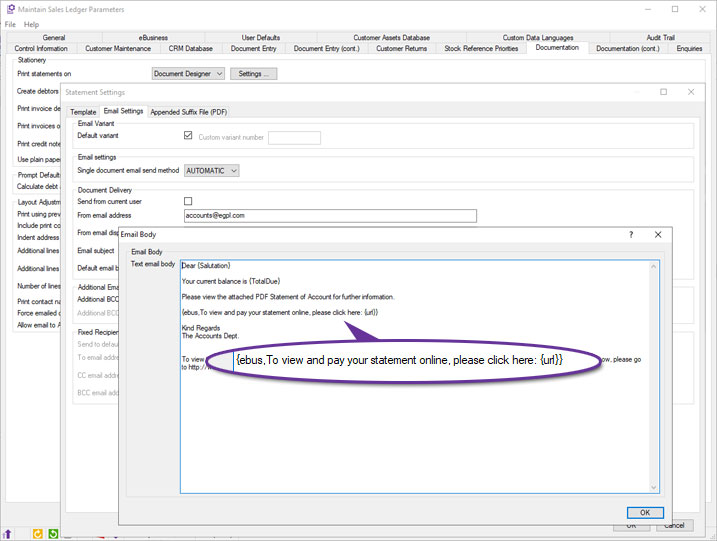
Customer Asset links
Available to Software Assurance customers with axis diplomat 2024 or above and the Customer Assets module
Release Date: 29/04/2026 Call Reference: 802398
axis diplomat has long supported the ability to link a CRM call to one specific asset (in this way, the CRM calls can be linked to the specific piece of customer equipment that the enquiry relates), link service contract line items to customer assets (to indicate which specific assets the service contract relates to), link assets to warranty packs (to apply an extended warranty to the asset) or link assets with other assets on a parent/child basis (to show individual components which make up an asset).
Now you can also:
(a) add links between assets (without creating a parent/child relationship) and
(b) add links from a CRM call to as many assets as you wish using the Call Maintenance 'Links' tab.
The Asset Enquiry/Maintenance function has been enhanced to:
(i) Add a 'Links' tab (familiar to users from other axis diplomat functions).
(ii) Provide a tick box on the asset enquiry/maintenance "Call History" and "Call Events" tabs giving users the option to include calls and call events relating to linked assets in addition to the asset in context.
Additional Domains in Customer Search
Available to Software Assurance customers with axis diplomat 2024 or above and the GFI Archiver Interface module
Release Date: 29/05/2026 Call Reference: 863968
The Customer Search function has been enhanced to support searching by additional domains names associated with customers. This allows users to locate customers using a website or email domain, in addition to the existing search criteria.
This is particularly useful when dealing with organisations that are more commonly recognised by their trading website or email domain rather than their company name. For example, users receiving communications from a particular website domain can now quickly identify the corresponding customer account.
When a customer account is found through an additional domain, the search results now indicate this by displaying a Match Type of Domain.
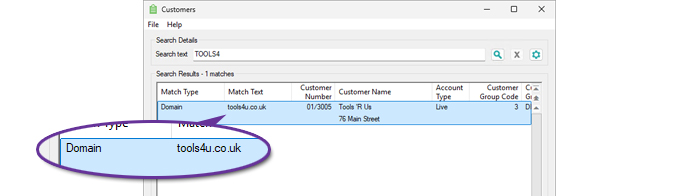
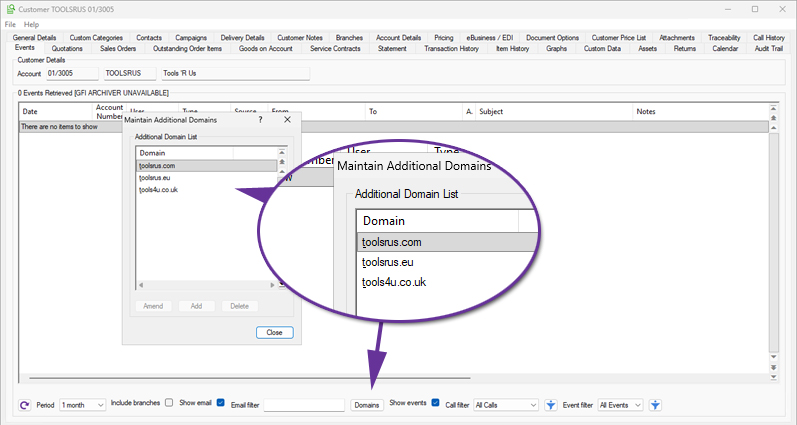
New Contact Columns in Customer Assets Monitor
Available to Software Assurance customers with axis diplomat 2024 or above and the Customer Assets module
Release Date: 07/05/2025 Call Reference: 848524
Six new columns have been added to Customer Assets monitors, giving visibility of key contact details for each asset. For both the Asset Manager and the Asset User, columns for their Email, Telephone Number, and Mobile Number are now available. Please note that these columns are not enabled by default but can be added to a Customer Assets monitor by right-clicking on the column headings and selecting "More...".
In addition to being a convenient tool when contacting specific individuals about a particular asset, augmenting the information available on Customer Assets monitors also opens up valuable opportunities for targeted marketing and customer engagement and could even be used to populate CRM Campaigns
For more details on customer asset monitors see My Monitors – Customer Assets Monitor.
Urgent Notes for Assets
Available to Software Assurance customers with axis diplomat 2024 or above and the Customer Assets module
Release Date: 16/04/2025 Call Reference: 843469
Customer Assets may have notes, which enable you to record any information that you wish against individual assets. This has been enhanced to allow the notes against specific assets to be marked as Urgent.
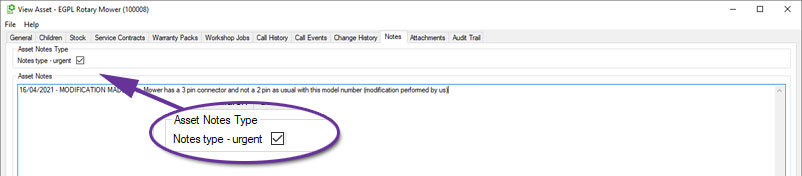
When an asset has an urgent note, the Asset Enquiry screen will now display an urgent notes dialog. Users must acknowledge this dialog before proceeding with the enquiry, ensuring that key details are not overlooked.
In addition, when linking an asset to a CRM call, Service Contract, or Workshop Job, any urgent notes associated with that asset will also appear automatically.
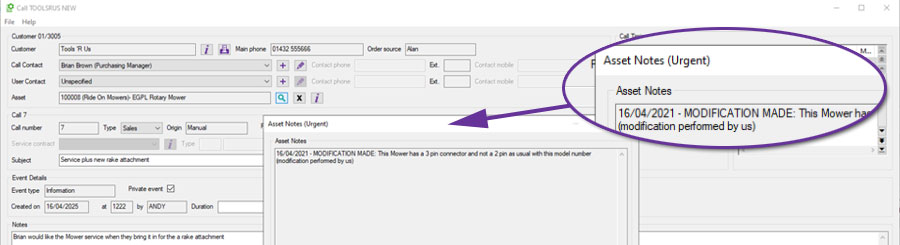
Copy Asset option from Asset Monitors
Available to Software Assurance customers with axis diplomat 2024 or above and the Customer Assets module
Release Date: 30/07/2025 Call Reference: 852632
Customer Assets monitor tabs now include a context menu (right-click) option, ‘Copy Asset’, for users with appropriate security permissions. This allows users to quickly duplicate an existing asset, carrying over key details like descriptions, categories, and configurations. It is ideal for repeated installations or when onboarding similar equipment for a customer. The serial number is excluded in the copy. Custom data fields are copied based on their 'copyable' flag, which controls whether each field should be included in the copy. This is especially useful in cases where some asset details, such as access notes, are specific to the original and should not carry over. It allows faster, more accurate asset setup whilst maintaining flexibility where needed.
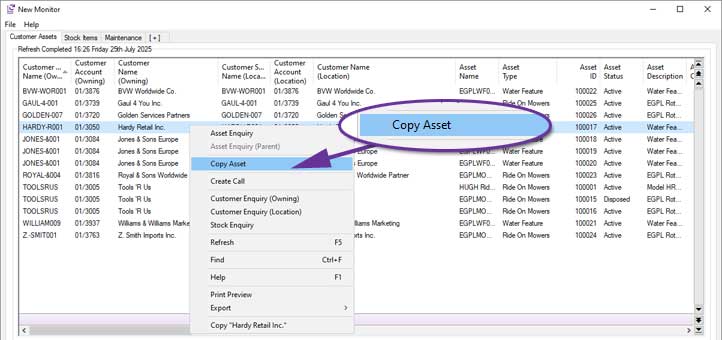
Asset Status Block Amendment
Available to Software Assurance customers with axis diplomat 2024 or above and the Customer Assets module
Release Date: 29/09/2025 Call Reference: 802733
The status of multiple assets for a single customer can now be amended from Active to either Inactive or Disposed using multi-select from the Assets tab of a customer account.
A contiguous range of entries can be selected by clicking on the first relevant row and then clicking on the last row required whilst holding down the Shift key. Alternatively, select non-contiguous rows by clicking on each individual entry whilst holding down the Ctrl key. You can also select all of the entries displayed by using Ctrl A.
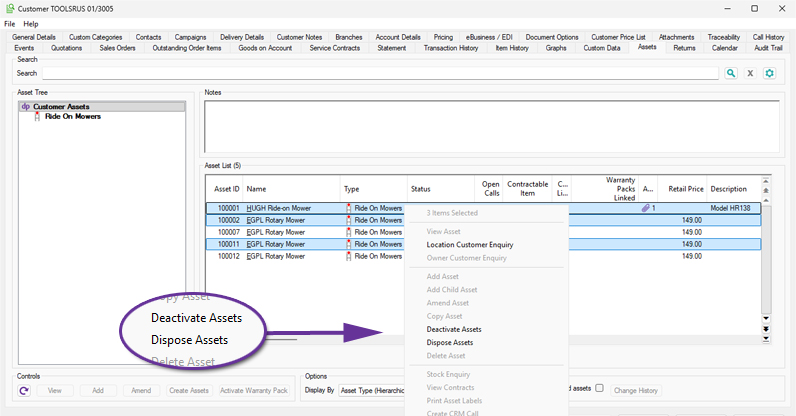
Lifecycle Fields for ICT Asset Service Management
Available to Software Assurance customers with axis diplomat 2024 or above and the ICT Asset Service Management module
Release Date: 11/06/2025 Call Reference: 822710
The ICT Asset Service Management module has been enhanced to add two new fields to axis diplomat stock records to help track a product's lifecycle. These fields are Manufacturer End-of-Sale Date and Manufacturer End-of-Support Date. These fields allow you to record key product lifecycle milestones directly against stock records, supporting proactive asset management and standards compliance (for example Cyber Essentials).
These new fields are fully integrated into monitors, giving users the ability to filter and report on both Stock Items and Customer Assets based on these dates. This makes it easy to identify stock linked assets that are no longer supported or are approaching end-of-sale, helping businesses plan ahead, manage risk, and meet compliance goals.
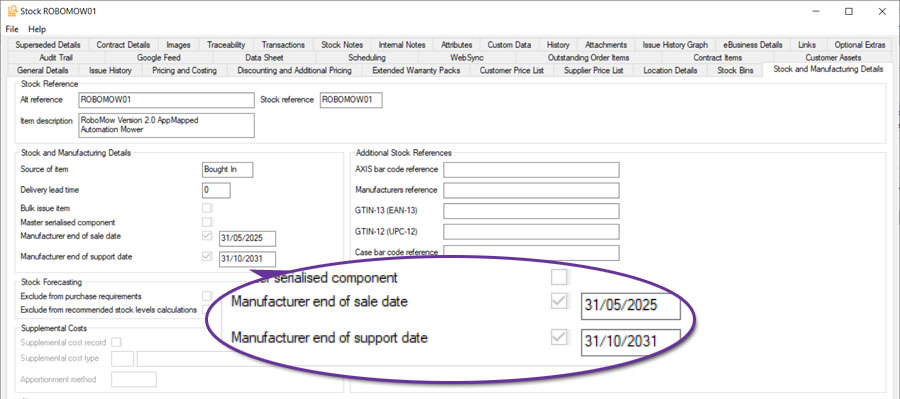
For more information:
https://documentation.axisfirst.co.uk/ict-asset-service-management/articles/21303
Purchase Ledger & Purchase Order Processing
Purchase Invoice/Credit Note Attachment Pane
Available to all customers with axis diplomat 2024 or above
Release Date: 08/10/2024 Call Reference: 728010
With the increasing use of email and electronic data interchange (EDI) for the delivery of documents, very few purchase invoices and credit notes received are paper-based. Those which do arrive by paper are often scanned and added as attachments to the document in axis diplomat.
Enhancements for paperless purchase ledger processes in axis diplomat 2024 have significantly streamlined purchase invoice and credit note booking including extensions to the previous attachments functionality for purchase invoices and credit notes.
To increase the efficiency of booking these transactions, users are now able to add attachments on the initial tab in Purchase Invoice/Credit Note Booking before entering any document details and a 'Show Pane' button has been added, providing the ability to view the attachment in a pane whilst booking the transaction into the system. This pane remains visible throughout the booking and analysis stages, avoiding the need to either use two screens or print documents to enter them.
This pane is also available in the Purchase Invoice/Credit Note Enquiry functions.
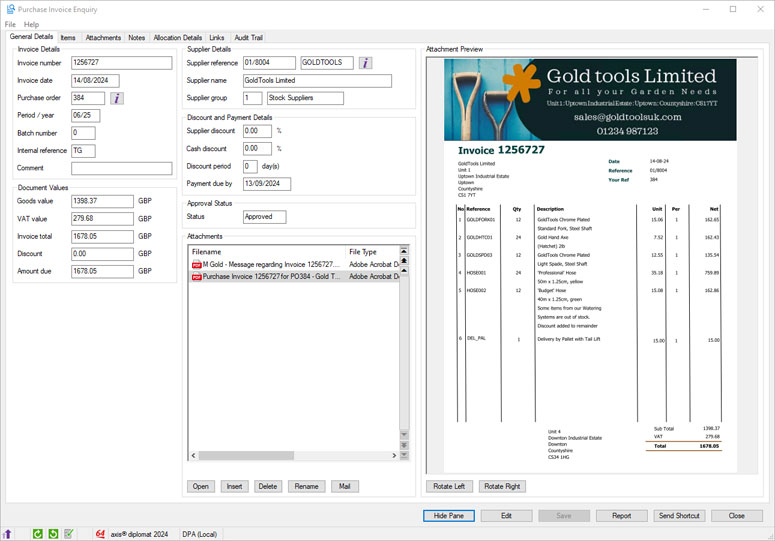
Electronic storage of purchase invoices and credit notes in axis diplomat brings many benefits:
- Compliance with HMRC requirements - many tax inspections are now conducted remotely via electronic copy document requests.
- Remote audits - allow auditors direct read-only access to the system, enabling them to view required documents without the need for physical copies.
- All attachment data is secured by axis diplomat and Windows security policies, ensuring sensitive information is well-protected.
- Paperless business processes encourage clear desk policies, promoting a safer and more secure working environment.
Bulk Close Purchase Orders from Monitors
Available to Software Assurance customers with axis diplomat 2024 or above
Release Date: 30/04/2025 Call Reference: 841600
Users are now able to close multiple purchase orders in one action via multi-select within Purchase Order, Purchase Order Items, or Purchase GRNI monitor tabs. Multiple entries can be selected by using Shift+Click to select a range or Ctrl+Click for individual entries. Ctrl+A selects all visible rows, which is ideal when filters have been applied to limit the selection of purchase orders shown.
Once selected, right-click to access the Close Purchase Order option. An audit trail event is created on each purchase order to provide a clear history of changes.
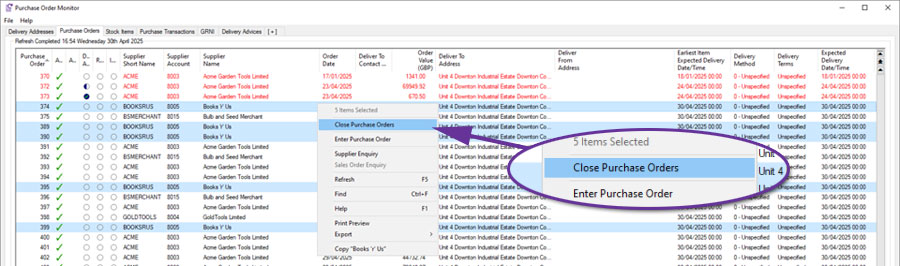
Access to this functionality is controlled by the Security Permissions of the user.
For further details, help documentation can be found here:
Purchase Orders Monitors
Purchase Order Items Monitor
Purchases GRNI Monitor
Purchase Invoice and Credit Note Enquiry
Available to all customers with axis diplomat 2024 or above
Release Date: 08/10/2024 Call Reference: 728010
Purchase Invoice and Credit Note enquiry functions have been extended to include two additional tabs; Notes and Allocation Details.
The Notes tab allows the entry of notes against the transaction both when booking a new transaction and when in Edit mode on an existing invoice or credit note.
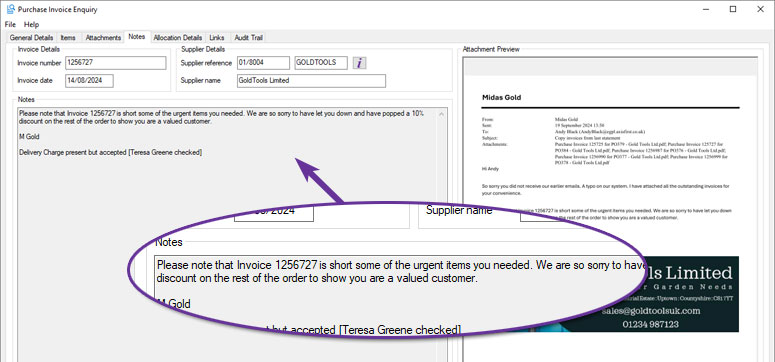
A Notes column has also been added to the Transactions and Transaction History tabs of Supplier Enquiry and to the Supplier Transaction History type monitor tab.
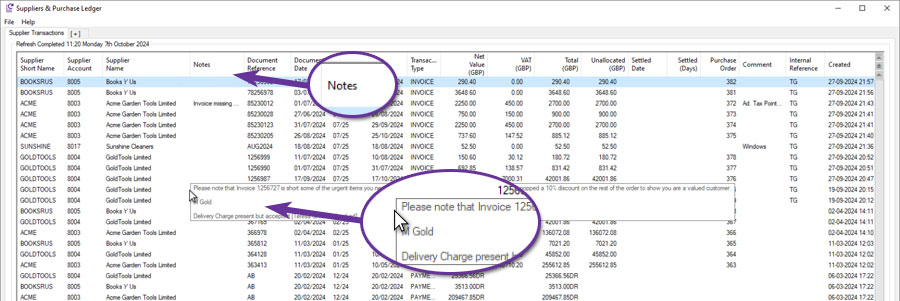
When enquiring on an existing transaction, the new Allocation Details tab displays any allocation history for the transaction, assisting the accounts team in dealing with supplier payment queries:
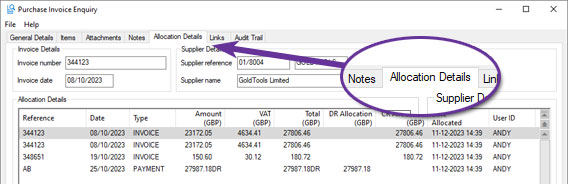
Supplier Payment Authorisation
Available to all customers with axis diplomat 2024 or above
Release Date: 08/10/2024 Call Reference: 728010
Supporting the financial processes of many businesses, axis diplomat Purchase Ledger has been extended to provide an optional authorisation stage in the suppliers transaction entry and payment run process:
.jpg)
Controlled by a new purchase ledger parameter, this functionality provides an additional level of supplier transaction payment authorisation, above approval status, by adding a new 'Authorised' value field on purchase invoices.
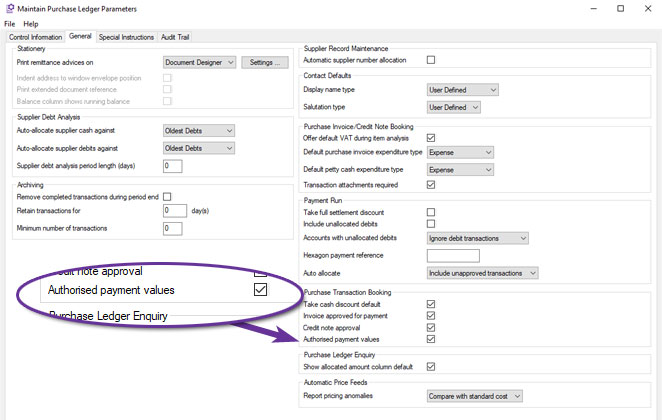
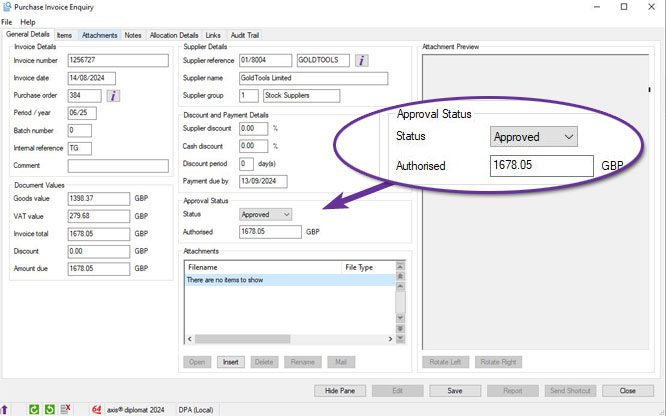
The 'Authorised' value on a purchase invoice also allows part payment of invoices and is amendable in transaction booking, Prepare Payment Run and Payment Run functions. Additional columns and filtering for the authorised amount are also activated in Document Designer Remittance Advice prints, the Supplier ‘Transactions’ tab and Supplier Transaction History monitor tabs.
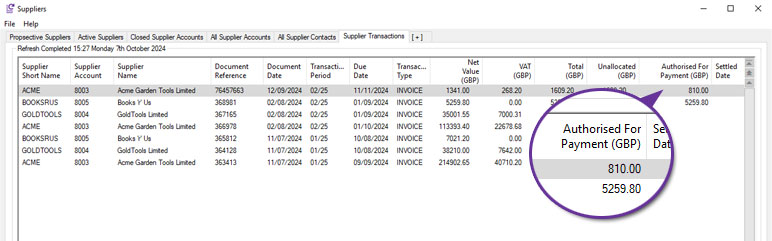
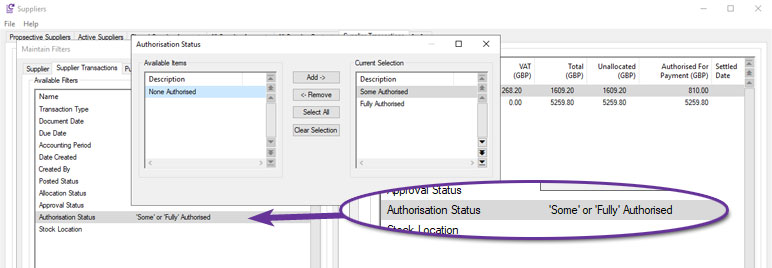
Read/write access to this field is controlled by user and group security permissions, allowing configuration of who is able to authorise the amount to be paid when running a supplier payment run in axis diplomat.
The new attachment viewing pane and transaction notes tab, combined with the authorised value on transactions, allow for ease of entry, enquiry, amendment and authorisation of supplier transactions for payment, wherever the user might be working.
Exclude Accounts with Balances from Automatic Payment Allocation
Available to Software Assurance customers with axis diplomat 2024 or above
Release Date: 04/12/2025 Call Reference: 844758
The Automatic Payment Allocation function has been extended to provide an option to 'Exclude accounts with balance'. This allows the function to be run so that it only deals with allocations on accounts that have a zero value outstanding balance. Those with non-zero balances can then be reviewed manually afterwards to assess what allocations need to be made.
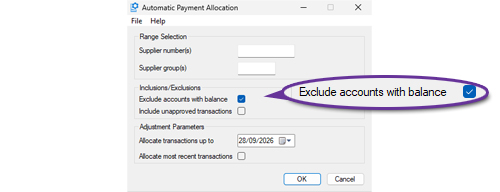
Supplier Contacts Monitor
Available to all customers with axis diplomat 2024 or above
Release Date: 08/10/2024 Call Reference: 832075
As with the Customer Contacts monitor tab type added for the Sales Ledger, a new Supplier Contacts monitor tab type provides an overview list of the contacts on supplier accounts.
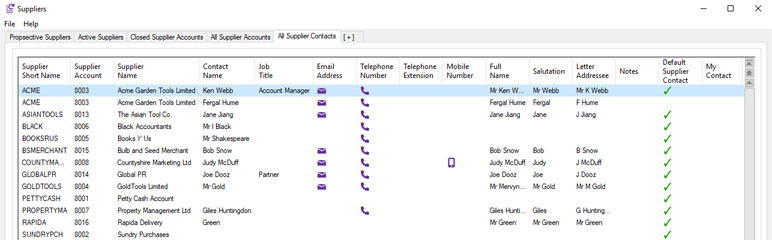
Filtering is provided for both supplier contact and supplier account properties so, for example, when using the Multi-Currency module, a monitor tab could be added that lists all of the main default contacts on just the US Dollar ledger.
Import Supplier Status
Available to Software Assurance customers with axis diplomat 2024 or above
Release Date: 16/04/2025 Call Reference: 847283
The Import Supplier Records function has been extended to allow new or existing supplier accounts to be flagged as Closed or Prospect. Two new fields have been added to the Supplier Fields Page 3 tab:
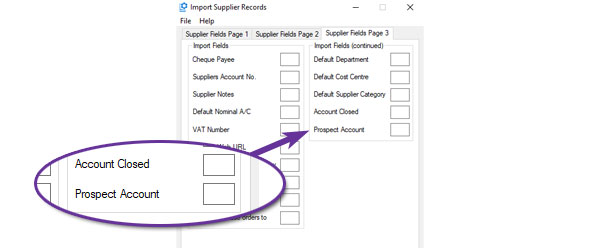
The Export Supplier Records function has also been extended to include these two settings as additional columns in the standard layout:
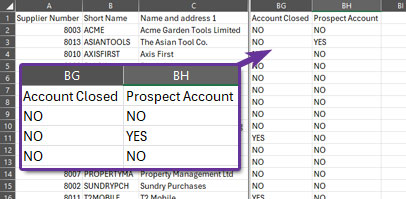
Additional Column in Stock Transaction Monitor
Available to Software Assurance customers with axis diplomat 2024 or above and the Purchase Delivery Advice module
Release Date: 30/07/2025 Call Reference: 832585
A new Delivery Reference column has been added to Stock Transactions tabs in Monitors. This is available for applicable purchase order and goods received transactions and provides a direct link between the stock receipt transaction and the associated Purchase Delivery Advice.
By using the new column with the standard sorting, filtering and export facilities, it is now easier to group and analyse transactions relating to a particular purchase delivery.
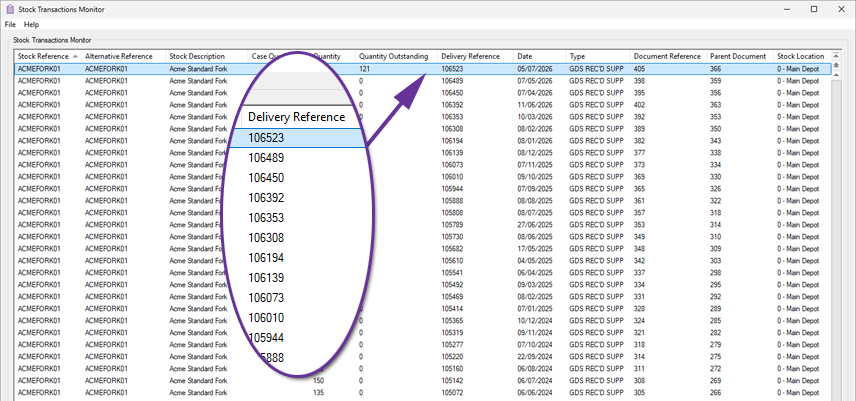
Automatic Allocations Include/Exclude Unapproved
Available to Software Assurance customers with axis diplomat 2022 or above
Release Date: 29/05/2024 Call Reference: 782818
When using the 'Auto Allocation' option for supplier payments, the system is now able to either include or exclude unapproved transactions.
This operation is controlled by new setting in Purchase Ledger Parameters:
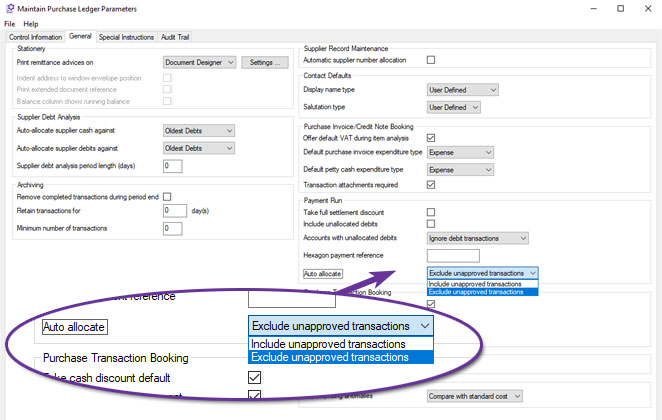
Import Supplier Default Category
Available to Software Assurance customers with axis diplomat 2022 or above
Release Date: 03/06/2024 Call Reference: 826249
The function Import Supplier Records has been extended to allow importing of the supplier's default category.
This is the supplier category used by both supplier price feeds and Office Products product file imports when automatically creating new supplier price lists. It is also the default used when manually adding new supplier price list entries.
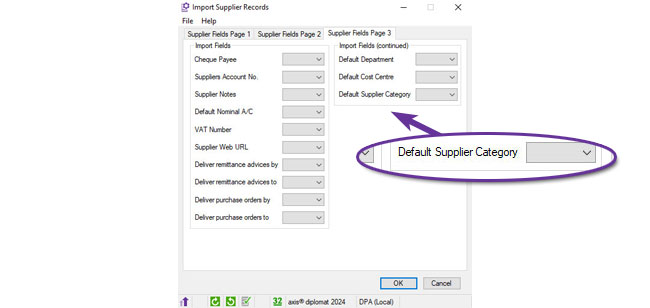
Document Substitutions in Email Templates
Available to Software Assurance customers with axis diplomat 2024 or above
Release Date: 13/11/2025 Call Reference: 861464
Document substitutions that were previously only supported in sales document emails are now supported in purchase ledger and purchase order processing emails as well.
This means that any email that is generated by the system to deliver a document to a supplier can now include substitutions for any of the fields relating to the document, such as the document number, as well as the contact details for the person sending the document.
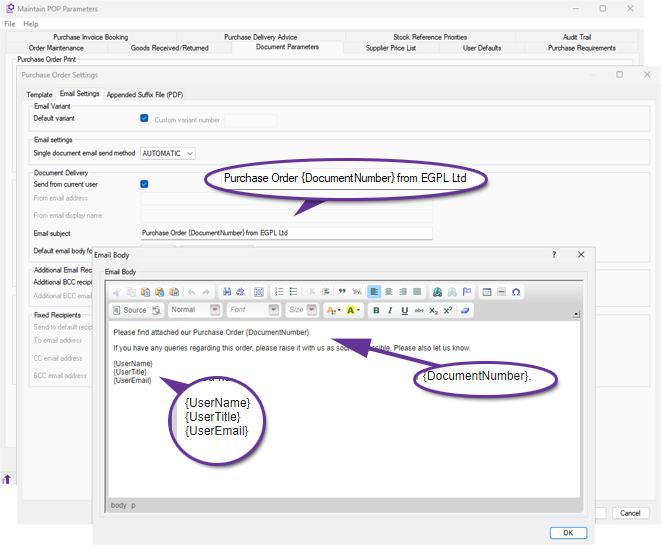
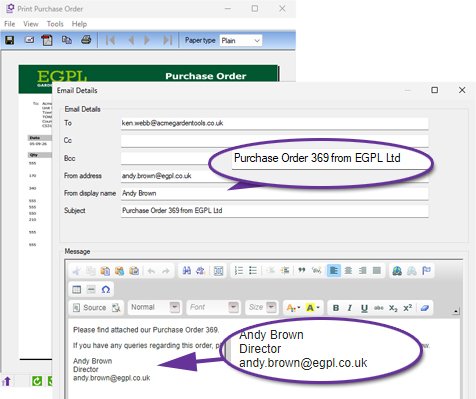
Document Designer Goods Received and Return Notes
Available to Software Assurance customers with axis diplomat 2024 or above
Release Date: 30/10/2025 Call Reference: 856470
Document Designer versions of the Goods Received Note and Goods Returned Note documents are now available. These new templates allow users to fully customise the layout, wording, and fields shown on each document, providing flexibility to match internal processes and corporate branding.
Both templates are available from:
Maintain POP Parameters > Document Parameters tab > Goods Received / Returned Print
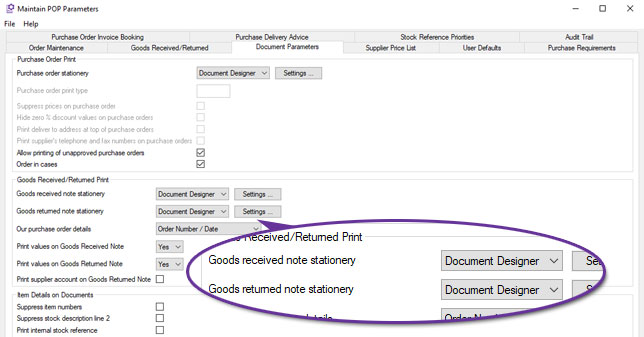
Selecting Document Designer enables the Settings button, allowing users to view available merge fields, edit the design, and control document appearance through the familiar Document Designer interface.
When printed, both documents automatically create an audit trail event, recording the user, date, and time of printing for complete traceability.
This enhancement brings Goods Received and Goods Returned documentation in line with other purchasing and stock-related stationery, allowing a consistent, familiar design across the purchasing workflow.
Delete Purchase Delivery
Available to Software Assurance customers with axis diplomat 2022 or above and the Purchase Delivery Advice module
Release Date: 27/08/2024 Call Reference: 823400
A new function has been added to allow deletion of a Purchase Delivery record provided that no receipts or dispatches (using online order processing) have been made.
You can select the delivery record to be deleted by specifying either the supplier's delivery reference or the internal delivery reference allocated when the record was created.
Alternatively, you can search through all relevant delivery records for a given supplier:
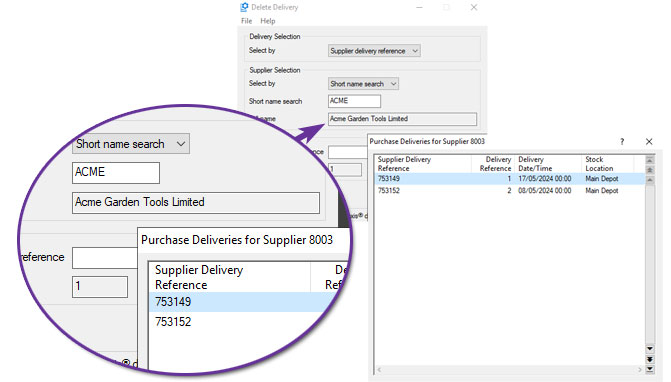
Once you have selected the delivery to be deleted, you are presented with the full details of the delivery before confirming deletion:
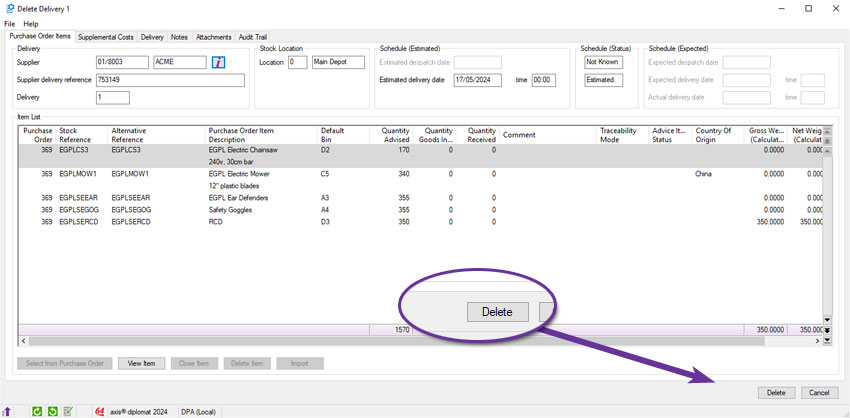
Exclude Supplier Price List Entries from Cost Calculations
Available to Software Assurance customers with axis diplomat 2022 or above and the Supplier Price Feed Foundation module
Release Date: 28/11/2022 Call Reference: 787154
It is now possible to exclude individual Supplier Price List entries from aggregated cost calculations. This is particularly useful where a supplier has issued a price list with a known error in it; including that entry would skew the cost calculations, leading to unreliable margin calculations.
A new 'Exclude from cost calculations' tickbox has been added to the supplier price list amendment dialog:
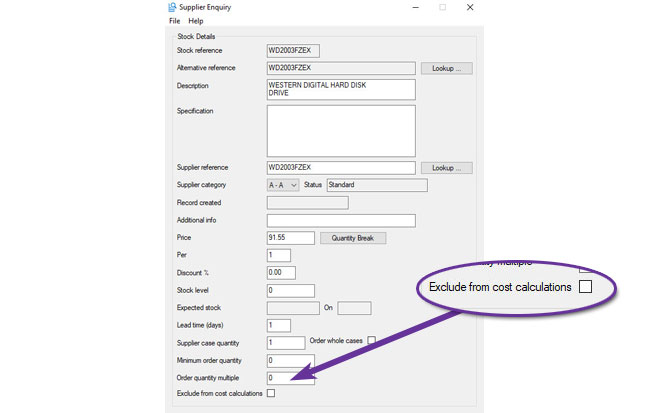
To assist with managing these exclusions, a new column has been added to the Supplier Price List in both Supplier Enquiry and Stock Enquiry to show when an item has been excluded from cost calculations:
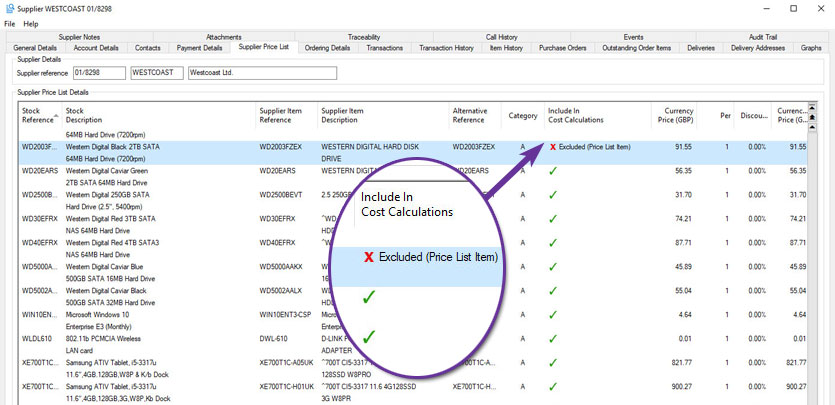
Additional Domains in Supplier Search
Available to Software Assurance customers with axis diplomat 2024 or above and the GFI Archiver Interface module
Release Date: 29/05/2026 Call Reference: 863968
The Supplier Search function has been extended to support searching by additional domain names associated with suppliers. This allows users to locate suppliers that use multiple website or email domains.
This is particularly useful when dealing with organisations that have a trading name that is different to their business name or have multiple trading identities.
When a supplier account is found through an additional domain, the search results now indicate this by displaying a Match Type of Domain.

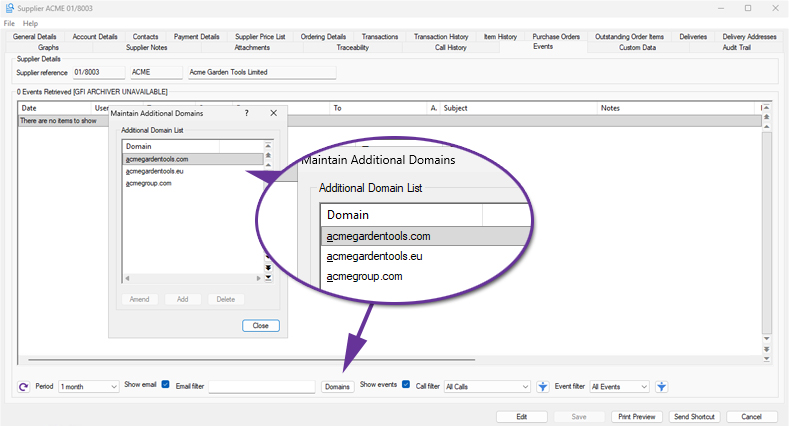
Purchase Order Update Options
Available to all customers with axis diplomat 2024 or above
Release Date: 08/10/2024 Call Reference: 825886
The 'Order Items' tab of the Enter/Amend Purchase Order functions has been extended to include a new ‘Options’ button to set the default actions for updating current cost and supplier price list entries when adding new items to the order.
This makes the job of overriding the system's default behaviour easier.
When first opened, this new dialog will show the current setting and allow it to be changed for this order only.
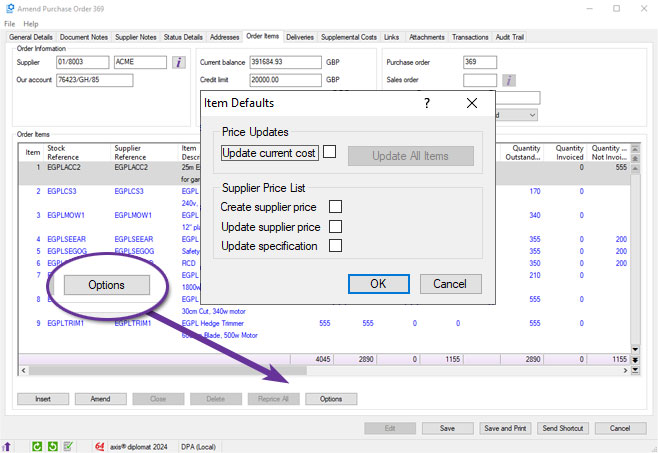
This can be useful, for example, if you normally update cost and/or supplier price list entries but, on this occasion, you do not want to because you have been offered preferential pricing by a supplier for this one order only. Previously, you would need to make the change on each individual line of the order.
Purchase Order Lines Comments
Available to Software Assurance customers with axis diplomat 2022 or above
Release Date: 15/11/2023 Call Reference: 810543
An additional comment of up to 30 characters can now be added to each purchase order line. The comment can be seen as a column on the Order items tab, as a column on ‘Purchase Order Items’ monitor tabs and in 'Goods Received from Supplier'.
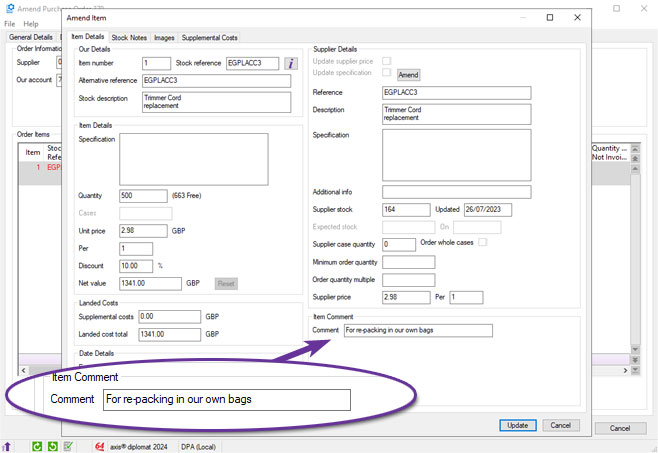
Document Designer has also been updated to allow the comment field to be added to the line detail section of document templates.
Additional Purchase Order Items Monitor Columns
Available to Software Assurance customers with axis diplomat 2022 or above
Release Date: 28/11/2023 Call Reference: 786777
Additional columns have been added to Purchase Order Items monitor tabs to help manage expected credits.
Three new columns show the current Credit Expected value, the original value of expected credit and the difference, expressed as a percentage:
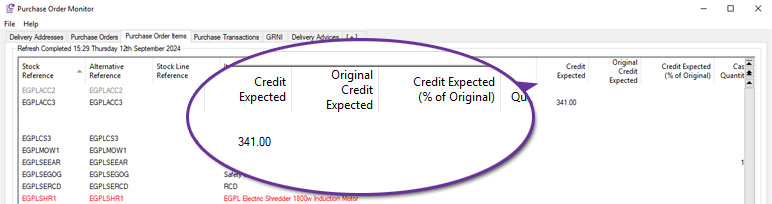
Specification on Purchase Order Items Monitors
Available to Software Assurance customers with axis diplomat 2022 or above
Release Date: 15/11/2023 Call Reference: 810468
A new column has been added to Purchase Order Items monitor tabs to show each item's Specification.
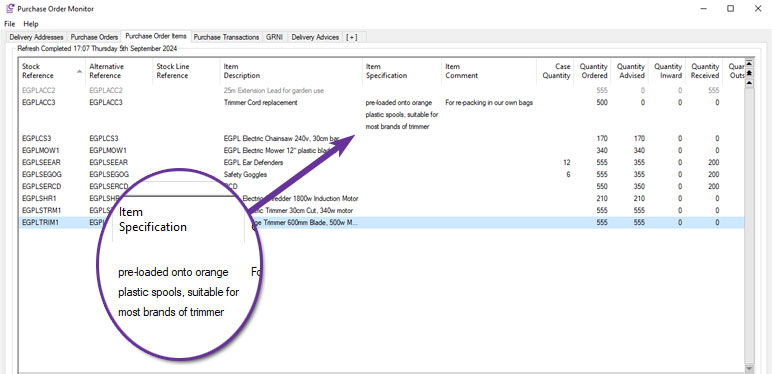
As an item's specification can be relatively long, you can elect to restrict the maximum number of lines to display:
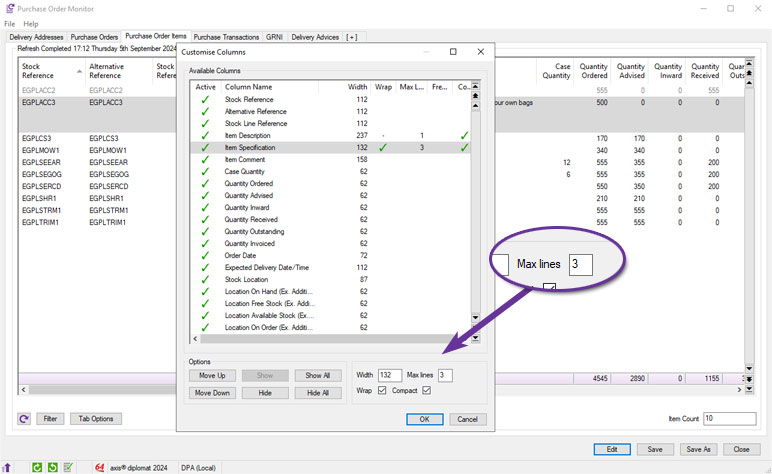
Purchase Order Expected Delivery Dates
Available to all customers with axis diplomat 2024 or above
Release Date: 08/10/2024 Call Reference: 743201
New fields have been added to Purchase Orders to help appraise your suppliers' performance by allowing you to compare the requested dates (requested by you as the customer) and the expected dates (as defined by the supplier).
Existing fields have been renamed from ‘Due Date’ to ‘Expected Due Date’ and for Purchase lines ‘Earliest Item Due Date’ to ‘Earliest Item Expected’.
The POP parameter prompt ‘Enable delivery time(s)’ makes it possible to record the time when a delivery is due and can be refined further by specifying a window of time using the prompt ‘Enable order delivery window’ (including setting default time slot, usually goods in receipt hours).
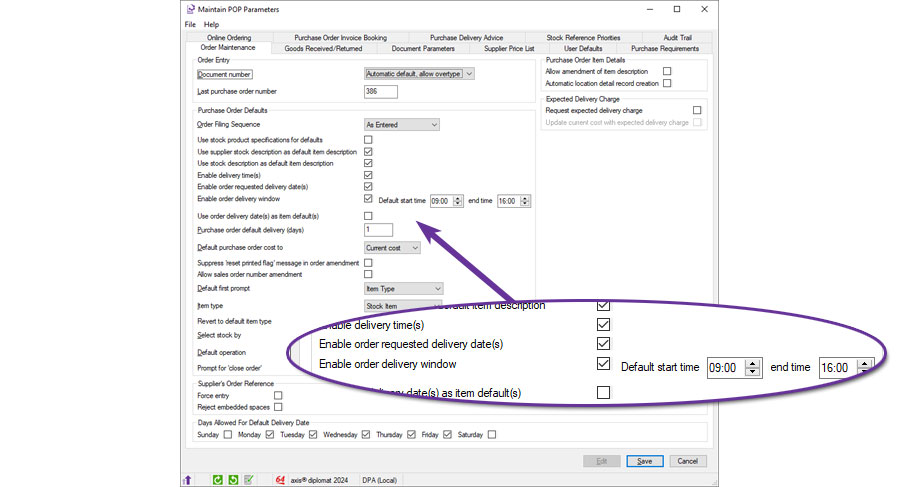
Once these parameters are set, the new fields are available in the following functions:
• Purchase Order Maintenance
• Import Purchase Orders
• Reschedule Purchase Orders
• ‘Purchase Order’ monitor tabs
• ‘Purchase Order Items’ monitor tabs
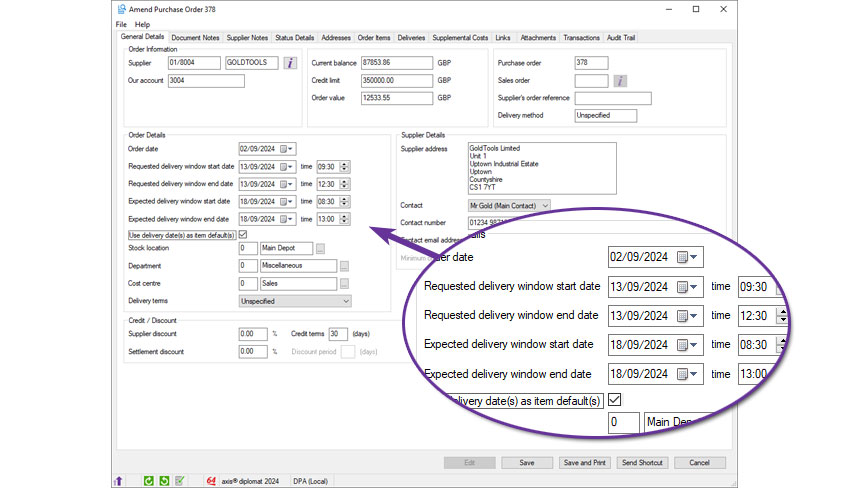
More detailed analysis is available to those using the Purchase Delivery Advice module.
Purchase Delivery Enhancements
Available to all customers with axis diplomat 2024 or above and the Purchase Delivery Advice module
Release Date: 08/10/2024 Call Reference: 743201
The Purchase Order Processing module has been enhanced with Delivery slot Windows.
Further to the introduction of purchase order delivery times and windows, the Purchase Delivery Advice module has further enhancements to allow you to track the key stages in the inbound delivery process, including the date goods are dispatched by the supplier (estimated and then actual) and the date they are expected to arrive (estimated and then expected) at your location. The process allows for the new delivery windows and captures the actual delivery dates including newly available fields.
Supplier delivery references (Delivery Advice References) are recorded against an internal delivery record, with a unique internal number allocated by the system. This allows for manually recording key metrics for further analysis including:
- Expected Pallets
- Expected Packages
- Gross Weight (kg)
- Volumetric Weight (kg)
- Gross Volume (m³)
These improvements provide greater visibility and control over your purchase deliveries, ensuring a more detailed and efficient tracking process as well as enhanced monitoring of supplier performance.
.jpg)
Price Feed Information added to Suppliers Monitor
Available to Software Assurance customers with axis diplomat 2022 or above and the Supplier Price Feed Foundation module
Release Date: 28/05/2024 Call Reference: 825419
For those using Supplier Price Feeds, an additional column has been added to Supplier monitor tabs to indicate the type of price feed configured for each supplier.
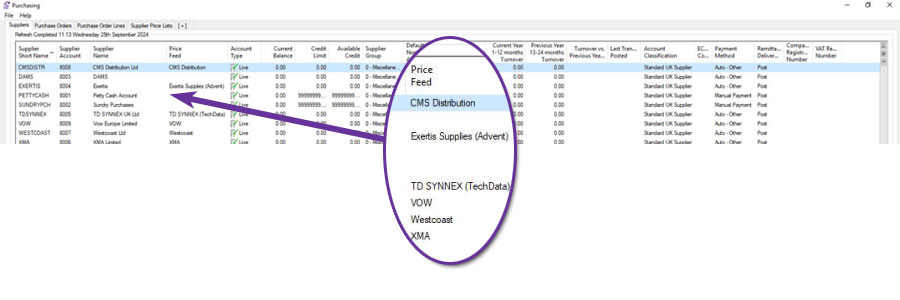
Please note that the column is not enabled by default and so, to see the column, right-click on the headings of the monitor tab and enable the column named Price Feed:
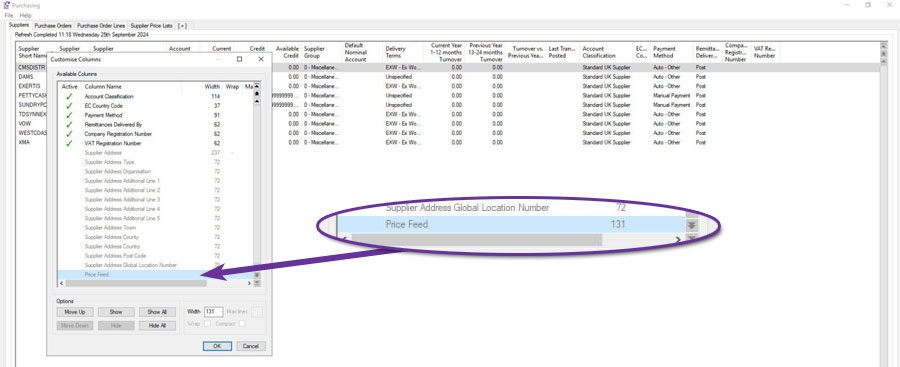
Exclude Price Feed Variance in Price Feed Report
Available to Software Assurance customers with axis diplomat 2022 or above and the Supplier Price Feed Foundation module
Release Date: 06/09/2024 Call Reference: 200121
Using a new Purchase Ledger Parameter, it is possible to adjust the Price Feed Report to exclude the Price Variance section, reducing the file size considerably. This change is ideal for systems importing multiple price feeds regularly throughout the day.
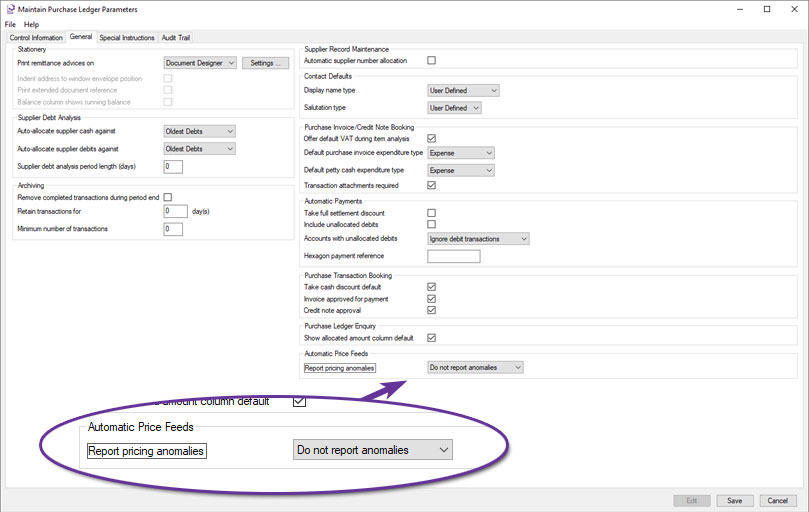
To change the behaviour, adjust the setting for ‘Report pricing anomalies’. Select ‘Compare with standard costs’ or ‘Compare with current costs’ if you wish to report supplier price list records that differ from the selection by more than the variance defined on the product group record (excluding those that are not resaleable or superseded). Alternatively select ‘Do not report anomalies'.
Stock Ledger, Bill of Materials & MRP
Retail Price VAT Status
Available to all customers with axis diplomat 2024 or above
Release Date: 08/10/2024 Call Reference: 823179
There are some gross prices that cannot be represented as a VAT exclusive price; for example, £9.99 when the VAT rate is 20%. £8.32 plus 20% VAT gives £9.98 whilst £8.33 plus 20% VAT gives £10.00.
For this reason, it may be preferable to specify retail prices as VAT inclusive (gross) prices and trade prices as VAT exclusive (net) prices.
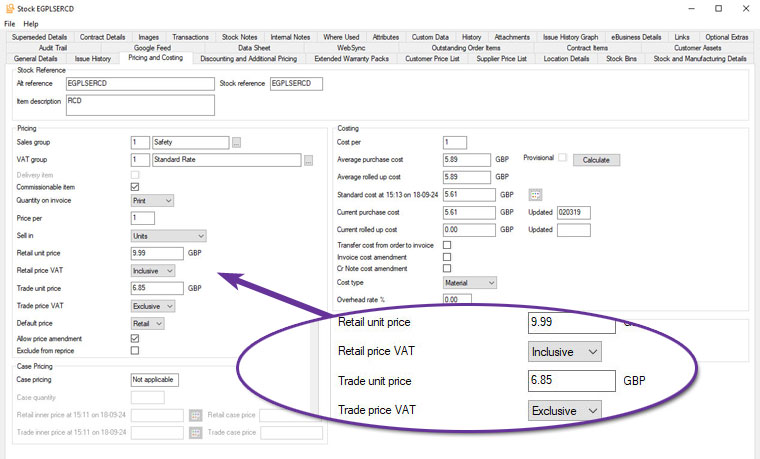
These settings can now be viewed using a Stock Items monitor tab, where additional columns have been added to provide more information on the VAT status of each item.
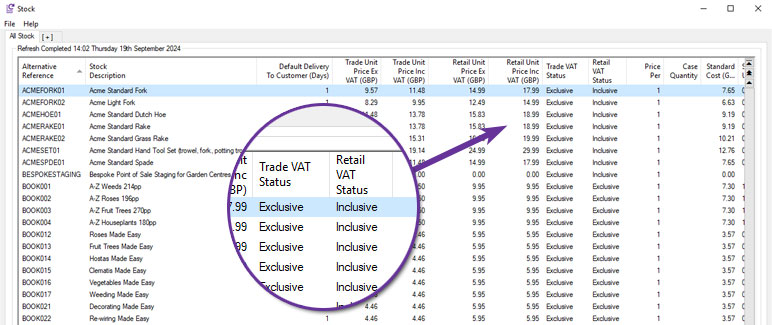
Transfer All Location Stock
Available to Software Assurance customers with axis diplomat 2024 or above
Release Date: 25/07/2025 Call Reference: 851245
An all-new Supervisor function has been added, 'Transfer All Location Stock'. This enables the efficient and controlled movement of all stock, including traceable items, between locations whilst maintaining full transaction history.
The function automates key checks, including identifying open documents, such as outstanding sales or purchase orders, that may prevent transfers and ensures valid bin assignments at the receiving location. It also handles locked records without interrupting the batch process, making it a true multi-user function. Furthermore, if a stock item is not active at the destination, it is automatically activated. Users can also assign adjustment reasons, enter batch references for traceability, and generate detailed reports for audit and review using the existing functionality of a stock transactions monitor.
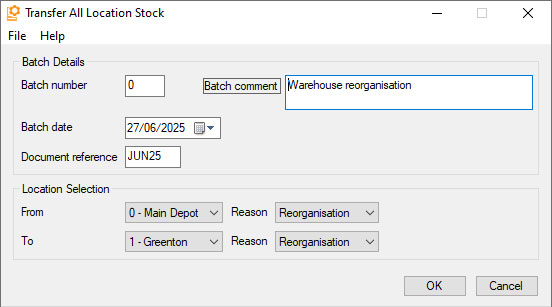
This functionality is particularly useful in operational scenarios such as full warehouse moves, site closures, or warehouse reorganisation projects where large volumes of stock need to be relocated. It ensures that transfers are processed accurately, with minimal manual intervention and a clear audit trail.
For more information, please refer to the function help Transfer All Location Stock
Date-Specific Costs
Available to all customers with axis diplomat 2024 or above and the Date Specific Prices and Discounts module
Release Date: 08/10/2024 Call Reference: 807987
For those already using the Date-Specific Prices and Discounts module to hold future selling prices, the system can now also hold details of future costs.
The cost is updated by clicking the icon alongside the cost field:
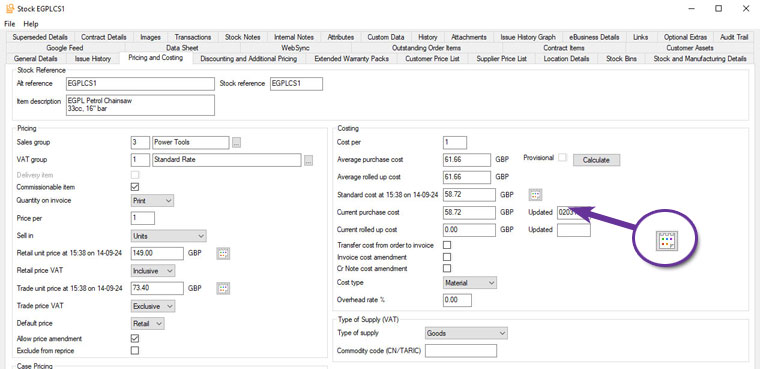
As well as specifying a start date and time, you may optionally provide an end date as well, for situations where the price change is temporary. This, for example, allows you to hold details of future promotions offered by suppliers.
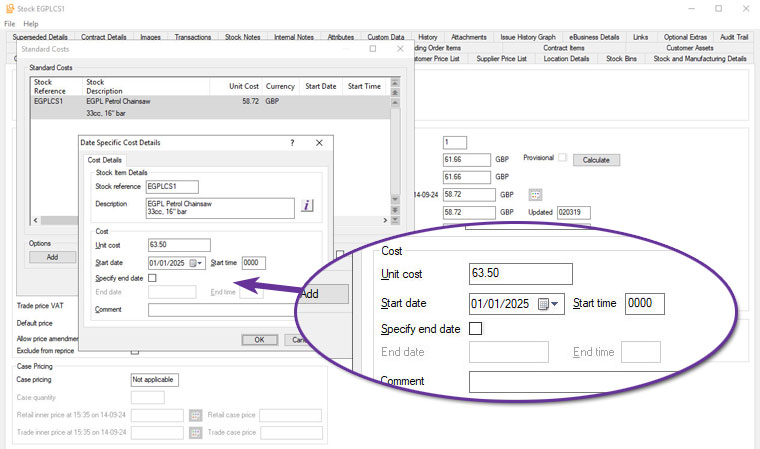
Note that only the Standard Cost can have future-dated values as it would not be logical to do so for Current Cost. The Current Cost field can also be updated as part of the day-to-day operation of the system and it would be unclear whether a price change superseded an imminent future cost that was already held in the system.
This development is particularly useful for those with suppliers who give advanced notice of price changes and want to ensure that future price changes are allowed for when determining their own pricing.
Move Whole Bin Contents within Location
Available to Software Assurance customers with axis diplomat 2024 or above and the Multi Location Multi Bin Stock module
Release Date: 11/06/2025 Call Reference: 780205
The function Stock Movement Between Locations has been extended to include a new option.
The Whole Bin Contents option supports the movement of all stock items from one bin to another within the same stock location. This option is triggered when the selected ‘From’ and ‘To’ locations match, making it ideal for internal warehouse reorganisation, such as adjusting pick paths due to seasonal changes or stock turnover patterns. The batch interface enables users to initiate a session, scan or enter the source bin, and confirm quantities for transfer in a single action, with optional document reference updates. The process validates bin-level stock availability, enforces same-location constraints, and supports barcode scanning, including composite Location/Bin labels.
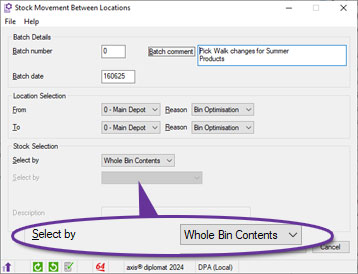
Date-Specific Stock Monitor
Available to all customers with axis diplomat 2024 or above and the Date Specific Prices and Discounts module
Release Date: 08/10/2024 Call Reference: 807987
When used in conjunction with the Date Specific Prices and Discounts module, Stock Items monitor tabs are now able to show additional information as at a specific future date.
The functionality is controlled via a Tab Option, which then enables the following additional columns of information:
- Trade Unit Price Ex VAT
- Trade Unit Price Inc VAT
- Retail Unit Price Ex VAT
- Retail Unit Price Inc VAT
- Standard Cost
- Retail Margin
- Trade Margin
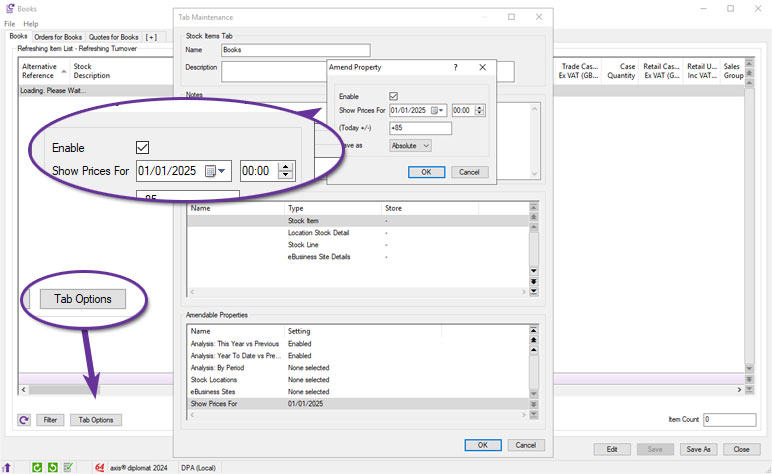
Delivery Reference Column in Stock Transactions Monitor
Available to Software Assurance customers with axis diplomat 2024 or above and the Purchase Delivery Advice module
Release Date: 12/08/2025 Call Reference: 832585
On systems with the Purchase Delivery Advice module, Stock Transactions monitor tabs now include an additional column showing the Delivery Reference (for Goods Received from Supplier transactions):
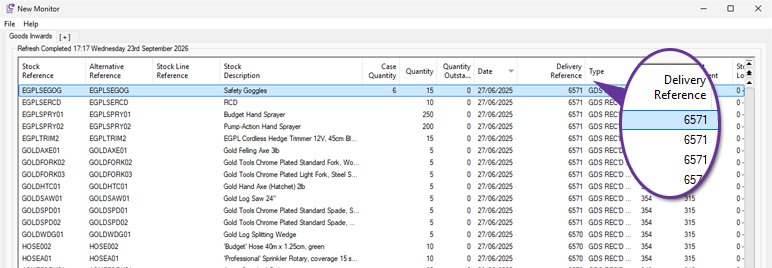
Margin Information in Stock Monitors
Available to all customers with axis diplomat 2024 or above
Release Date: 04/11/2024 Call Reference: 807987
Stock Items monitor tab types now include additional margin information.
Columns have now been added for retail and trade margins against standard cost, expressed as both currency and percentages. For those using case pricing, these columns are replicated again for cases.
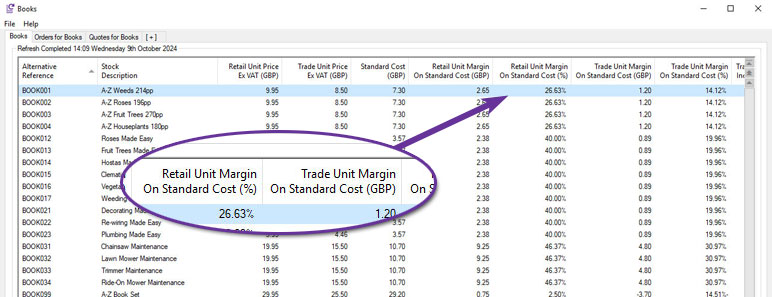
Filtering Monitors by Customer or Supplier Prices
Available to Software Assurance customers with axis diplomat 2024 or above
Release Date: 08/05/2025 Call Reference: 846730
Two new filter options have been made added to all monitor tab types that can be filtered by Stock. The new filters, Price Exists For Customer and Price Exists For Supplier, allow you to enter an account number and view only stock items that have a matching price list entry. By combining this with other filters you could, for example, produce a monitor listing all of the items for which a specific customer has special pricing but which are not published to your website (and which they therefore could not purchase online).
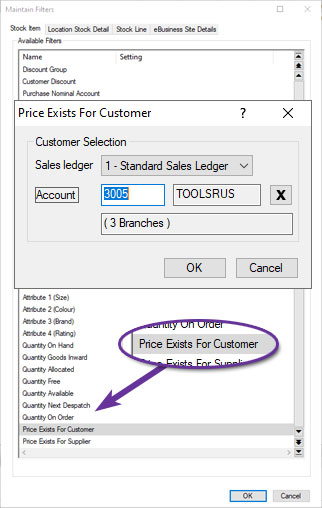
Stock Data Sheet Enhancements
Available to Software Assurance customers with axis diplomat 2022 or above
Release Date: 13/04/2023 Call Reference: 783655
Enhancements have been made to the stock record's Data Sheet maintenance tab, including new buttons:
- Copy to Clipboard allows you to copy the PDF to your clipboard, allowing you to easily paste it into another application.
- Print opens a printer selection options including number of copies.
- Add / Amend allows the user to specify a new PDF document to replace the document that is currently being used.
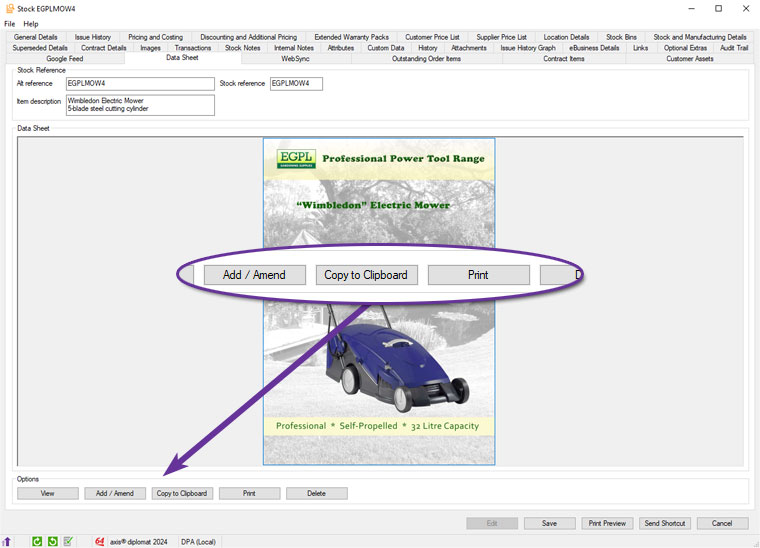
Delivery Note Column in Stock Enquiry
Available to Software Assurance customers with axis diplomat 2024 or above
Release Date: 16/07/2025 Call Reference: 853332
The Transactions tab within Stock Enquiry now includes a dedicated Delivery Number column specifically for GRN (Goods Received Note) transactions. This addition allows you to quickly reference the supplier’s delivery note number directly from the Stock Transactions tab without the need to open individual transaction records.
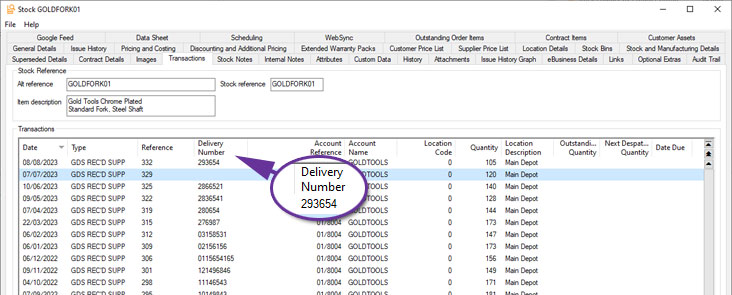
Reason Codes for Transfer Between Stock Items
Available to Software Assurance customers with axis diplomat 2022 or above
Release Date: 30/10/2023 Call Reference: 807333
The Transfer Between Stock Items function allows stock on hand quantities to be transferred from one stock item to another. You can now specify reason codes and these can be different for the issue from the first stock item and the receipt into the second stock item.
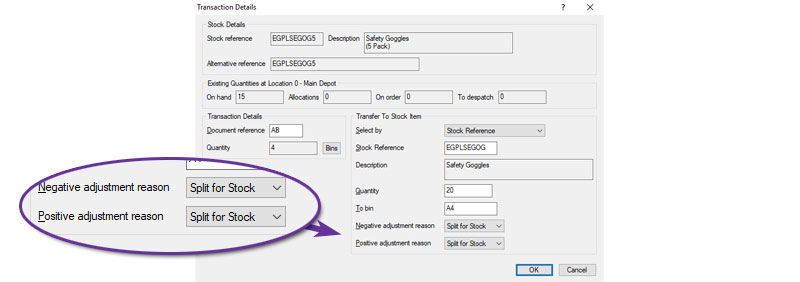
The example above illustrates a scenario where safety goggles are sold individually and in packs of 5 and there is an unexpected shortage of the individual items and so the decision is made to split a number of packs of 5 to re-stock the individual items. The transfer shows a quantity of 4 x 5 packs being transferred to 20 single items with a reason code of "Split for Stock".
Import Stock Custom Data Schemas
Available to Software Assurance customers with axis diplomat 2024 or above
Release Date: 27/11/2025 Call Reference: 843693
Custom Data Schemas are especially useful for Stock items, where it is possible to have hundreds of custom data fields across many different product types.
Creating all of these data fields is now potentially much easier by allowing import from a file, either an Excel spreadsheet or a comma-separated (CSV) or tab-separated (TSV) text file.
This facility has also been made available on all other forms of custom data, including Customer, Supplier, Nominal and, for those with the appropriate module, Customer Assets.
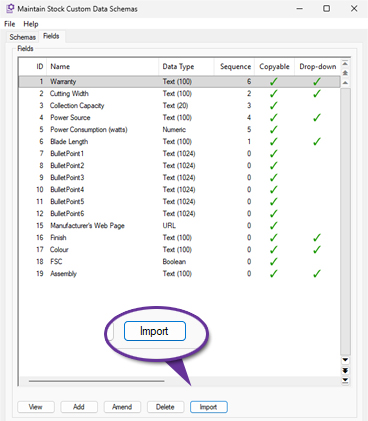
Support for Additional Image Formats
Available to all customers with axis diplomat 2024 or above
Release Date: 08/10/2024 Call Reference: 810542
You are now able to add images in a wider variety of formats to stock records. In addition to the formats already supported (GIF, JPG, BMP and PNG), you can now add images in SVG and WEBP formats.
For those with axis vMerchant websites, these formats are also supported for eBusiness Group images and for banners and can be used on your website.
Please note that image resizing is not supported for these formats. SVG files can be vector-based graphics and so are then intrinsically scaleable whilst WEBP can contain multiple image sizes within the one file.
Import Stock Details from CSV Profiles
Available to Software Assurance customers with axis diplomat 2024 or above
Release Date: 10/03/2025 Call Reference: 836729
The function to import stock records from CSV files has been extended to support profiles.
Profiles allow you to save all of the field matching for future use. If, for example, you regularly get an updated product file from a supplier, you can set up the criteria to map that supplier's file to the axis diplomat stock record fields once and save as a profile. That means that you never need to specify all of the selection criteria again unless the supplier changes the format of their file.
Furthermore, the profiles are shared across all users so that, once set up, the profile can be used to import that format file by anyone.
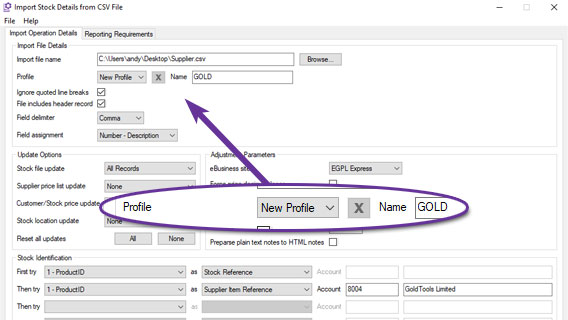
This example shows creating a new profile called "GOLD" that can be used in the future to import updated product files in the same format.
Future Rolled-Up Costs
Available to all customers with axis diplomat 2024 or above and the Date Specific Prices and Discounts module
Release Date: 08/10/2024 Call Reference: 807987
For those using the Date-Specific Prices and Discounts module to hold future cost prices, the system can now calculate the rolled-up cost of Bill of Materials Assemblies as at a given point in the future.
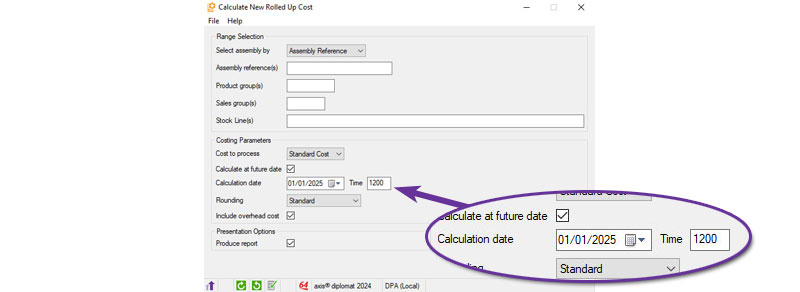
When selecting Standard Cost as the cost to process (date-specific costs are not applicable to Current Cost), you have the option to specify a particular point in time. The component costs in effect at the time are used for the calculation and the rolled-up cost record that is created for the assembly has that date as its start date.
This is ideal for situations where you receive advance notification of price changes from suppliers and you want to see what effect this will have on your assembly costs and, ultimately, your margins.
Additional Reference Matching in Import Stock Details from CSV
Available to Software Assurance customers with axis diplomat 2024 or above
Release Date: 10/03/2025 Call Reference: 839855
In addition to matching items in the file to existing stock items by Stock Reference, Alternative Reference and Supplier's Reference, the Import Stock Details from CSV function also supports matching by Manufacturer's Reference and any of the Barcodes that can be held against a stock item.
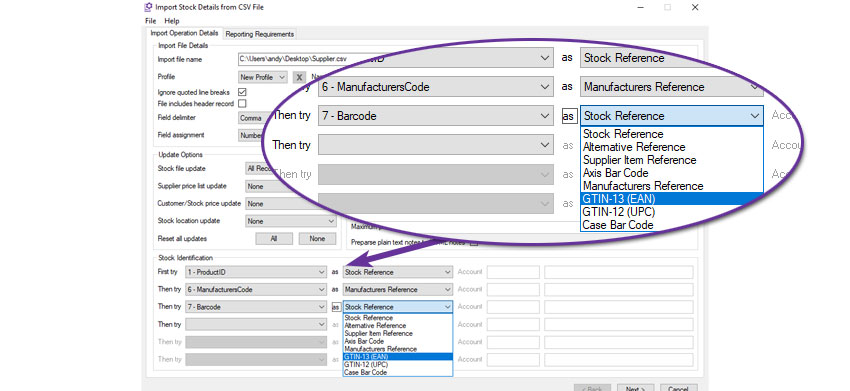
For example, this import will attempt to match column 1, the ProductID, to an existing stock record's Stock Reference. If it does not find one, it will attempt to match column 6 to a stock record's Manufacturer's Reference. If it does not match an item it will then attempt to match the barcode from column 7 of the import file. Only if it then fails to find a match will it create a new stock record.
Cost Information in Stock function
Available to Software Assurance customers with axis diplomat 2022 or above
Release Date: 21/02/2023 Call Reference: 789393
A number of additional columns have been added to the Stock function's search results:
- Standard cost
- Standard cost last updated
- Current cost
- Current cost last updated
- Cost per
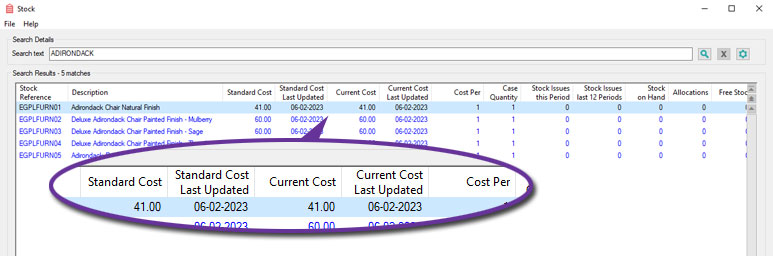
These columns are hidden by default but can be enabled, subject to user permissions, in the usual way; right-click on the results heading and select "More..." and then highlight the required columns and enable by hitting the space bar or clicking on "Show".
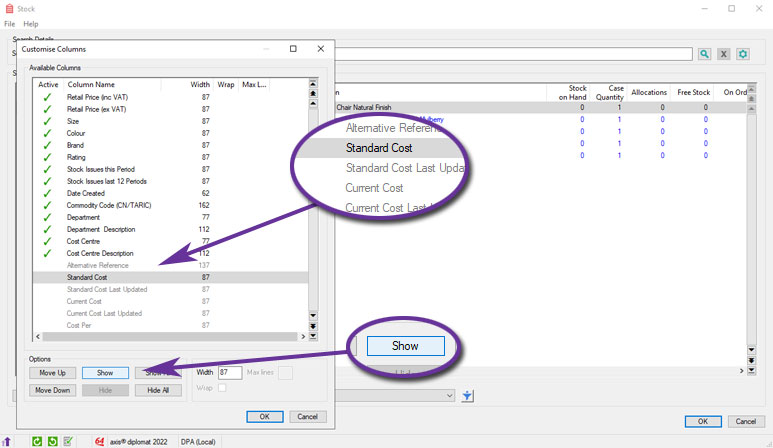
Supplier Stock in Stock Monitor
Available to Software Assurance customers with axis diplomat 2024 or above
Release Date: 01/06/2026 Call Reference: 862378
The Stock Items monitor tab has been extended to include the following fields:
- Supplier Stock Quantity
- Supplier Expected Stock Quantity
- Supplier Stock Expected Date
These fields provide immediate visibility of supplier-held stock alongside existing stock information, making it easier to assess product availability and make informed purchasing, sales and fulfilment decisions.
The supplier stock figures shown exclude quantities held against supplier records that are considered out of date according to the standard supplier stock age calculation. This helps to ensure that displayed stock levels remain relevant and reliable.
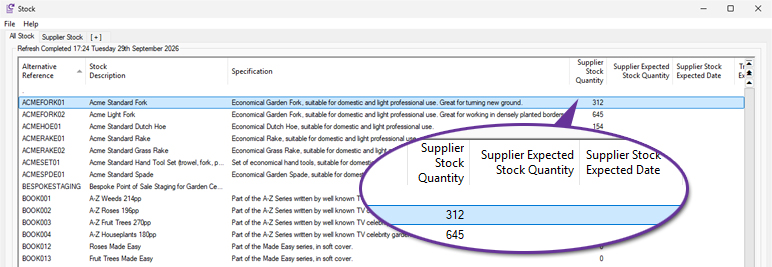
Default Delivery to Customer on Stock Monitor tabs
Available to Software Assurance customers with axis diplomat 2022 or above
Release Date: 10/10/2023 Call Reference: 809041
Stock Monitor tabs now have an additional column, showing the Default Delivery to Customer (in days):
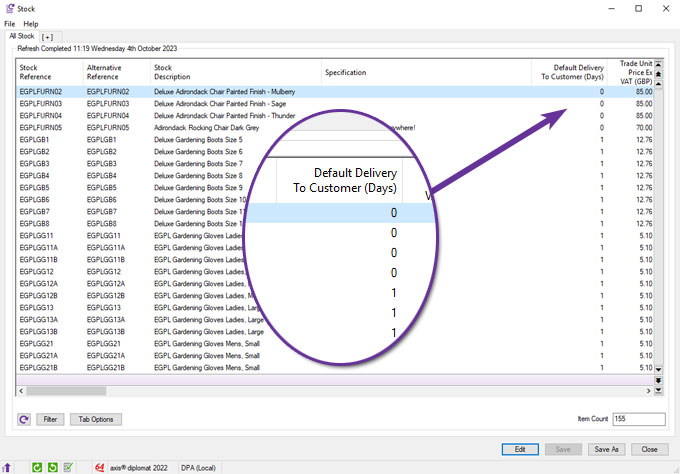
This field is found on the General Details tab of Stock Enquiry and is the number of days that you would normally expect delivery of the item to your customers to take.
Stock Record Block Amendment
Available to Software Assurance customers with axis diplomat 2024 or above
Release Date: 15/01/2025 Call Reference: 842175
The Stock Record Block Amendment function has been modified to include an additional field for "Delivery Item".
The Delivery Item is a checkbox seen on the Pricing and Costing tab of a Stock Record and is used to indicate items used as delivery charges that can be zero VAT-rated for orders consisting entirely of zero VAT-rated items. This option is only available for items classified as either a service or a directly related service and so items classified as goods will not be updated.
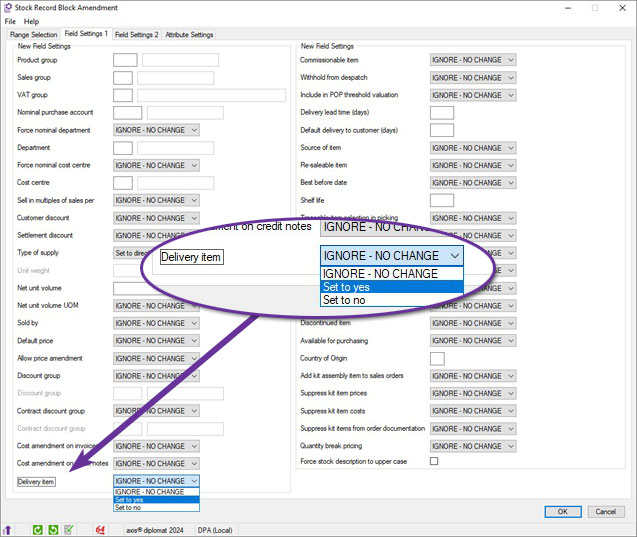
Stock Items Monitor Locations Filter
Available to all customers with axis diplomat 2024 or above
Release Date: 08/10/2024 Call Reference: 829899
The filter options for Stock Items monitor tabs now includes an additional section for Location Stock Detail filtering.
This filter tab allow you to limit the items listed on the monitor to those defined at particular locations and, optionally, with quantities within certain ranges.
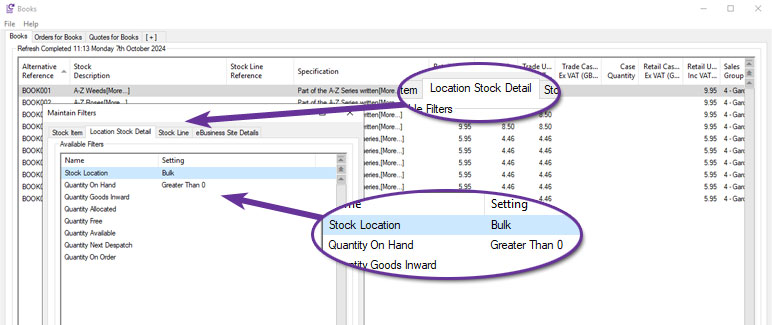
The example above shows a Stock Items monitor tab filtered to show only those items with stock on hand in the Bulk location.
Purchase Delivery Information in Stock Enquiry
Available to Software Assurance customers with axis diplomat 2024 or above and the Purchase Delivery Advice module
Release Date: 12/08/2025 Call Reference: 832585
The Transactions tab within Stock Enquiry has been enhanced to provide clearer links between goods receipt transactions and the associated Purchase Delivery Advice. A Delivery Reference column is available for applicable purchase order and goods received transactions.
A new Purchase Delivery Enquiry option is also available from the right-click context menu. This allows users to open the associated Purchase Delivery Advice directly from a relevant transaction without having to locate the delivery separately.
The supplier’s delivery note reference is shown separately as the Delivery Note Number, making it clear which value identifies the supplier’s document and which identifies the Purchase Delivery Advice within axis diplomat.
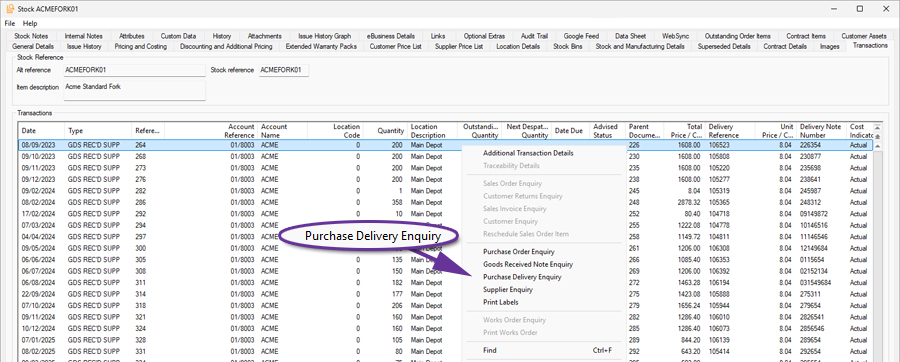
Transfer Best Before End Date
Available to Software Assurance customers with axis diplomat 2022 or above and the Stock Transaction Traceability module
Release Date: 10/02/2023 Call Reference: 758853
For systems using both the Compact MRP and Stock Transaction Traceability modules, a new system parameter has been added, configured within the Maintain MRP Parameters function, to allow the transfer of best before end dates from compnents issued to works to finished goods.
With this new parameter set, when receiving goods from works, if any of the issued components have best before dates, the best before date of the component with the shortest shelf life will be used for the finished goods.
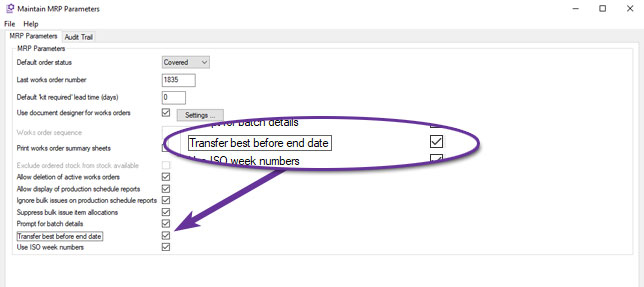
Discontinued Column in Where Used tab
Available to Software Assurance customers with axis diplomat 2024 or above and the Bill of Materials module
Release Date: 24/03/2026 Call Reference: 869177
The Stock Enquiry function has been extended to include a Discontinued column.
.jpg)
This can help identify components that may no longer be required because the assemblies that they are used in are now discontinued.
Automatic Allocation of Batch References
Available to Software Assurance customers with axis diplomat 2022 or above and the Auto Allocate Traceability Numbers module
Release Date: 17/05/2024 Call Reference: 758853
The Auto Allocate Traceability Numbers module has been extended to allow automatic allocation of Batch References as well as Serial Numbers when receiving goods from works.
The automatically created Batch Reference is a combination of the Works Order Reference and a sequential receipt number.
For example, with a Works Order 5678, manufactured in four batches, the four receipts would be assigned the Batch References 56783/001, 56783/002, 56783/003 and 56783/004.
The behaviour is controlled by the same MRP system parameter that enables the automatic allocation of serial numbers:
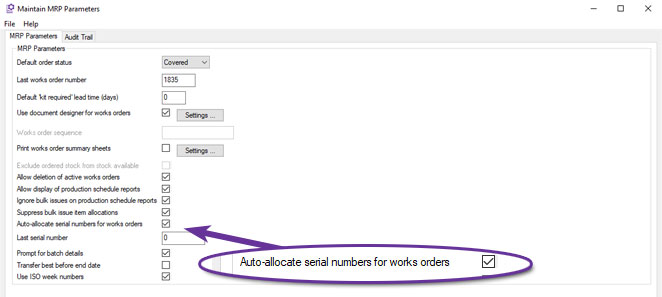
Assembly Audit Trail
Available to Software Assurance customers with axis diplomat 2024 or above and the Bill of Materials module
Release Date: 13/12/2024 Call Reference: 144085
When an assembly record is edited, an Audit Trail event is now created which can be viewed on the Audit Trail tab within the Assembly Enquiry function.
You are able to edit a sub-assembly whilst working on a higher-level assembly. For example, if you modify component EGPLACC2, within the context of the assembly EGPLPTK01, the Audit Trail will record an event "Amended component EGPLACC2 whilst maintaining EGPLPTK01." This feature makes it easy to track how and when changes were made.
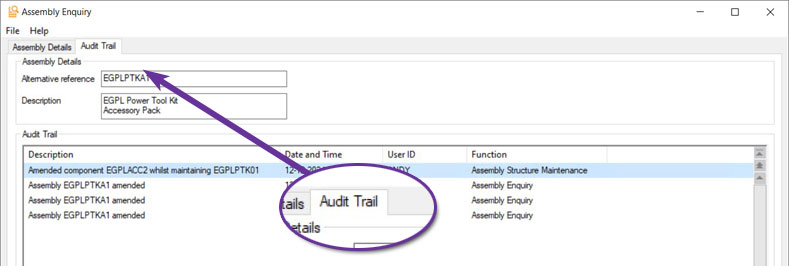
Traceability Details Added to Stock Transactions Monitor
Available to Software Assurance customers with axis diplomat 2022 or above and the Stock Transaction Traceability module
Release Date: 16/06/2023 Call Reference: 801103
For those using the Stock Transaction Traceability module, an additional column showing the Batch or Serial Number has been made available on Stock Transactions type monitor tabs.
Initially disabled, this additional information is enabled by going to Tab Options and setting Traceability to Enabled in the 'Amendable properties' group.
For traceable items, the receipt transactions are split into separate rows for each serial number or batch reference.
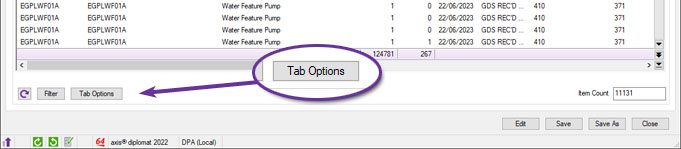
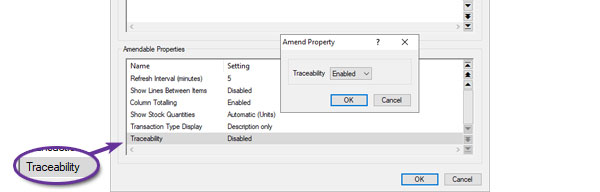
New Calculate New Rolled Up Cost Function
Available to all customers with axis diplomat 2024 or above and the Bill of Materials module
Release Date: 08/10/2024 Call Reference: 807987
The Calculate New Rolled Up Cost function has been rewritten to generate an interactive scrolling data list rather than a legacy-style printed report.
The new style function can still be used to print a report (or generate a PDF) by using the right-click, Print Preview option but can also be easily searched, filtered, sorted or exported to a spreadsheet as required.
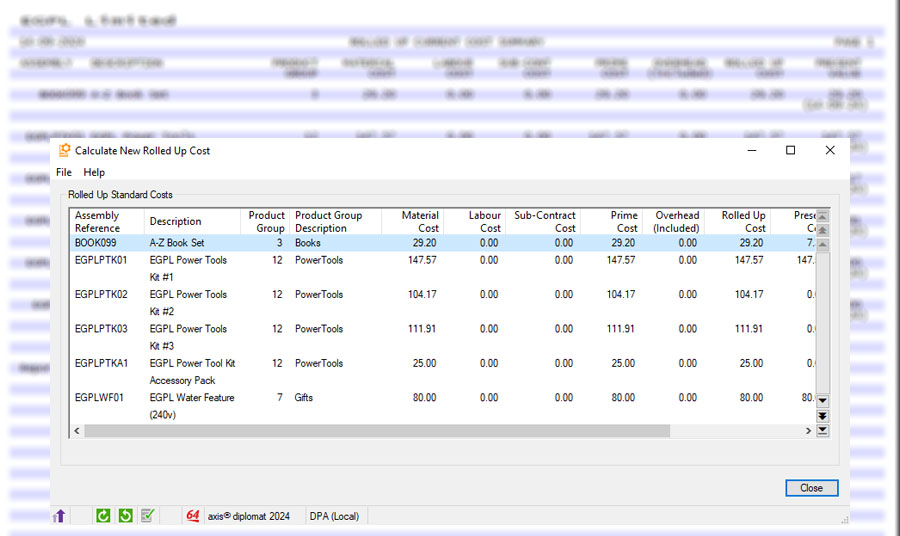
Printing Works Order Document Status Codes on Documents
Available to Software Assurance customers with axis diplomat 2024 or above and the Compact MRP module
Release Date: 19/05/2026 Call Reference: 860034
The Works Order Document Status (description and/or code) is now available to incorporate into works order documents within the template designer.
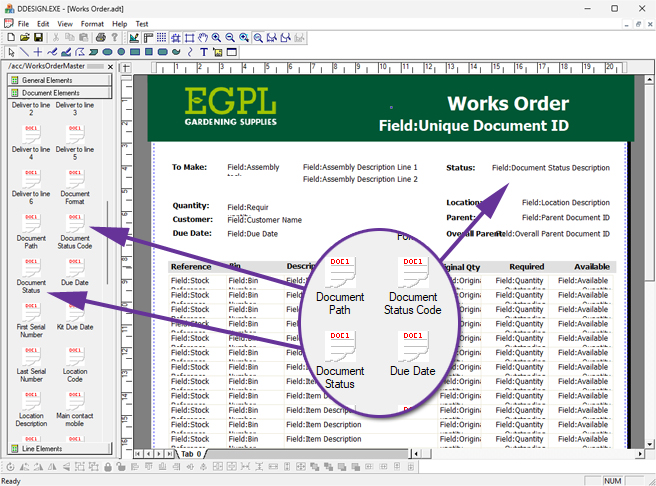
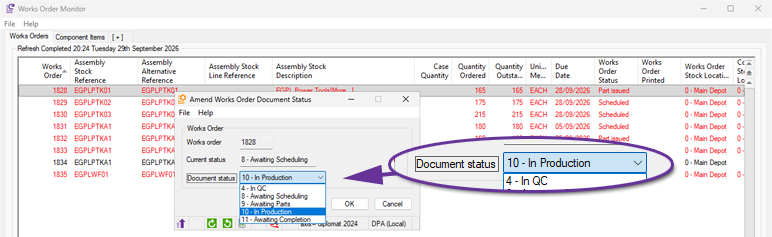
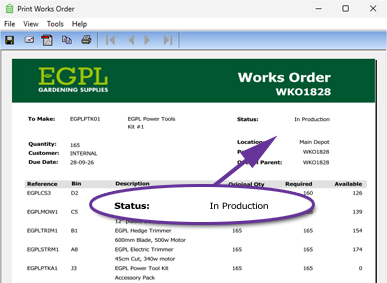
Scripts can also be used to switch between different document templates, depending on the current status of the Works Order. This would mean, for example, that there could be a completely different layout for Works Orders that have a status of "In QC", perhaps including boxes for recording test results and a signature for the tester.
Return Unused Components from Works Order Monitor
Available to Software Assurance customers with axis diplomat 2024 or above and the Compact MRP module
Release Date: 07/11/2025 Call Reference: 861000
A new right-click option has been added to the Works Order Monitor, allowing users to return unused materials without first opening the individual Works Order.
This provides a quicker and more convenient method of handling excess components during production by reducing the number of steps required to update stock levels.
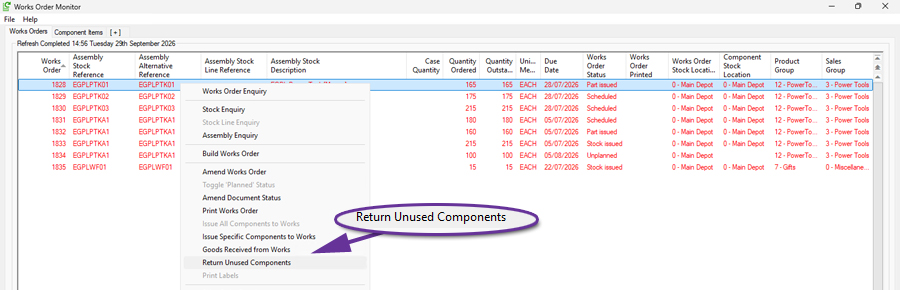
Works Order Column for Master Traceable Batch
Available to Software Assurance customers with axis diplomat 2024 or above and the Stock Transaction Traceability module
Release Date: 12/12/2025 Call Reference: 863072
For those with both the Compact MRP and Stock Transaction Traceability modules, the Works Order Monitor has been enhanced with a new Batch / Serial No column, providing immediate visibility of the traceability information associated with a Works Order.
The new column displays the relevant batch or serial number information throughout the lifecycle of a Works Order, including reservations, picks and issues. Where material is associated with multiple batches, all applicable values can be displayed using the monitor's multiline functionality.
By making traceability information available directly within the monitor, users can review production requirements, identify the batches allocated to a Works Order and build production-focused monitor views without the need to open additional enquiries.
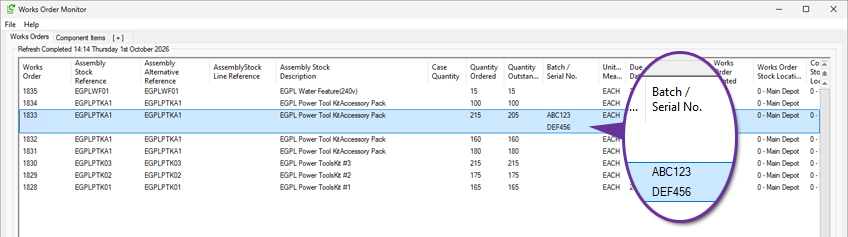
Suppress Custom Build Items from Documents
Available to Software Assurance customers with axis diplomat 2024 or above and the Custom Build Assemblies module
Release Date: 30/12/2025 Call Reference: 858793
A new option, configurable on an assembly-by-assembly basis, allows control over whether the custom build option list items themselves will appear on sales documents such as quotations, sales orders and invoices. When set, only the individual components which comprise the custom build will be shown on documents.
Warehouse Management
Delivery Note Scanning for Goods on Account
Available to Software Assurance customers with axis diplomat 2024 or above and the Despatch & Delivery Management module
Release Date: 20/11/2025 Call Reference: 852810
The Attach Documents function has been enhanced to support Goods on Account (GOA) Delivery Notes, extending the document scanning and processing capabilities previously available for Sales Orders. Users can now automatically attach scanned Proof of Delivery (POD) documents to GOA deliveries and, where appropriate, generate invoices directly from the associated GOA booking.
The function monitors a user-defined folder for scanned PDF documents and identifies the relevant delivery using information contained within the document filename. Once identified, the scanned document is automatically attached to the corresponding GOA delivery record, removing the need for manual document filing and retrieval.
For customers who do not use consolidated invoicing, the attached delivery notes can be used to automatically initiate the invoice creation process from the associated GOA booking. This helps streamline the transition from proof of delivery to invoicing, reducing manual administration and accelerating billing activities.
This enhancement extends the benefits of delivery note scanning beyond Sales Orders, providing a streamlined and efficient process for businesses using Goods on Account deliveries.
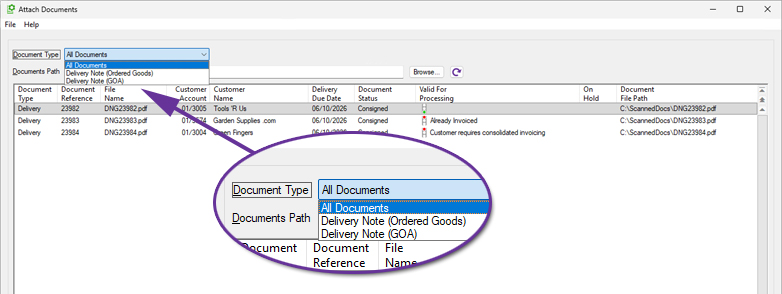
Auto Feed Sales Order Picking by Despatch Value
Available to Software Assurance customers with axis diplomat 2022 or above and the Warehouse Handheld Sales Order Picking module
Release Date: 17/05/2024 Call Reference: 809783
A new enhancement to the auto feed picking mechanism allows you to streamline your order fulfilment process by ensuring that the highest value orders are processed first.
Orders can now be prioritised by the total value of items available for dispatch, ensuring that high-value orders receive attention first.
This operates seamlessly within the existing order priority framework. For example, high priority orders will be sorted and picked by dispatch value, followed by normal and low priority orders, each in descending order of dispatch value.
This new option is enabled via a system parameter:
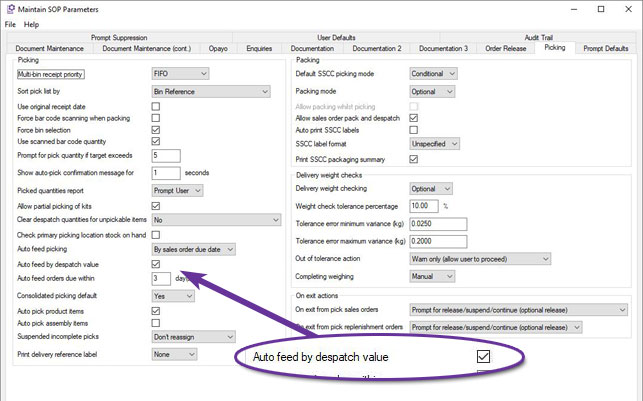
Scan Delivery Note during Despatch
Available to Software Assurance customers with axis diplomat 2024 or above with Warehouse Management
Release Date: 31/10/2024 Call Reference: 800292
A new system parameter has been added to force scanning of the Delivery Note printed as part of the despatch process once a Delivery has been picked.
This is designed to ensure that the user packs the correct Delivery Note with goods as they are despatched when in a busy warehouse environment where printers may be shared between multiple pickers.
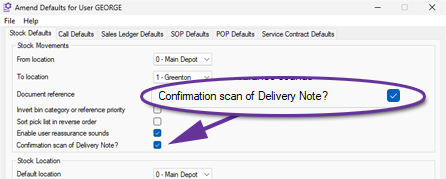
The parameter can be set on a user-by-user basis using the Stock tab of the Amend User Defaults function.
Pick sales orders directly from Customer Enquiry
Available to Software Assurance customers with axis diplomat 2024 or above and the Warehouse Paper-based Sales Order Picking module
Release Date: 10/02/2026 Call Reference: 764606
A new context menu (right-click) option has been added to make it easier to pick sales orders directly from Customer Enquiry. When you highlight an order on the Orders tab, or an individual line on the Outstanding Order Items tab, you can now use the new Pick Sales Order option.
Whether you are preparing a delivery for picking by consolidating items from multiple sales orders for the warehouse to pick using a paper Delivery Note, or mirroring annotated paperwork that has come back from a warehouse, the system can be configured to suit your requirements using SOP Parameters.
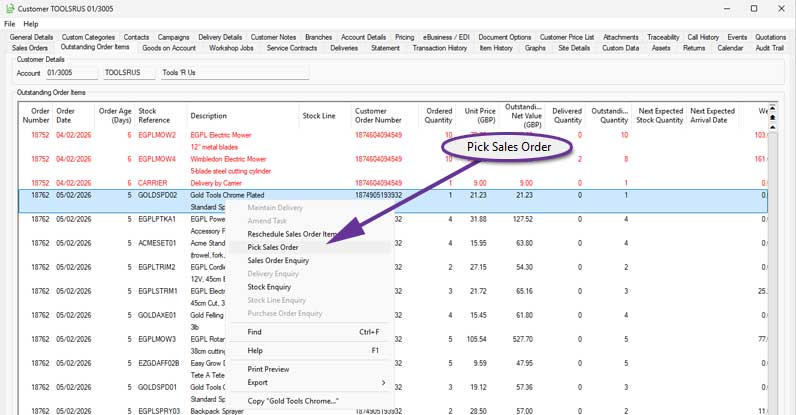
Auto pick sales order for faster paper-based picking
Available to Software Assurance customers with axis diplomat 2024 or above and the Warehouse Paper-based Sales Order Picking module
Release Date: 10/02/2026 Call Reference: 764606
A new parameter, Auto pick sales order, speeds up paper-based picking by automatically picking eligible items as soon as you enter the picking function. When this option is enabled, all non-traceable items on the selected order are automatically picked on entry, so the user can go straight to printing paperwork or reviewing exceptions instead of picking each line manually.
This is ideal where the majority of items do not require serial or batch tracking and where the picking team works from printed documents. It reduces keying effort, helps keep picking consistent and supports higher throughput in busy warehouses.
The Auto pick sales order parameter is available for locations that are not multi bin. For multi bin warehouses, standard picking controls remain in place and items continue to be picked manually through the existing process.
Age Restricted Products
Available to Software Assurance customers with axis diplomat 2024 or above and the Despatch & Delivery Management module
Release Date: 15/07/2026 Call Reference: 774037
For systems with Despatch & Delivery Management, the ability to flag a stock item for 'Age restricted sales' has been added.
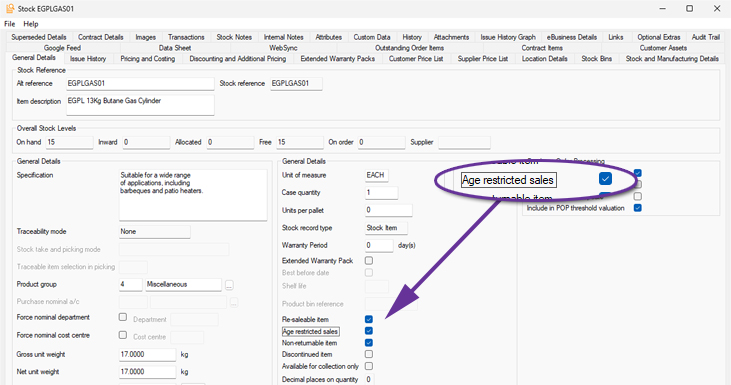
This ensures that deliveries containing these items can only be consigned using services that provide age verification at the point of delivery.
Functions which provide delivery method selection (such as Import eBusiness Orders, Sales document maintenance functions, Delivery creation, Picking/Pack & Despatch and Consignment, including ‘best’ calculations), filter Delivery Methods according to age verification requirement. If any stock item on the order or delivery is flagged as requiring age verification then only Delivery Methods mapped to services which support verification will be available.
New Shipping Containers Monitor
Available to Software Assurance customers with axis diplomat 2024 or above and the Shipping Containers module
Release Date: 24/12/2024 Call Reference: 815791
The Shipping Containers option extends the information recorded for each delivery that you send to a customer by capturing detail on each individual container (package) within the delivery. Typically, containers are added during the picking and/or packing process - either automatically, based on the Delivery Service, or through scanning, allowing items to be picked and scanned directly into their respective containers.
A new monitor tab, 'Shipping Containers', enables you to view, manage, and organise container-related information, including Delivery Methods and Delivery Addresses, within a single list. The right-click context menu provides quick access to further details, such as Delivery Enquiries, Container specifics, Stock levels, or Customer Enquiries. Additionally, it allows you to modify settings or input any missing information highlighted by the monitor.
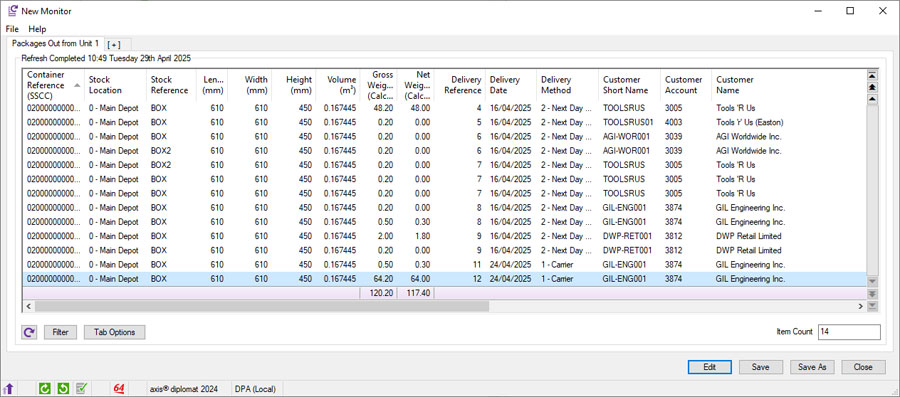
Confirm Shipping Labels and Delivery Documentation
Available to Software Assurance customers with axis diplomat 2024 or above and the Delivery Service Provider Interfaces Foundation module
Release Date: 24/01/2025 Call Reference: 800325
An enhancement to Delivery Service Provider (DSP) interfaces adds the option of including a prompt for users to re-scan delivery labels during the consignment process to verify that the correct labels have been used. This helps to reduce the risk of picking up incorrect labels, particularly when using shared printers.
A prompt requests that the user scans the barcode from the Delivery/Picking Note:
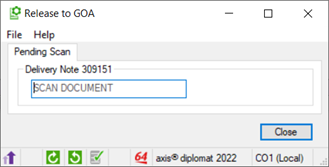
This then displays the expected number of labels, prompting the user to scan the shipping label barcodes:
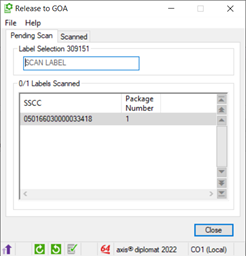
Verification against the shipping details occurs in real-time, providing auditory feedback for mismatched or confirmed labels. This process is specifically designed for multi-package consignments involving shipping containers.
The setting, Enforce scan of package/pallet label, can be set for specific Delivery Methods using the function Maintain Delivery Methods.
Unconsign Delivery
Available to Software Assurance customers with axis diplomat 2022 or above and the Despatch & Delivery Management module
Release Date: 26/04/2024 Call Reference: 785608
A new supervisor function has been added to allow the consigned status of a Delivery to be reset to 'Awaiting Consignment' and, where supported, cancel the consignment with the Delivery Service Provider.
Please note that the ability to cancel a consignment with the Delivery Service Provider is dependent on the functionality provided by their interface and its implementation within axis diplomat.
Once a Delivery has been unconsigned, an audit trail event is created. If the DSP interface supports cancellation, a second audit trail event is created to show that, not only was the delivery status reset, but that the DSP has confirmed that a cancellation has been accepted.
The delivery may be reconsigned with either the same delivery option or changed to an alternative by amending its Delivery Method.
The ability to unconsign a delivery is restricted via User and Group Maintenance:
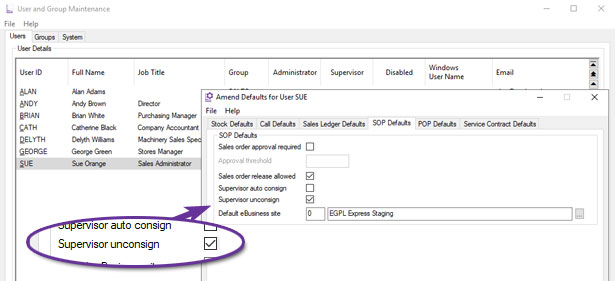
In addition to running Unconsign Delivery from the menu, the same function can be run via the right-click context menu from a Deliveries monitor tab:
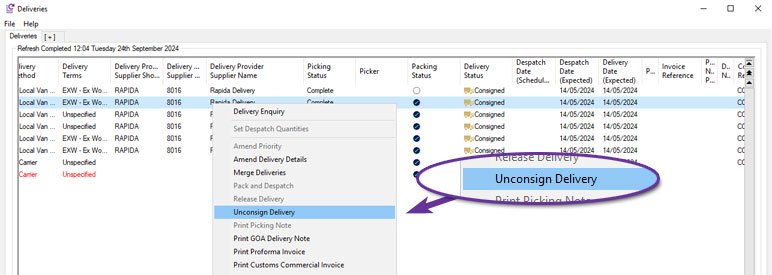
Additional Information in Delivery Enquiry
Available to Software Assurance customers with axis diplomat 2024 or above and the Delivery Service Provider Interfaces Foundation module
Release Date: 19/05/2026 Call Reference: 850526
A number of additional columns have been made available within the Delivery Items tab of Delivery Enquiry. This improves the visibility of customs, dangerous goods, and VAT-related information.
The following columns have been added:
- Country of Origin Code ISO 3166-1
Displays the two-character Country of Origin ISO code alongside the existing Country of Origin description. - Customs Group Description
Displays the description from the Customs Group file where available. - Customs Group Code
Added as a separate column and hidden by default. - UN Number
Displays the UN Number (on systems that also have the Dangerous Goods module). - VAT %
Displays the VAT percentage based on the stock item's VAT group.
This enhancement gives users faster access to key delivery item information without needing to move between multiple functions and is especially useful for businesses handling export, customs, dangerous goods, or VAT-sensitive goods.
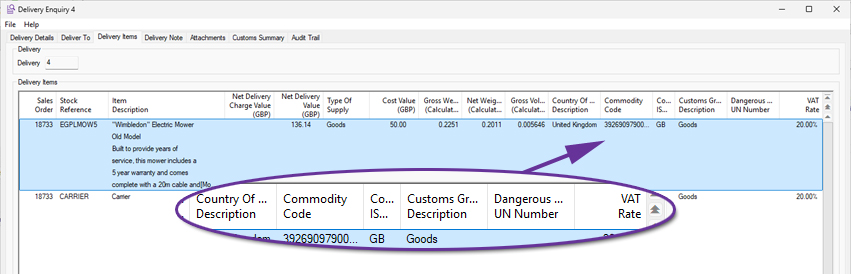
Customs Summary Tab for Delivery Enquiry
Available to Software Assurance customers with axis diplomat 2024 or above and the Despatch & Delivery Management module
Release Date: 10/02/2026 Call Reference: 764606
A new summary tab has been introduced to the Delivery Enquiry showing the quantities, values, weights, and volumes of items in the delivery, grouped by Country of Origin and Commodity Code/TARIC Code.
This gives users an at-a-glance, consolidated view, removing the need to analyse data line-by-line when preparing customs, compliance, or management reports.
.jpg)
Net Value now in Delivery Enquiry Containers Tab
Available to Software Assurance customers with axis diplomat 2024 or above and the Shipping Containers module
Release Date: 24/12/2024 Call Reference: 837411
A new column for Net Value has been added to the scrolling data list within the Containers tab of a Delivery Enquiry.
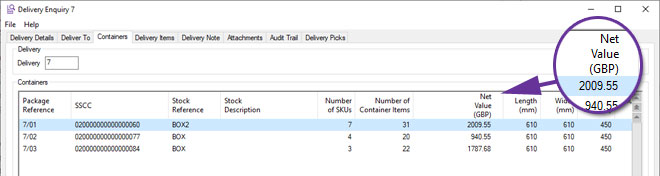
Show Zero Stock on Handheld Bin Enquiry
Available to Software Assurance customers with axis diplomat 2022 or above with Warehouse Management
Release Date: 05/01/2024 Call Reference: 814235
The function 'Handheld Bin Enquiry' now includes a prompt to 'Include Zero Stock on Hand' for Single Bin Locations.
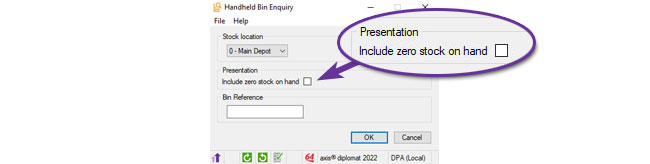
A user of a handheld device is now able to scan a bin to see what should be in it even when it is empty.
GS1-128 Bar Code Support
Available to Software Assurance customers with axis diplomat 2022 or above with Warehouse Management
Release Date: 26/04/2024 Call Reference: 821626
Stock searches can now handle GS1-128 format bar codes in the search term. The actual reference is extracted from the GS1-128 barcode and the Match Type indicates that this is how the match was identified:
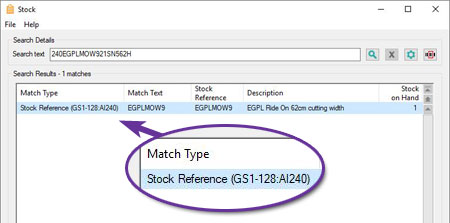
The functionality can be toggled on and off if required using the bar code button:
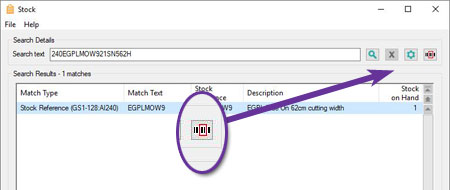
Picked Quantity on Stock Transactions List
Available to Software Assurance customers with axis diplomat 2022 or above with Warehouse Management
Release Date: 15/11/2023 Call Reference: 812115
The Transactions tab of Stock Enquiry now includes an additional column for the Picked Quantity.
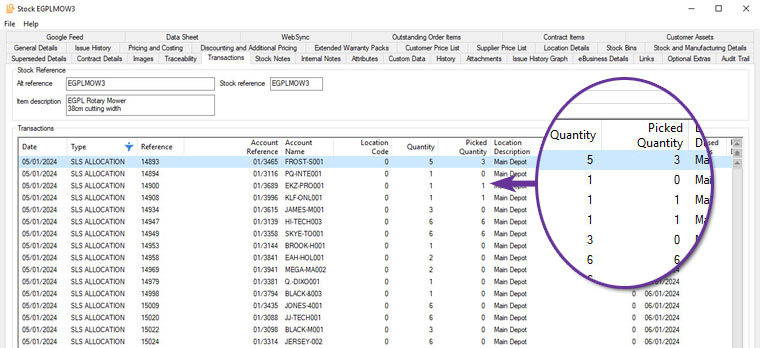
Multi-User Sales Order Picking Prompt Suppression
Available to Software Assurance customers with axis diplomat 2022 or above and the Warehouse Handheld Sales Order Picking module
Release Date: 10/07/2024 Call Reference: 826622
When using the Handheld Pick Sales Orders function, it is now possible to suppress the prompt "Do you wish to assist with orders currently being picked?".
The prompt is issued when the order selected for picking is already being picked by another user. The user may still proceed to assist with a pick by manually selecting orders which show their status as ‘Being picked'.
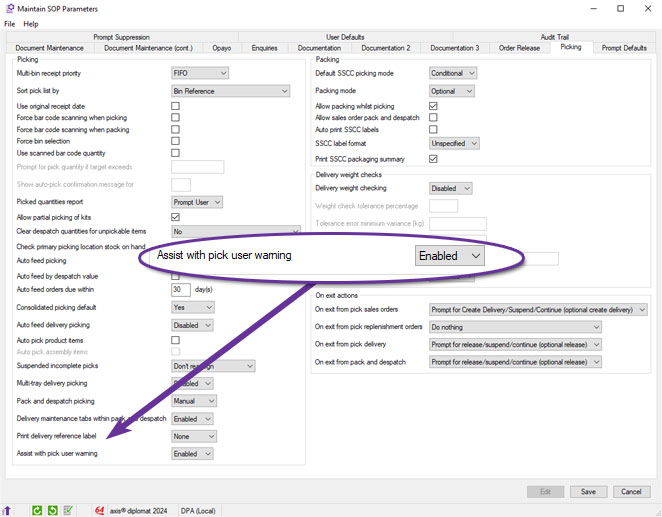
Additional Columns in Maintain Delivery Methods
Available to Software Assurance customers with axis diplomat 2022 or above and the Despatch & Delivery Management module
Release Date: 04/12/2023 Call Reference: 813144
A number of additional columns have been added to the main scrolling data list in Maintain Delivery Methods:
- Request Notifications
- Consignment
- Delivery Weight Checking
- Delivery Advice Email Template
- Customs CN22 Declaration
- Packaging Stock Reference
- Packaging Stock Description
This makes it easier to manage Delivery Methods by reducing the number of times that you need to drill into an individual delivery method to see its configuration.
DHL Consignment Paperwork
Available to Software Assurance customers with axis diplomat 2022 or above and the DHL DSP Interface module
Release Date: 19/07/2024 Call Reference: 809412
DHL consignments to destinations that do not support paperless trade will now print the following physical documents as the final step in the process for release at the end of Sales Order Picking, or release from Pack and Despatch:
- An additional label (Way bill) to hand to the carrier. (Airway Bill Label (6"x4")
- A 'commercial invoice' (A4 document)
Manually Control DSP Despatch Date
Available to Software Assurance customers with axis diplomat 2022 or above and the Delivery Service Provider Interfaces Foundation module
Release Date: 04/04/2024 Call Reference: 815952
The ability to control a delivery's despatch date via a manually specified date has been added.
This allows the user to determine when to switch from consigning deliveries that are to be despatched (i.e. collected by the Delivery Service Provider) today and, instead, start consigning deliveries to be despatched on the next working day.
This can be controlled via an additional prompt on the DSP's supplier account or via the Delivery Service Provider Enquiry.
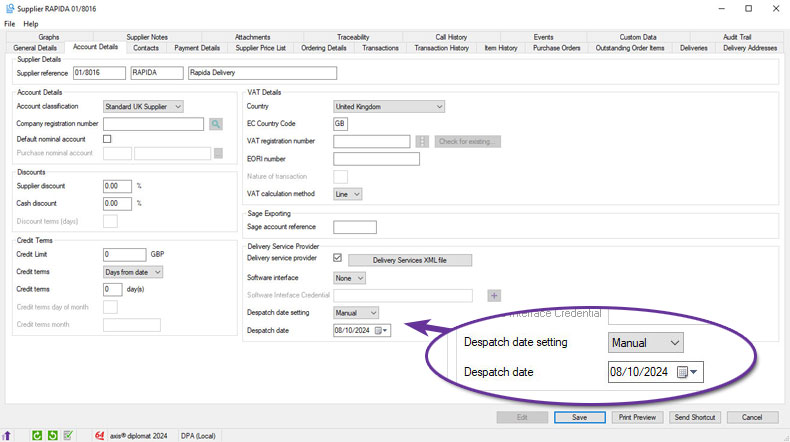
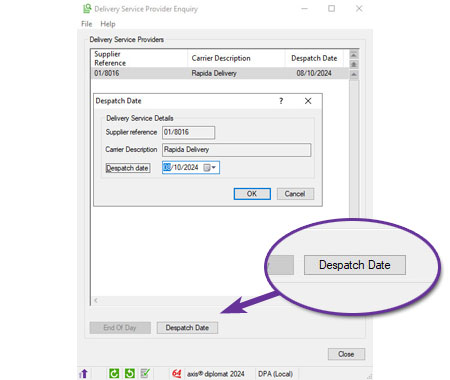
eBusiness
Import Google Feed Details
Available to all customers with axis diplomat 2024 or above with eBusiness
Release Date: 22/05/2026 Call Reference: 872393
The function Import Price Feed Details has been renamed to Import Google Feed Details for better clarity.
Real Time Order Updates
Available to all customers with axis diplomat 2024 or above and the axis vMerchant module
Release Date: 08/10/2024 Call Reference: 754645
With the release of axis diplomat 2024, those customers with axis vMerchant Express websites can now show order status information to customers in near-realtime.
Not only can this now include quantity shipped and outstanding (back order) quantities but, for those with the appropriate axis diplomat modules, information on deliveries (where, for example, deliveries contain items from multiple orders), shipping containers and links to courier's tracking websites.
This is enabled very easily, by simply ticking the appropriate option with the Maintain eBusiness Sites function:
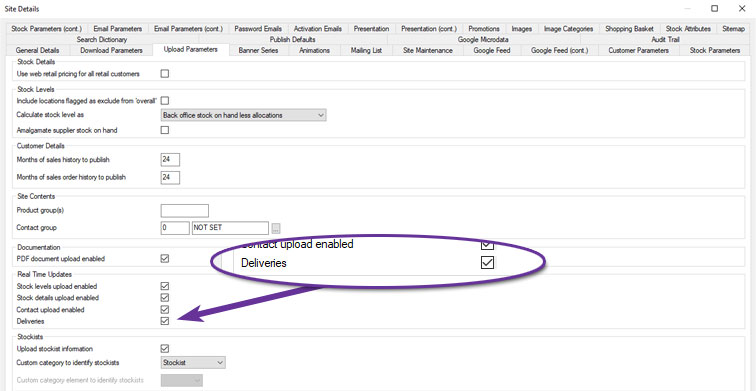
How frequently the data is updated is determined by the Amend Scheduled Processing Settings function:
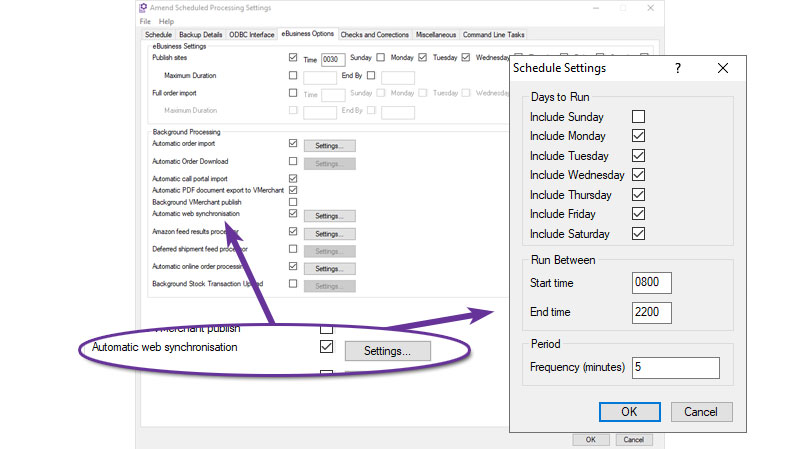
In the screenshot above, for example, within 5 minutes of an order being consigned, its status will be updated on the website and the customer will be able to track their delivery.
eBusiness Customers without Permission to Buy
Available to all customers with axis diplomat 2024 or above and the axis vMerchant module
Release Date: 08/10/2024 Call Reference: 832021
It is now possible to flag customer account contacts as eBusiness but without the ability to place orders.
This is ideal if, for example, you have clients using your website for account management purposes but they do not want all of their staff ordering from you.
This method of operation is supported by axis vMerchant Express. When a contact logs in who cannot buy online, they continue to see your product catalogue but the "Buy" button is replaced with an "Enquire" button.
You are also able to flag eBusiness Groups as not applicable (or only applicable) to logged-in users who cannot buy. You can use this method to suppress some or all of your product catalogue from such users.
eBusiness Search Dictionary
Available to all customers with axis diplomat 2024 or above and the axis vMerchant module
Release Date: 08/10/2024 Call Reference: 818903
The eBusiness Search Dictionary, previously available as an additional option for systems linked to axis vMerchant Express websites, is now provided as standard.
It is designed to enable a list of search terms and preferred results to be maintained and published. Matching searches are then offered as "recommended results" ahead of normal category and/or product lists.
This can help visitors to your site find what they are looking for by guiding them to specific pages, categories or products.
.jpg)
Each entry consists of the search term (the word or phrase that the user types into the search box of the website), the display text (for the website to display in the search results) and the URL (the address of the web page that they are directed to in the search results).
For added convenience in setup, a Search Dictionary can also be imported from a CSV file.
Once published to the website, the results appear as highlighted options, in both predictive search results (as you type) and on full search results pages:
As always with axis vMerchant Express, you can change the terminology to suit your purposes, so Search Dictionary results can be described as Popular Searches, Recommended Results, Top Searches or any other term that aptly describes the search terms you have focused on with the dictionary.
Highlighted eBusiness Groups
Available to Software Assurance customers with axis diplomat 2022 or above and the axis vMerchant module
Release Date: 26/07/2023 Call Reference: 795786
It is now possible to mark individual eBusiness Groups as highlighted - either as Featured, Best Seller or Special Offer categories in a similar way to the existing options for individual stock items.
These settings can then be used on an axis vMerchant Express website to add a Highlighted eBusiness Group module to, typically, your home page:
Default for Allow Different Delivery Address on Web Orders
Available to Software Assurance customers with axis diplomat 2022 or above and the eProcurement module
Release Date: 26/09/2024 Call Reference: 833530
For those using the eProcurement module in conjunction with an axis vMerchant website, a tickbox on customer accounts determines whether the customer in question is able to specify a different delivery address at the checkout.
Under normal circumstances, this defaults to not ticked when setting up new customer accounts - i.e. the default behaviour is for customers to be unable to specify a different delivery address.
A new system parameter allows you to indicate that the default setting should be ticked (customers can specify a different delivery address).
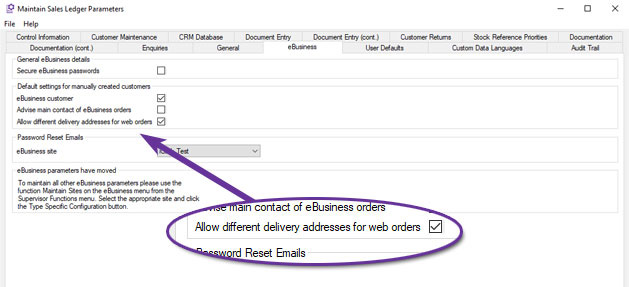
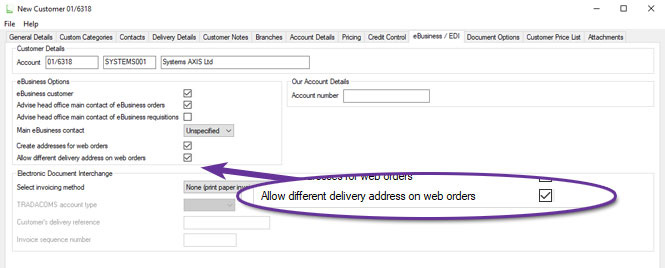
This default only affects the creation of new customer accounts but the setting of existing accounts can be changed 'en masse' using the function Customer Record Block Amendment.
Import Search Dictionary
Available to Software Assurance customers with axis diplomat 2022 or above and the eBusiness Search Dictionary module
Release Date: 23/01/2024 Call Reference: 816258
For those using the eBusiness Search Dictionary to provide finer control over specific search terms, these may now be imported from a CSV file.
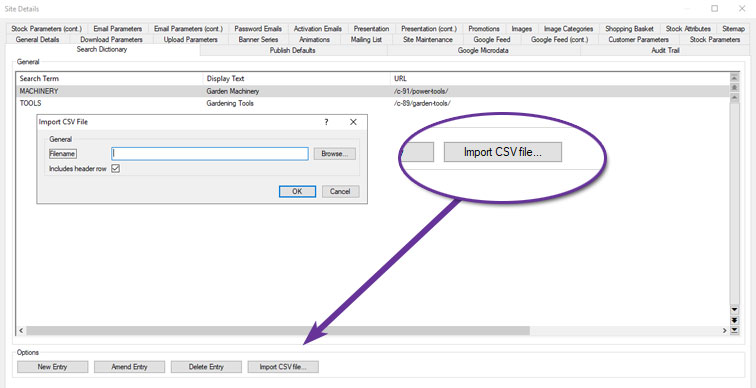
The file should simply contain three columns (with or without a header row):
- Search Term
- Display Text
- URL
For more information:
https://www.axisfirst.co.uk/documentation/eBusiness-Search-Dictionary/articles/21328
Amazon VAT Calculation Services & Business
Available to all customers with axis diplomat 2024 or above and the Amazon Seller Central Interface module
Release Date: 08/10/2024 Call Reference: 686170
The axis diplomat Amazon Seller Central Interface module has been enhanced to support Amazon's VAT Calculation Service.
This service allows Amazon to automatically generate VAT invoices on your behalf and make them available to customers without anyone having to request them directly. This also allows Amazon Business to show VAT exclusive pricing to business customers looking at your products.
Service Contract Management
Calculate Projected Revenue
Available to Software Assurance customers with axis diplomat 2022 or above with Service Contract Management
Release Date: 17/08/2023 Call Reference: 715462
The Service Contract Management module now maintains detailed and accurate forecasts of projected revenue for all contracts. These forecasts take into account both individual contract lines that are not yet active and lines that are due to terminate as well as the overall contract start and end dates. The projected revenue is also calculated for contract requests, so it is possible to include potential contracts in your forecast calculations as well.
This projected revenue is updated every time a contract is changed or invoiced and so is available for inclusion on any of the following monitor tabs without any additional overhead caused by incurring further calculations:
- Service Contract
- Service Contract Items
- Service Contract Requests
- Service Contract Requests Items
Due to the amount of information that can be shown, these additional columns are not enabled by default but can be added in by using the Tab Options on the required monitor:
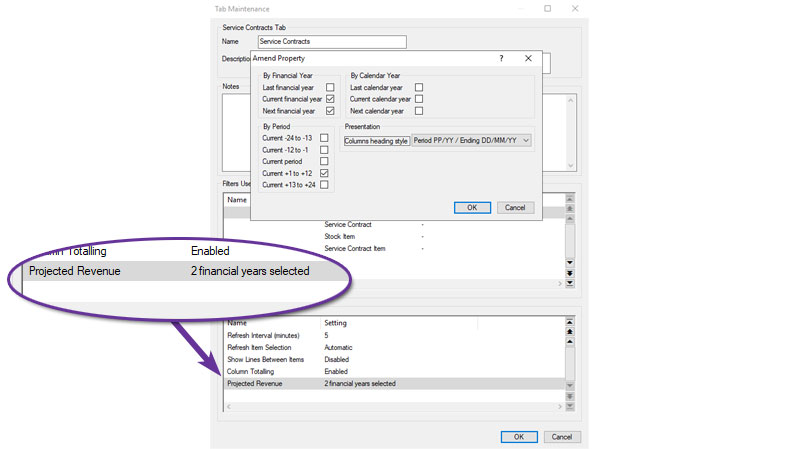
You are able to include, for example, projected revenue for the current or following financial year, calendar year and/or have a month-by-month breakdown of the forecast.
The projected revenue takes into account both existing and planned future invoicing to give a complete picture of the expected income from the service contracts currently on the system.
In addition, since the forecast projections are calculated and stored in advance, they are also available to query via the SQL database, for example from Microsoft Excel or Microsoft PowerBI.
Projected Revenue for Service Contracts and Service Contract Requests
Available to Software Assurance customers with axis diplomat 2024 or above and the Service Contract Management module
Release Date: 16/01/2025 Call Reference: 838147
Whenever a Service Contract or Service Contract Request is created or modified, the system will now automatically calculate and record two years' of projected (future) revenue (one projected transaction for each billing period e.g. monthly, quarterly etc.). The projections will take account of the start and end dates on individual contract lines and so illustrate how a contract's revenue is expected to change over time.
These projections can be shown on the Transactions tab of a Service Contract (or Service Contract Request) Enquiry by ticking the option "Include Projected Invoicing."
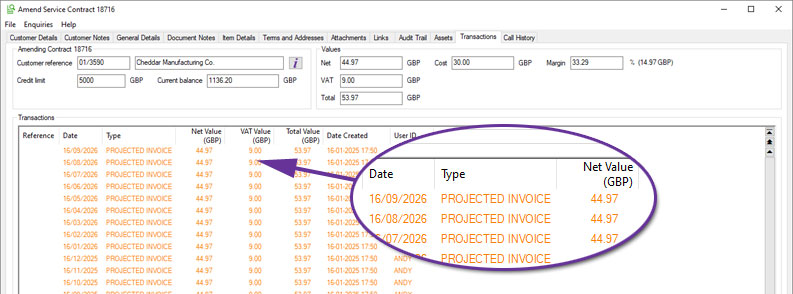
Projected Invoices will also take account of future price changes when Date Specific Service Contract Pricing is in use.
Override Special Instructions in Create Invoices for Contracts
Available to Software Assurance customers with axis diplomat 2024 or above and the Service Contract Management module
Release Date: 19/05/2026 Call Reference: 844660
A new option has been added to the Create Invoices for Contracts function to override Special Instructions. When selected, this text replaces any existing special instructions held against the individual contracts on all of the generated invoices.
This provides a useful mechanism for adding temporary or release-specific customer messages, such as reminding customers of up-coming price changes, revised terms, or other important service information.
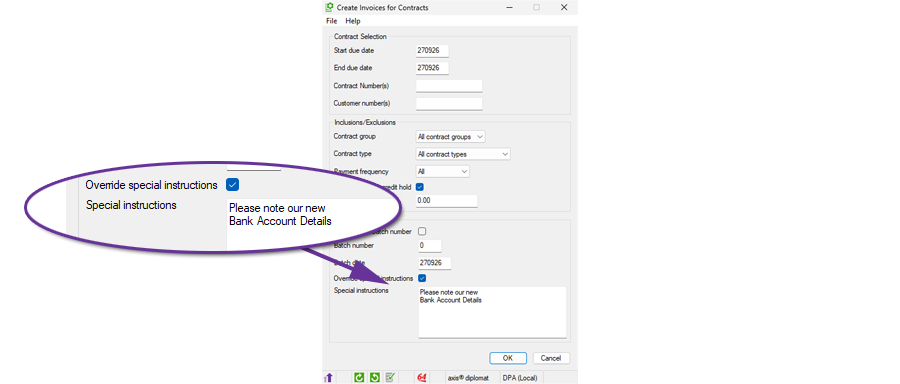
Additional Options when Creating Invoices for Service Contracts
Available to Software Assurance customers with axis diplomat 2024 or above with Service Contract Management
Release Date: 02/06/2025 Call Reference: 844660
The function Create Invoices for Contracts has been extended to add additional filtering, allowing an invoice run to create just those invoices for contracts in a specific Contract Group and/or a specific Contract Type.
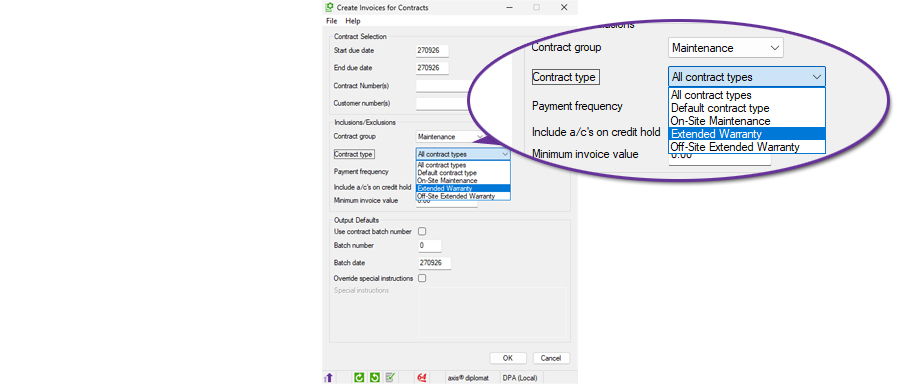
This is particularly useful in conjunction with the ability to override special instructions since it allows one-off messages to be added to the invoices for a specific type of contract.
Additional Filters in Service Contract and Service Contract Items Monitors
Available to Software Assurance customers with axis diplomat 2024 or above and the Service Contract Management module
Release Date: 01/01/2025 Call Reference: 829753
The monitors tabs for 'Service Contracts' and 'Service Contract Items' now have an additional filter to allow the analysis of Deleted Contract Lines and Deleted Contracts. This is particularly useful in conjunction with two other new axis diplomat 2024 Service Contract Monitor features:
Create Deleted Contract Items - Used to analyse archived transactions from the past 25 periods and recreate critical historical data related to deleted contract lines and service contracts.
Calculate Projected Revenue - The projected revenue takes into account both existing and planned future invoicing to give a complete picture of the expected income from service contracts.
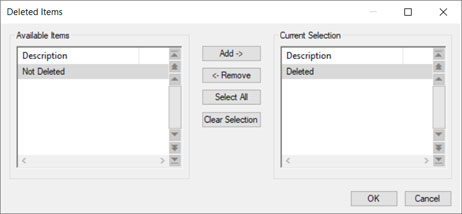
Service Contract Enquiry Transactions Tab
Available to Software Assurance customers with axis diplomat 2022 or above with Service Contract Management
Release Date: 29/07/2024 Call Reference: 787727
It is now easier to manage billing enquiries on Service Contracts with the addition of a Transactions tab to Service Contract Enquiry.
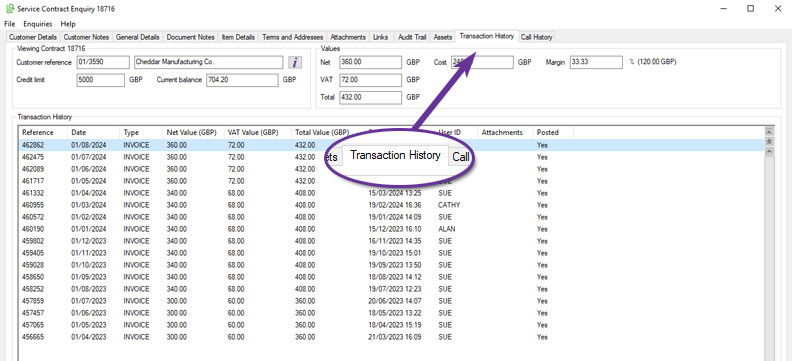
The Transactions tab also provides a quick and simple view of how the contract value has changed over time; in the illustration above, for example, we can see that the net monthly contract value has steadily increased from £300 per month to £360.
Additional Controls on Contract Termination
Available to all customers with axis diplomat 2024 or above with Service Contract Management
Release Date: 08/10/2024 Call Reference: 769435
A number of enhancements have been made to the Service Contract Management module which, collectively, provide greater control and better information on a contracts term.
Service Contract Types now have the following additional fields:
- Renewal Term (Months) - this defines the renewal period after the initial minimum term has been met. For example, a contract might automatically renew every 12 months unless terminated.
- End of Month Following - when selected, this ensures that termination can only occur at the end of the month following the specified notice period.
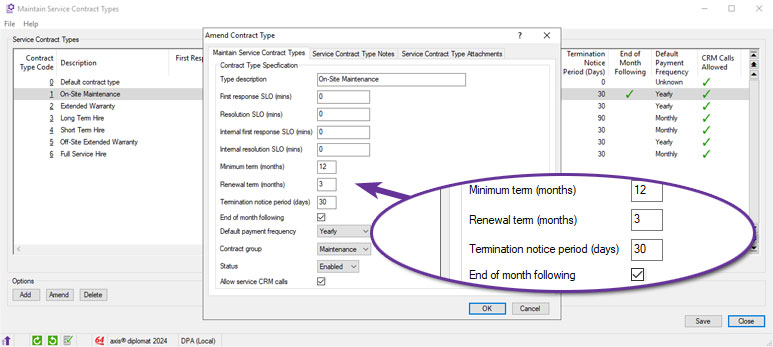
Stock items that are also contract items now also have additional fields:
- Apply Minimum Term - this enforces a minimum contract term based on either the contract type or the item itself. When enabled, this prevents changes to the contract line if it has been invoiced and is still within the minimum term.
- Minimum Term (Months) - this sets the minimum contract term for the item.
- Apply Fixed Term - this enforces a fixed contract term, ensuring the contract can only be terminated on specific dates, based on the item's start date and the minimum term.
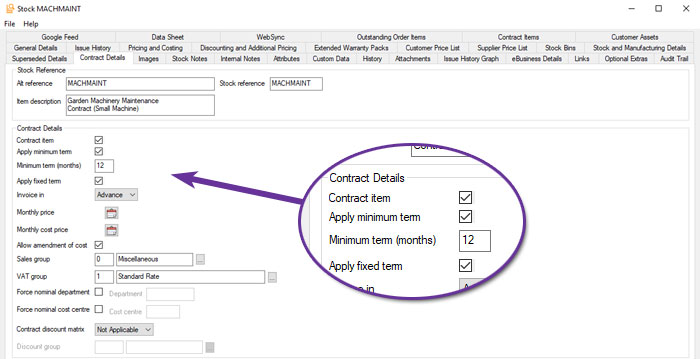
Contracts flagged with "End of Month Following" can only be terminated on the last day of the month following the notice period.
If an item is flagged as "Apply Minimum Term" and has been invoiced, changes such as deletion or quantity adjustment are restricted.
For items flagged with "Apply Fixed Term," termination dates must align with the specified contract term.
In each case, specific users can be configured with permissions to override these restrictions.
When entering or amending a Service Contract, the Item Details tab now includes an addition column showing the earliest termination date:
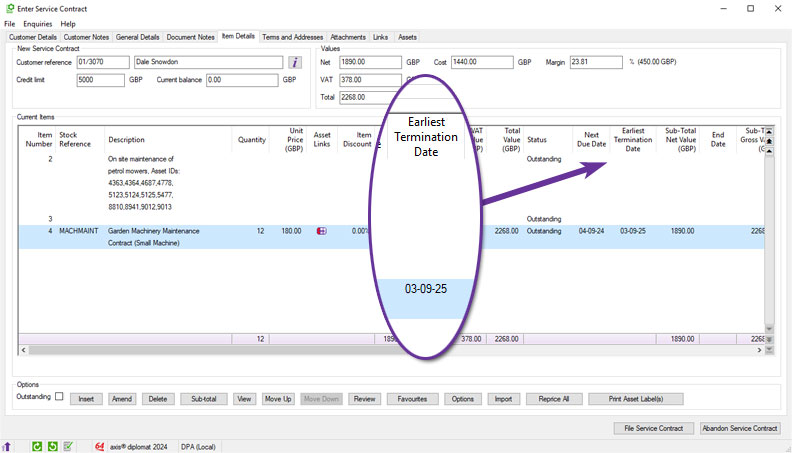
Document Designer now also includes additional document elements for the Notice Period (Days) and Earliest Termination Date as well as a document line element for the line item-specific Notice Period
By controlling and displaying contract dates and restrictions, these updates collectively help to ensure compliance with contract terms and streamline the management process.
Validation of Contract Request Dates
Available to Software Assurance customers with axis diplomat 2022 or above with Service Contract Management
Release Date: 30/07/2024 Call Reference: 829011
The Request for Service Contract maintenance function has been modified to add further validation on a request's next due date.
When amending the date, the function will now offer to update any line item with a date prior to the contract's overall date to that date (any line items with a date later then the contract date are not amended unless the user selects this).
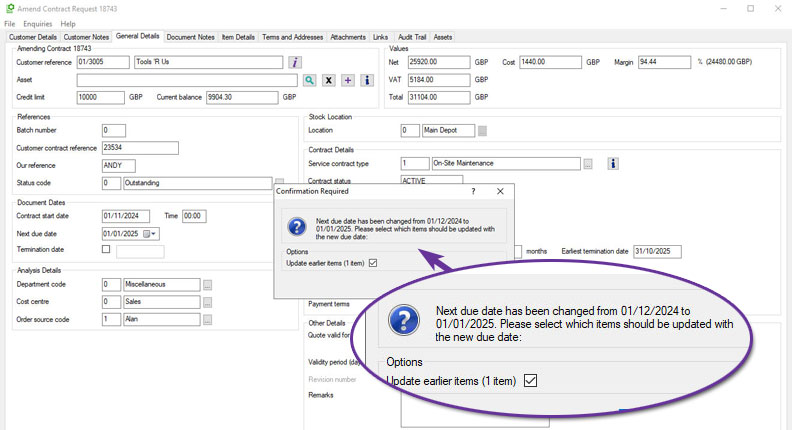
Filter Service Contract Monitors by Automatic Price Changes
Available to Software Assurance customers with axis diplomat 2022 or above with Service Contract Management
Release Date: 25/04/2024 Call Reference: 822846
It is now possible to filter Service Contract monitor tabs by the automated price change status of each contract.
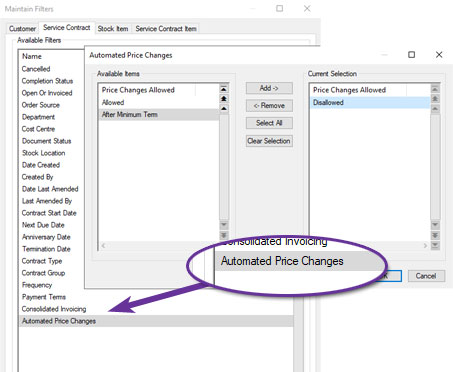
This means, for example, it is now possible to produce a monitor listing only those contracts that do not update their pricing automatically. This would be particularly useful when manually reviewing those contracts.
Workshop Job Management
Auto-Pick Product items at Create Invoice for Job
Available to Software Assurance customers with axis diplomat 2024 or above and the Workshop Job Picking module
Release Date: 11/12/2025 Call Reference: 857376
A new parameter helps streamline the point at which a Workshop Job is invoiced. When enabled, any product (non-stocked) items that have been added to the job but not yet picked will be automatically picked at the moment you raise the invoice.
This allows the workflow to keep moving without forcing the user to stop, open extra screens or reconcile missing picks at the end of the process. It is especially helpful in busy workshops where physical parts are added and picked for the job and then labour and subcontract work are added in stages while the job progresses.
In many workshops, staff add the physical parts first, then add labour using product codes for analysis. With the new auto-pick option, admin time is reduced and the need for subsequent invoices for missed items is also reduced.
New Notes Column in Workshop Job Monitor
Available to Software Assurance customers with axis diplomat 2024 or above and the Workshop Job Management module
Release Date: 29/04/2025 Call Reference: 835543
A new column has been added to Workshop Job monitor tabs to display the content of each Workshop Job's Notes.
To view the full content, simply hover over the entry. Alternatively, use the ‘More’ option from the context menu (by right-clicking on the header) to expand the display and reveal additional lines of text and save your view settings:
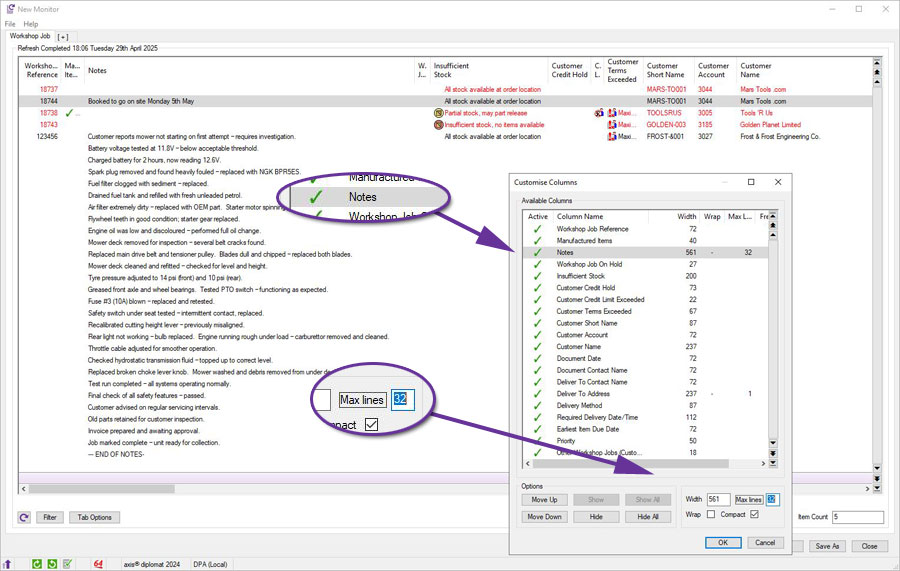
Workshop Job Despatch Quantities and Picking
Available to Software Assurance customers with axis diplomat 2022 or above with Workshop Job Management
Release Date: 21/02/2024 Call Reference: 812238
Two additional options have been made available for users of the Workshop Job Management Module.
Workshop Job Despatch Quantities allows stock to be hard-allocated to workshop jobs. Working in the same way as sales order and works order despatch quantities, setting despatch quantities on workshop job lines protects that stock from being taken for other transactions. This option is available at no additional cost to those with the Despatch Quantity Recording module.
Workshop Job Picking harnesses the technology used by the existing handheld picking functionality for Sales Orders and Works Orders and is available, also at no additional cost, to users of the Warehouse Management module. The Handheld Pick Workshop Jobs function provides a picking list of items, sorted by bin reference, to a handheld terminal which the stores team then use to carry out the picking before passing the stock to the workshop to allow them to carry out the job.
.
For more information:
https://www.axisfirst.co.uk/documentation/Workshop-Job-Picking/articles/21470
Linking Workshop Jobs to Assets
Available to Software Assurance customers with axis diplomat 2022 or above and the Customer Assets module
Release Date: 28/02/2024 Call Reference: 807600
For those with both the Workshop Job Management and Customer Assets modules, workshop jobs can now be linked to a specific customer asset.
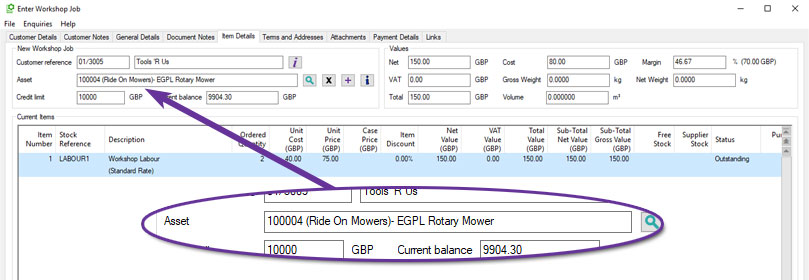
This allows you to build a comprehensive service history for each asset (even when work has been invoiced to different customer records, such as finance companies or previous owners).
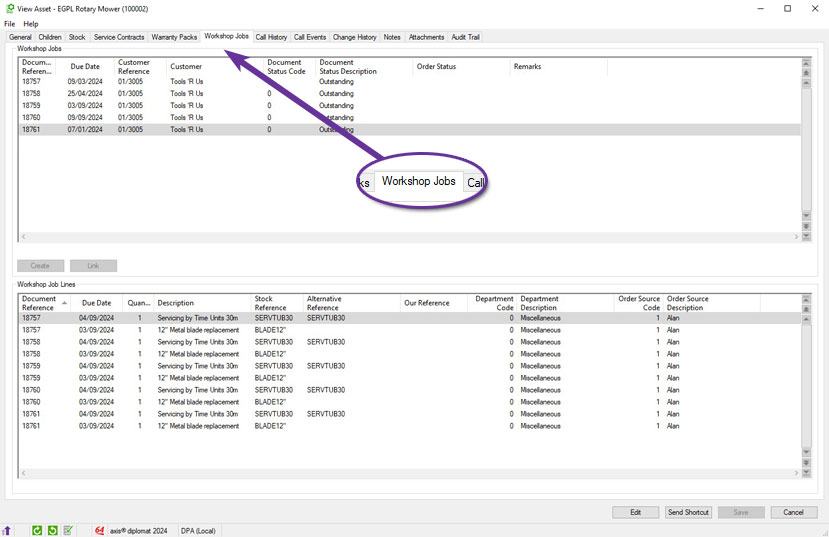
New asset records can also be created from within the Workshop Job maintenance function, which is helpful when creating a Workshop Job for a piece of equipment that has not been seen before. Conversely, it is possible to create a new Workshop Job from within an Asset Enquiry.
Links between Assets and Workshop Jobs are shown across various parts of the system, including a number of monitor tabs, such as ‘Workshop Job,’ ‘Workshop Job Items,’ and ‘Customer Transaction History.’ These now include additional columns for Asset ID, Asset Type, and Serial Number, as well as right-click menu options to drill down to the specific asset or workshop job.
Workshop Job Monitors and Assets
Available to Software Assurance customers with axis diplomat 2022 or above and the Customer Assets module
Release Date: 28/02/2024 Call Reference: 807600
A number of additional columns have been added to the Workshop Job and Workshop Job Item monitor tabs, designed to provide greater visibility of asset-related activities:
- Asset ID
- Asset Name
- Asset Serial Number
- Asset Type
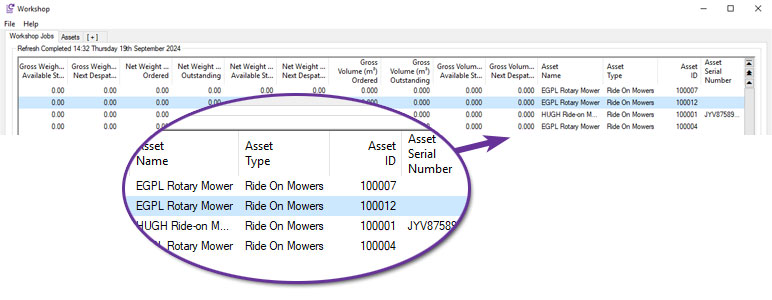
These additions will be particularly useful to those who carry out routine servicing and maintenance on customers' equipment, whether vehicles, machinery, etc. because linking workshop jobs to specific assets allows you to build and interrogate the full service history.
Workshop Jobs and Back-to-Back Process Monitors
Available to Software Assurance customers with axis diplomat 2022 or above with Workshop Job Management
Release Date: 19/04/2024 Call Reference: 805968
Back-to-back order information has been added to the Workshop Job and Workshop Job Item as well as Purchase Order and Purchase Order Items monitor tabs. This enhancement is designed to provide greater visibility of linked purchasing activities.
These additions will be particularly useful to those who arrange Workshop Job specific parts for the servicing and maintenance on customers' equipment. From a Workshop Job or Workshop Job Items monitor, a user can view the purchase order number or even use a context menu (right-click) to view the Purchase Order in full. From a Purchase Order Monitor or Purchase Order Items Monitor, a Sales Order column displays the Workshop Job.
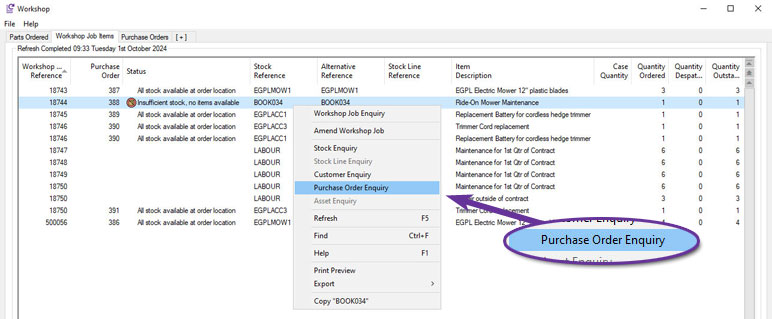
Users may track from Purchase Request to Goods Received. Purchase Invoicing may also be traced through Purchase Invoice Booking where Invoices booked against purchase orders, thus providing cost sheet details for the Workshop if required.
axis payroll
Additional Word Template Fields
Available to Software Assurance customers with axis payroll 2022 or above
Release Date: 26/04/2024 Call Reference: 769428
Microsoft Word document templates (.dotx) can be created for use within axis payroll.
In addition to the standard facilities provided by Microsoft Word, it is also possible to include in these templates axis payroll-specific substitutions that are replaced with the actual data from the employee's record when creating documents from the template.
The list of available substitutions has now been extended to include the following:
- {KnownAs}
- {Paypoint}
- {PaypointDescription}
- {StartDate}
For more information:
Amend Driving Licence Details
Available to Software Assurance customers with axis payroll 2024 or above
Release Date: 11/12/2024 Call Reference: 839704
To assist with the HR task of maintaining records of employee’s driving licences, a new maintenance function is now available to allow the details to be updated without using the general Amend Employee Details function:
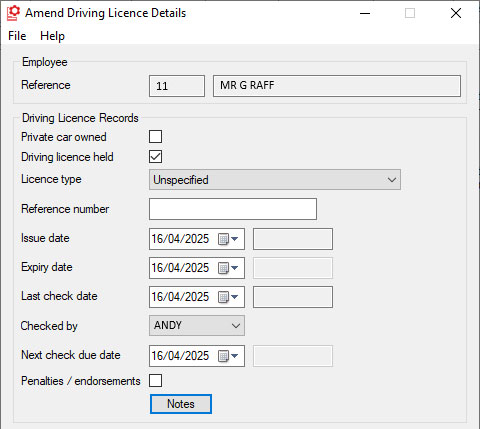
This allows you to take advantage of function-level privacy and security settings to restrict access to the more powerful functions so that the job of updating driving licence records can be delegated to more junior members of staff.
For more information:
https://documentation.axisfirst.co.uk/Amend-Driving-licence-details/article/146568
Automated Emails with Paperless Payroll
Available to all customers with axis payroll 2024 or above and the eDoc Deposit Interface module
Release Date: 08/10/2024 Call Reference: 772041
eDoc Deposit is an online document portal which axis payroll can use for the delivery of electronic payslips and payroll documents. This optional module has been extended to allow sending of an email when documents have been uploaded from either 'Deliver Payslip Attachments' or 'Deliver P60 Attachments'.
The automated email can include a number of substitutions to personalise each individual email:
- {Title}
- {Initials}
- {Forename}
- {Surname}
- {EmployeeName}
- {EmployerName}
An example email template could read:
Dear {Title} {Initials} {Surname}
Your latest Payslip has been uploaded to your employee document portal account.
{Employer Name}
An Employee Details record holds both an email (personal) and a work email address. The Payment Details tab allows you to select which email address should be used and also allows a test email to be sent.